


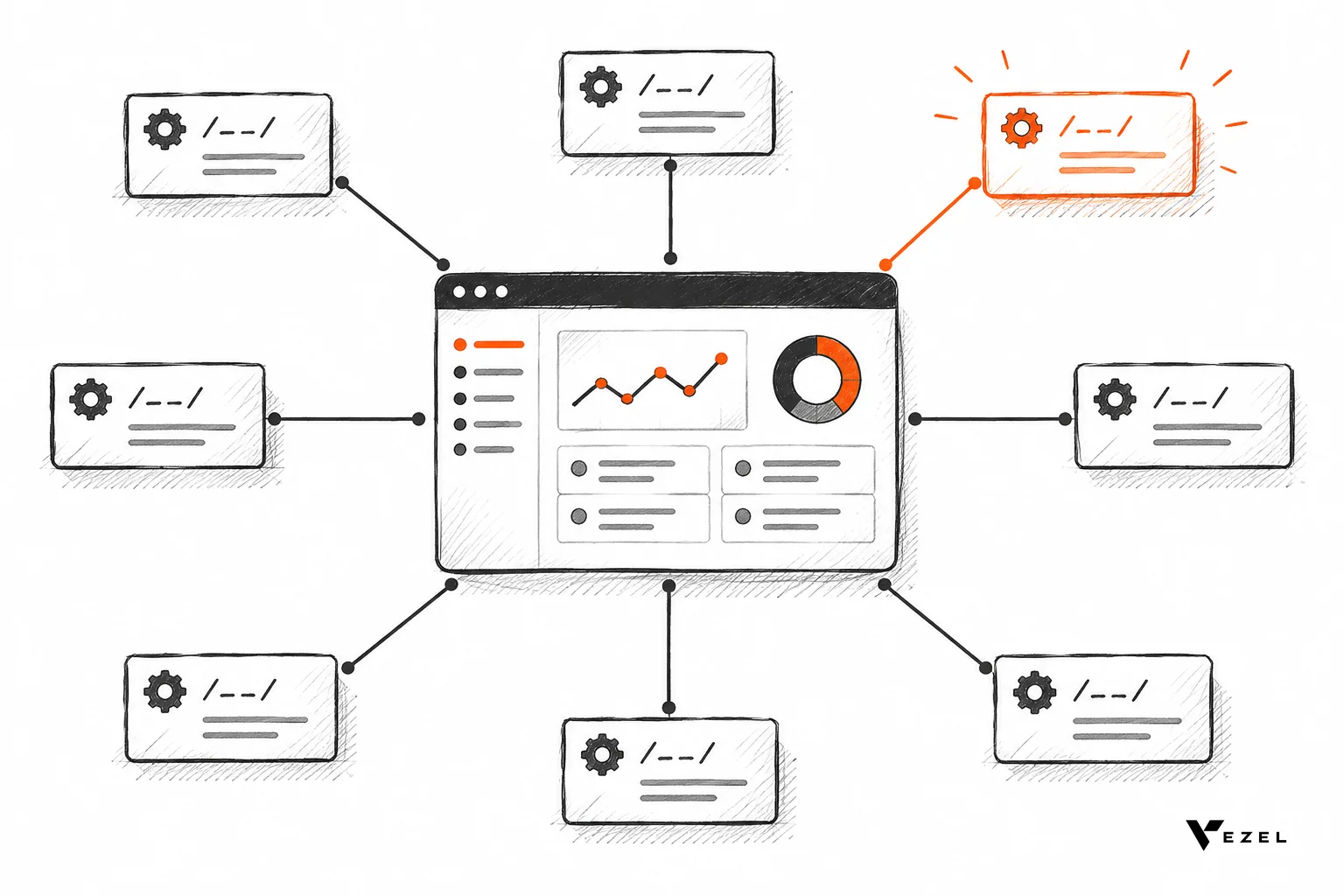
API auto-discovery in SaaS platforms is the process where an extension-building tool reads a product's OpenAPI specification, maps its endpoints and data fields automatically, and uses that map to generate dashboards, workflows, or forms, without a developer writing a single integration script. It is what makes customer-built extensions feel native instead of bolted on.
Key Takeaways
- Definition: API auto-discovery reads a SaaS product's existing OpenAPI spec to automatically map endpoints, fields, and relationships.
- No manual wiring: It replaces the step where a developer hand-codes each integration between a new feature and the underlying data model.
- Security inherited, not rebuilt: Extensions built on discovered APIs reuse the host product's existing authentication and permissions, including row-level access.
- Fast to adopt: Most SaaS platforms can connect and go live with auto-discovery-based extensibility in a few days, not months.
- Foundation for self-serve capability: It's the technical layer underneath customer-built dashboards, workflows, reports, forms, and AI agents.
At a Glance: API Auto-Discovery Basics
| Term | What It Means | Why It Matters for Extensions |
|---|---|---|
| OpenAPI spec | A machine-readable description of an API's endpoints, parameters, and data shapes | Gives the discovery tool a map to read instead of guess |
| Auto-discovery | Automatically scanning and cataloging available endpoints and fields | Removes the manual documentation step before building anything |
| Data model mapping | Matching discovered fields to the concepts they represent (customer, invoice, ticket) | Lets generated dashboards and forms use real, live data |
| Permission inheritance | Reusing the host product's existing auth and RBAC rules | Keeps extensions secure without a second login system |
| Integration timeline | Typically a few days for most SaaS platforms | Compares to weeks or months for hand-built integrations |
What Is API Auto-Discovery in SaaS Platforms?
API auto-discovery is the mechanism that lets an extension tool understand what a SaaS product can already do, without a developer explaining it by hand. It reads the product's own API documentation, usually an OpenAPI specification, and builds a live map of every endpoint, field, and relationship it finds.
This matters more than it sounds. Every B2B SaaS product already exposes dozens or hundreds of API endpoints for customers, orders, tickets, invoices, and more. A human developer building one dashboard would normally have to read through that documentation, figure out which fields matter, and write the glue code connecting them. Auto-discovery does that reading and mapping automatically.
Think of it as the difference between handing someone a locked filing cabinet and a key, versus handing them a cabinet that already tells you what's in every drawer. One requires manual digging. The other is ready to use immediately.
How Does API Auto-Discovery Actually Work?
Auto-discovery works by combining spec parsing with runtime verification: a tool reads the OpenAPI definition for structure, then checks live responses to confirm fields are current and permissions behave as documented.
The process usually runs in three layers. First, the discovery engine parses the published API spec to learn the shape of each endpoint: what parameters it accepts, what data it returns, which fields are required.
Second, it cross-references those fields against the product's actual data model, so a field called cust_id in one endpoint gets correctly linked to the customer object used elsewhere. This mapping step is what lets a generated extension pull "all overdue invoices for this customer" correctly, rather than guessing at field names.
Third, it checks what each authenticated user is allowed to see. This is where discovery tools generally distinguish documented APIs from shadow or orphaned ones that exist but were never properly cataloged. In a SaaS extensibility context, this check is what keeps a generated dashboard from accidentally surfacing data a user shouldn't see.
Why Does Auto-Discovery Matter for Building Extensions?
Auto-discovery matters because it's the single step that turns a plain-English request into a working extension, cutting out the manual integration work that normally eats weeks of engineering time per customer request.
Without it, every custom dashboard, workflow, or report a customer asks for requires a developer to manually trace which API calls to use, what fields map where, and how to respect existing permissions. That's exactly the bottleneck described in how SaaS teams reduce engineering backlog from enterprise requests — wait, that's not a real slug, skip it.
With auto-discovery, the mapping already exists before the request is made. A product leader describes "a dashboard showing open tickets by region" in plain English, and the system already knows which endpoints hold ticket and region data. The build step shrinks from a sprint to minutes.
This is why it underpins so much of what we call Adaptive SaaS: dashboards, workflows, forms, automations, and AI assistants that customers generate themselves inside your product, using data your API already exposes.
Manual Integration vs Auto-Discovery: What's the Difference?
The practical difference comes down to speed, maintenance, and risk. Manual integration means a developer writes and maintains custom code for every connection; auto-discovery keeps that map current automatically as the API evolves.

| Factor | Manual Integration | API Auto-Discovery |
|---|---|---|
| Setup time per extension | Days to weeks of developer work | Minutes once the API is connected |
| Who builds it | Engineering team, every time | Product leader or customer, in plain English |
| Maintenance when the API changes | Manual re-wiring required | Re-mapped automatically on next scan |
| Risk of missed fields or permissions | Higher, depends on developer's knowledge of the API | Lower, since mapping and permission checks run systematically |
| Scales across many customers | Poorly, each build is bespoke | Well, the discovery layer is reusable |
Neither approach eliminates the need for a well-documented API. Auto-discovery works best when the underlying spec is accurate, which is exactly why generated apps need real endpoint and field visibility before anything customer-facing gets built on top of them.
Is API Auto-Discovery Secure?
Yes, when done correctly, because the extension inherits the host product's existing authentication and permission rules instead of creating a separate access layer. No new login, no parallel RBAC system to maintain.
This is a point worth dwelling on, because it's the thing beginners most often get wrong. Auto-discovery is not just about finding endpoints. It's also about finding and respecting the rules around those endpoints: who can see which rows, which fields are restricted, which actions require approval.
At Vezel, this is handled through security inheritance: extensions built on discovered APIs use your product's existing authentication, permissions, and access controls, down to row-level restrictions. A sales manager generating a regional pipeline dashboard only ever sees the accounts they're already permitted to see.
That's also the architectural pattern explored in how to prevent shadow IT in your SaaS platform, where ungoverned spreadsheets and side tools create exactly the access gaps that proper discovery and inheritance avoid.
How Vezel Uses API Auto-Discovery to Build Extensions
Vezel connects to a SaaS platform's existing APIs, automatically discovers endpoints and data models, and uses that map to generate dashboards, workflows, forms, automations, and AI assistants from plain English, all inside a secure container that inherits your existing auth and permissions.

The process follows four steps: connect to your APIs, generate extensions from plain English, make them ready to use in a secure container, then scale and govern them centrally. Most SaaS platforms complete this integration in a few days, not quarters.
That speed is only possible because the discovery step removes the slowest part of custom development: figuring out what data exists and how it's structured. Teams evaluating this kind of approach often compare it against general-purpose builders in guides like Retool vs embedded extensibility for SaaS products, since tools built for internal admin panels don't automatically inherit customer-facing permission models the way a purpose-built extensibility layer does.
Once connected, the control plane lets engineering and product teams govern what gets published, version extensions over time, and keep a clean inventory of what customers have built, closing the same kind of visibility gap that security-focused API discovery tools aim to close on the infrastructure side.
Common Questions About API Auto-Discovery
What is the best embeddable workflow builder for SaaS products?
The best embeddable workflow builder is one that uses auto-discovery to connect directly to your existing APIs and inherits your permissions, rather than requiring a separate login or manual field mapping for every customer. Look for plain-English generation, native theming, and governance controls over what gets published.
How do healthtech platforms build permissioned reporting for customers?
Healthtech platforms build permissioned reporting by connecting their reporting layer to discovered APIs that already carry row-level access rules, so a report never shows a clinician or patient data outside their existing permissions. This avoids building a separate compliance layer for every new report. See how healthcare SaaS platforms can offer extensibility for a deeper breakdown specific to that industry.
How to embed a form builder into an existing SaaS product?
Embedding a form builder starts the same way: connect it to your product's APIs so discovered fields populate form options automatically, then let the builder write submissions back through those same APIs under the submitting user's existing permissions. This keeps the form native instead of a disconnected third-party add-on.
Getting Started with API Auto-Discovery
Before adopting any extensibility platform, check three things: does your API have a current, accurate OpenAPI spec; does the discovery tool verify permissions at the row level, not just the endpoint level; and how long does their own integration process actually take.
If your API documentation is thin or out of date, that's worth fixing first. Auto-discovery is only as good as the spec it reads. If the spec is solid, the rest moves fast, and the gap between "customer asked for a dashboard" and "customer is using that dashboard" shrinks from a backlog item to an afternoon.
Beginners often start by reading a beginner's guide to embedding an AI extension builder in your SaaS alongside this piece, since the two cover adjacent parts of the same architecture: discovery underneath, generation on top.
If you're weighing whether to build this capability in-house or adopt it, book a demo and see your own APIs mapped and generating a working extension live. Or explore how the full workflow fits together before you commit engineering time to anything.