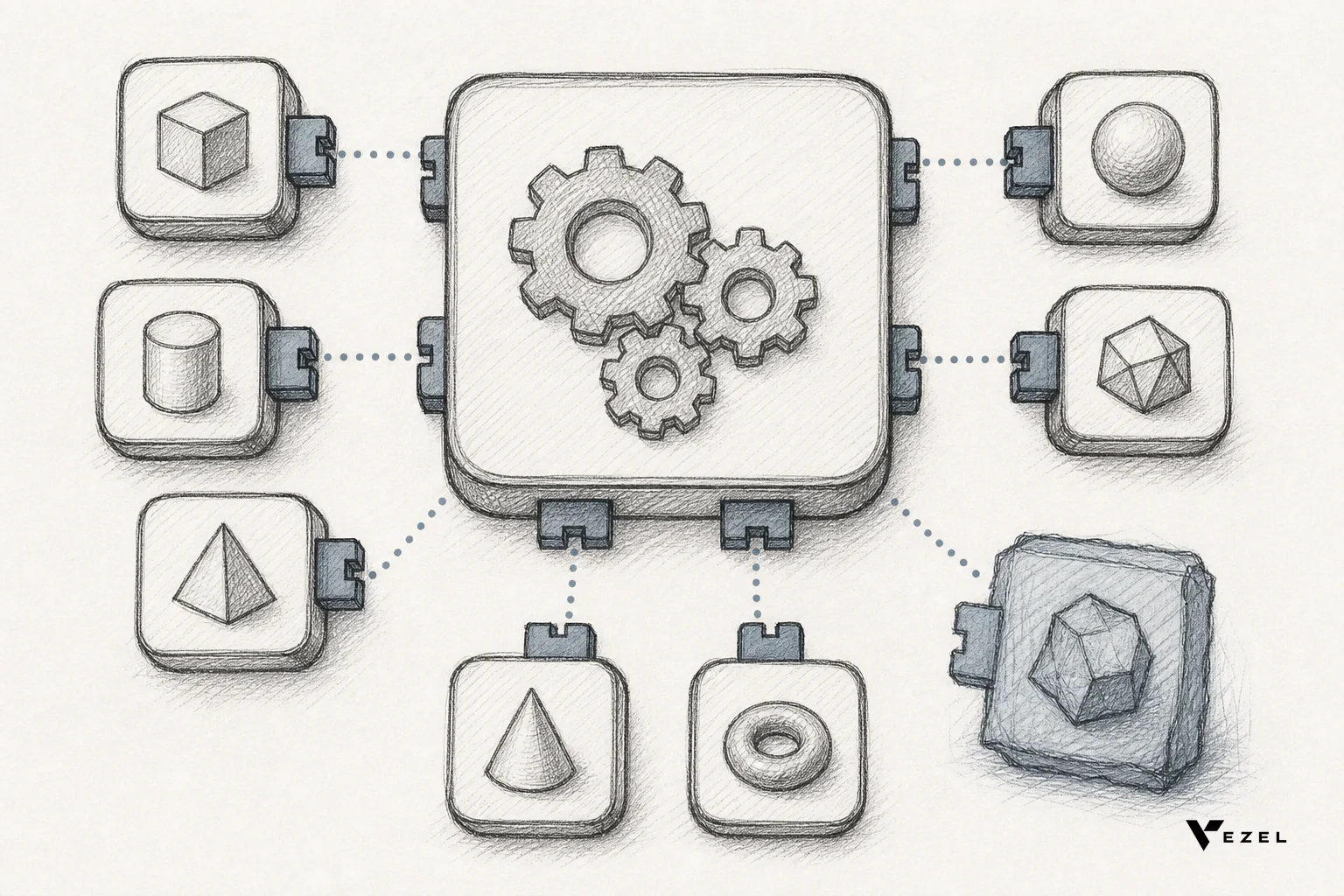
Superblocks is built for engineers building internal tools; embedded extensibility is built for customers building features inside your product. The Superblocks vs embedded extensibility for SaaS vendors question comes down to one thing: who is the end user, and does that user need to inherit your product's branding and permissions? If the answer is "my own engineering team," Superblocks fits. If it's "my paying customers," you need embedded extensibility.
Key Takeaways
- Different audiences, different tools: Superblocks targets internal engineering teams building admin panels; embedded extensibility targets end customers building their own dashboards and workflows.
- Permissions are the dividing line: embedded extensibility inherits your product's existing authentication and RBAC, so customers only see what they're already allowed to see. An internal tool builder isn't designed around that constraint.
- Code ownership vs brand ownership: Superblocks lets you own the generated code and connect it to your own git repository, which matters for internal tooling. Embedded extensibility is judged on whether the output feels native to your product, not whether engineers can check out the source.
- The cost of picking wrong is roadmap pressure: the engineering time lost to one-off enterprise requests runs as high as 40% of total capacity at many B2B SaaS companies, and the wrong tool choice doesn't fix that number.
At a Glance: Superblocks vs Embedded Extensibility
| Dimension | Superblocks | Embedded Extensibility (e.g. Vezel) |
|---|---|---|
| Primary user | Your internal engineers | Your paying customers |
| Who builds the app | Technical staff, drag-and-drop plus code | Non-technical end users, plain English |
| Branding | Internal tool, no white-label requirement | White-labeled, matches your product's design system |
| Permission model | Managed separately from your product's RBAC | Inherits existing authentication and row-level permissions |
| Deployment target | AWS private cloud or on-premise agent | Lives natively inside your SaaS product |
| Code ownership | Full code ownership, connects to your git repo | Governed through an in-product marketplace, not a repo export |
| Best fit | Admin panels, ops dashboards for internal use | Customer-facing dashboards, workflows, reports, AI agents |
What Superblocks Actually Does Well
Superblocks is a low-code builder aimed squarely at engineering teams who need an internal tool fast. Drag-and-drop components, AI-assisted code generation, and one-click deployment are the pitch, and for admin panels or ops dashboards that only your own team touches, that pitch holds up.
One detail matters more than it sounds: Superblocks' pricing FAQ states that you fully own all code generated in Superblocks and connect it to your own git repository. That's a real differentiator against pure black-box low-code tools, and it's a reasonable reason an engineering-led team would choose it over an alternative like Retool for internal builds.
What it isn't built for is handing the builder to someone outside your engineering org. There's no mechanism for a customer logging into your SaaS product to open Superblocks and build their own report using your product's existing login and permissions. That's not a flaw in Superblocks; it's simply not the problem it was designed to solve.
What Is Embedded Extensibility, and How Is It Different?
Embedded extensibility is a layer that lives inside the SaaS product your customers already use, letting them build dashboards, workflows, reports, and AI agents in plain English instead of filing a feature request. The extension inherits your product's existing authentication and permissions, so a customer never sees data they weren't already allowed to see.
It's white-labeled, so the thing they build looks like it shipped from your product team, not from a third-party tool bolted on the side. That distinction is why teams evaluating Retool vs embedded extensibility for SaaS products run into the same conclusion engineers reach with Superblocks: internal tool builders solve a different problem than customer-facing extensibility.
Superblocks vs Embedded Extensibility: Side-by-Side Comparison
The table above covers the structural differences. Where this actually bites is in deployment speed and ongoing maintenance. Building one custom approval workflow in house commonly takes multiple weeks of engineering time per request, and that estimate holds whether you're coding from scratch or wiring up an internal tool builder for a one-off external use case.
Buy-side platforms that put the building directly in the customer's hands change that math because the customer does the work themselves, not your engineering backlog.
If your team is weighing build vs buy vs embed for SaaS customization strategy, the embed option is the only one of the three where your customers, not your engineers, do the actual building.
When Superblocks Is the Right Call
Pick Superblocks, or a close peer, when the people building the tool and the people using it are both on your payroll. A finance team needs a reconciliation dashboard, support needs a ticket triage panel, ops needs a daily shipment tracker. None of that touches customer-facing permissions, none of it needs your product's branding, and all of it benefits from an engineer owning the code.
It's also the right call if your team wants to keep full code ownership and self-host on AWS or on-premise, since Superblocks markets exactly that control to IT and security teams.
When You Need Customer-Facing Embedded Extensibility Instead
Embedded extensibility is the right call when the requests are coming from outside your building, not inside it. If sales is stalling deals on custom dashboards, if customer success is watching renewals wobble because a promised feature never shipped, or if customers are quietly building the workaround in a spreadsheet, that's not an internal tooling problem.

This is also where the pattern from the research holds: engineering teams lose up to roughly 40% of capacity to one-off enterprise requests, according to the 2026 build-vs-buy analysis of Superblocks on AWS. That number doesn't move by switching internal tooling vendors. It moves when the customer builds the capability themselves, inside the product, with no ticket required.
Teams running a how to reduce saas engineering backlog from enterprise requests style audit usually find the same root cause: every "yes" to a bespoke dashboard becomes a maintenance line item forever, not a one-time cost.
Is a Platform's Extensibility Model Actually Governed, or Just Technically Open?
A platform is governed when it enforces permission inheritance, publishing gates, and lifecycle management on everything a customer builds. It's merely technically open when it hands over API access and calls that extensibility, leaving security and versioning entirely up to the customer.
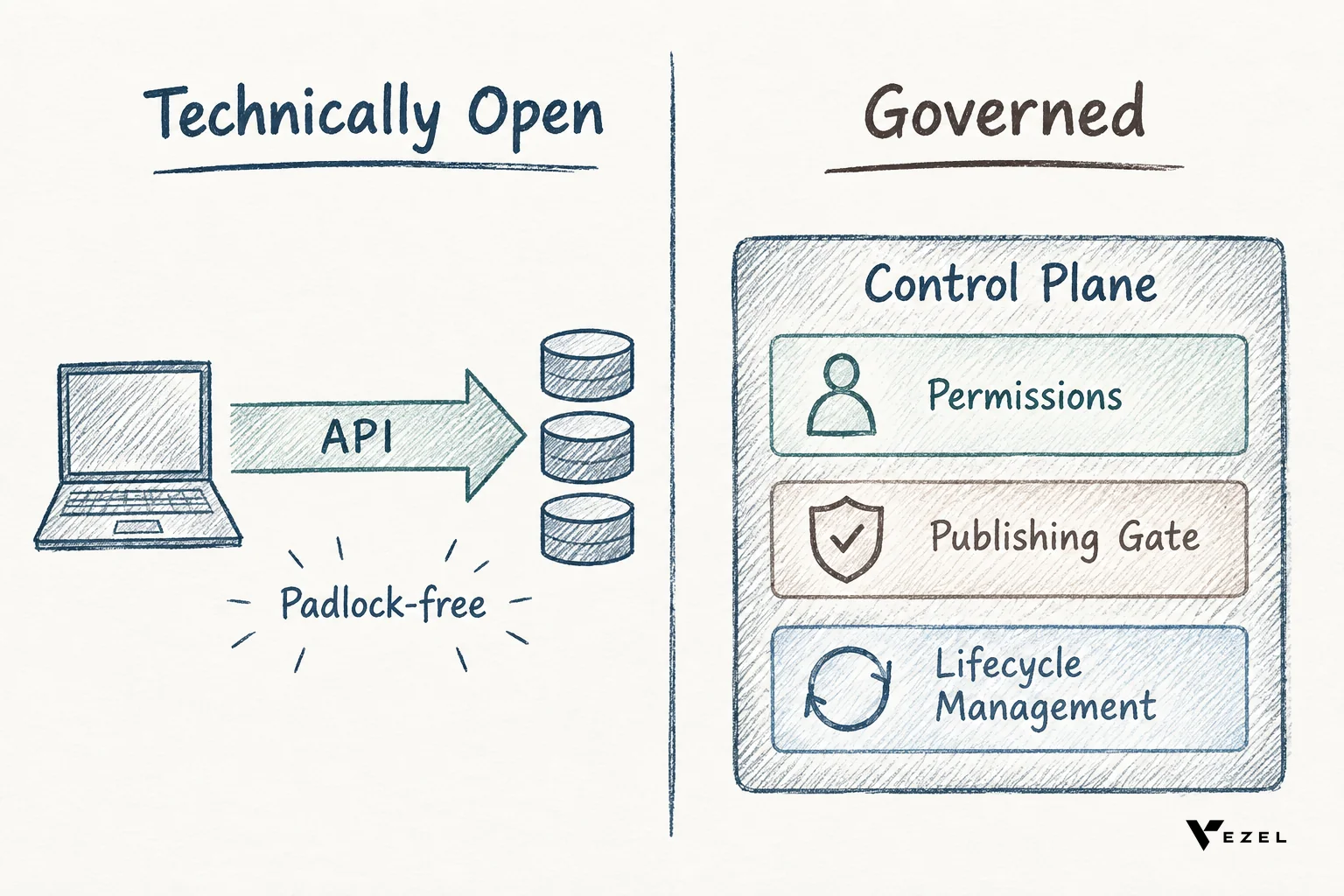
Technically open access is still useful. Many platforms, Superblocks included, let a developer connect to data and build something custom. But "can a developer reach the data" and "can a non-technical customer safely publish something inside production without a security review" are two different questions. The second one is what a control plane answers: it decides who can publish, what gets versioned, and what happens when the underlying product changes underneath a customer-built extension.
If you're evaluating any extensibility vendor, ask them directly how they handle permission inheritance and publishing approval. A vague answer on either is the tell that you're looking at open access dressed up as governance.
How to Decide: A Checklist for SaaS Teams
- Who's actually building it? Internal staff points to Superblocks or a similar low-code builder. External customers point to embedded extensibility.
- Does the output need to inherit your product's existing permissions? If a customer-built dashboard could leak data between accounts without that inheritance, you need a platform designed around it from day one.
- Does it need your brand on it? Internal tools don't. Anything a customer sees, including the extension itself, usually does.
- Is this a one-off or a repeating pattern? One internal admin panel is a Superblocks project. Fifty customers each wanting a slightly different dashboard is a platform decision, not a project.
- Who maintains it in a year? Internal tools get maintained by your engineers. Customer-built extensions need a lifecycle model, or they rot the moment your underlying API changes.
Red Flags to Avoid When Picking an Extensibility Approach
Watch for a vendor pitch that quietly assumes the builder and the end user are the same person. That assumption works for internal tools and breaks immediately for customer-facing use, because customers aren't going to learn a separate login or wait for your IT team to configure permissions on their behalf.
Watch for "extensibility" that's really just raw API access with no publishing gate. It looks flexible in a demo and turns into an audit nightmare the first time a customer-built dashboard surfaces data it shouldn't.
And watch for underestimating maintenance. A custom workflow built once by a consultant or an internal tool builder is cheap to demo and expensive to keep alive, especially across dozens of enterprise accounts each running their own version.
That's the gap a governed, white-labeled, embedded platform is built to close. Readers comparing a wider set of options will find similar tradeoffs in Mendix vs embedded extensibility and in how to choose an embedded extensibility platform.
If your engineering backlog is full of customer-specific dashboard and workflow requests that have nothing to do with internal tooling, that's a sign the fix isn't another low-code builder for your own team. It's giving customers a safe way to build it themselves inside the product they already trust. Book a demo to see how Vezel's embedded extensibility layer inherits your permissions and brand, or see how it works before your next enterprise renewal conversation.