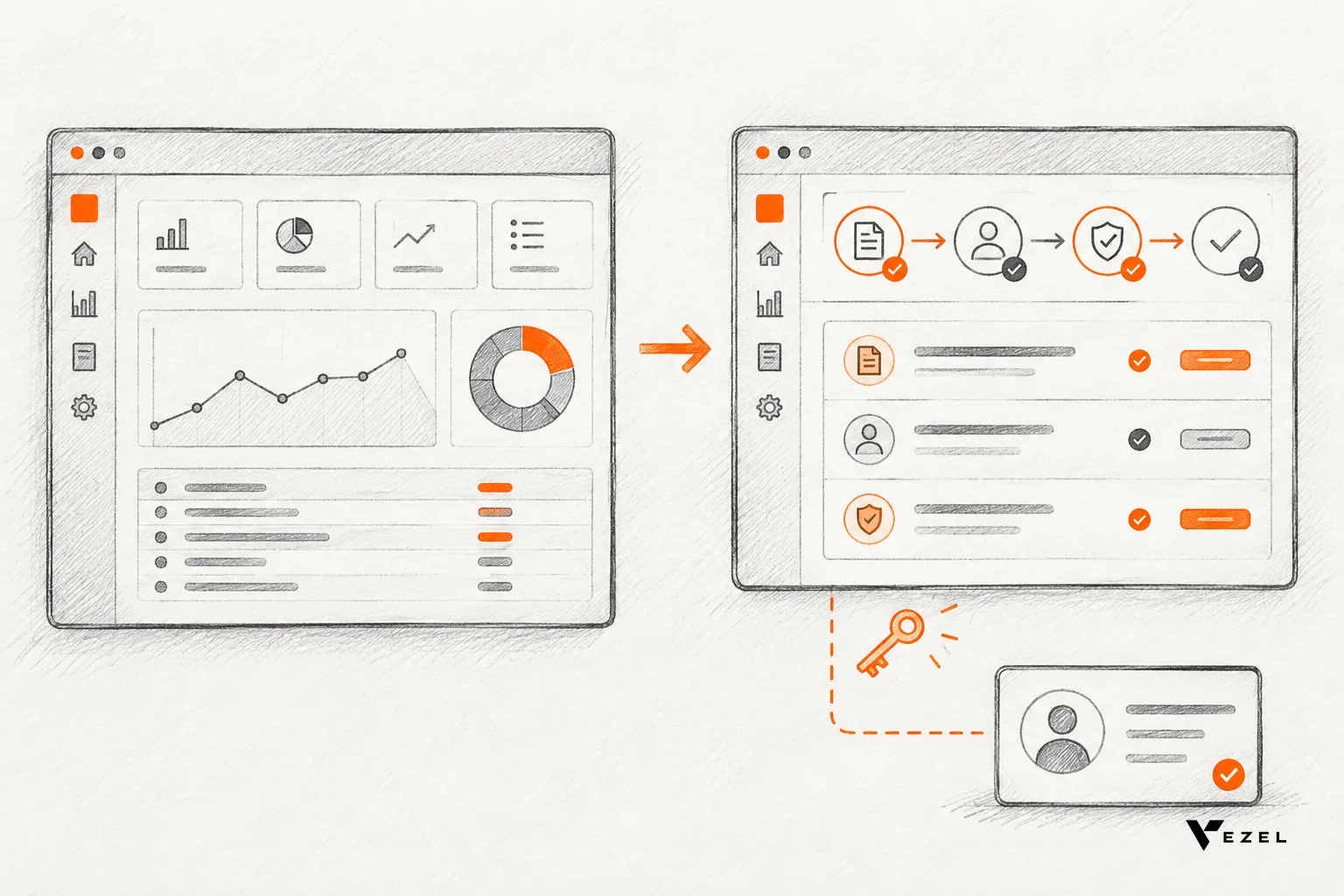


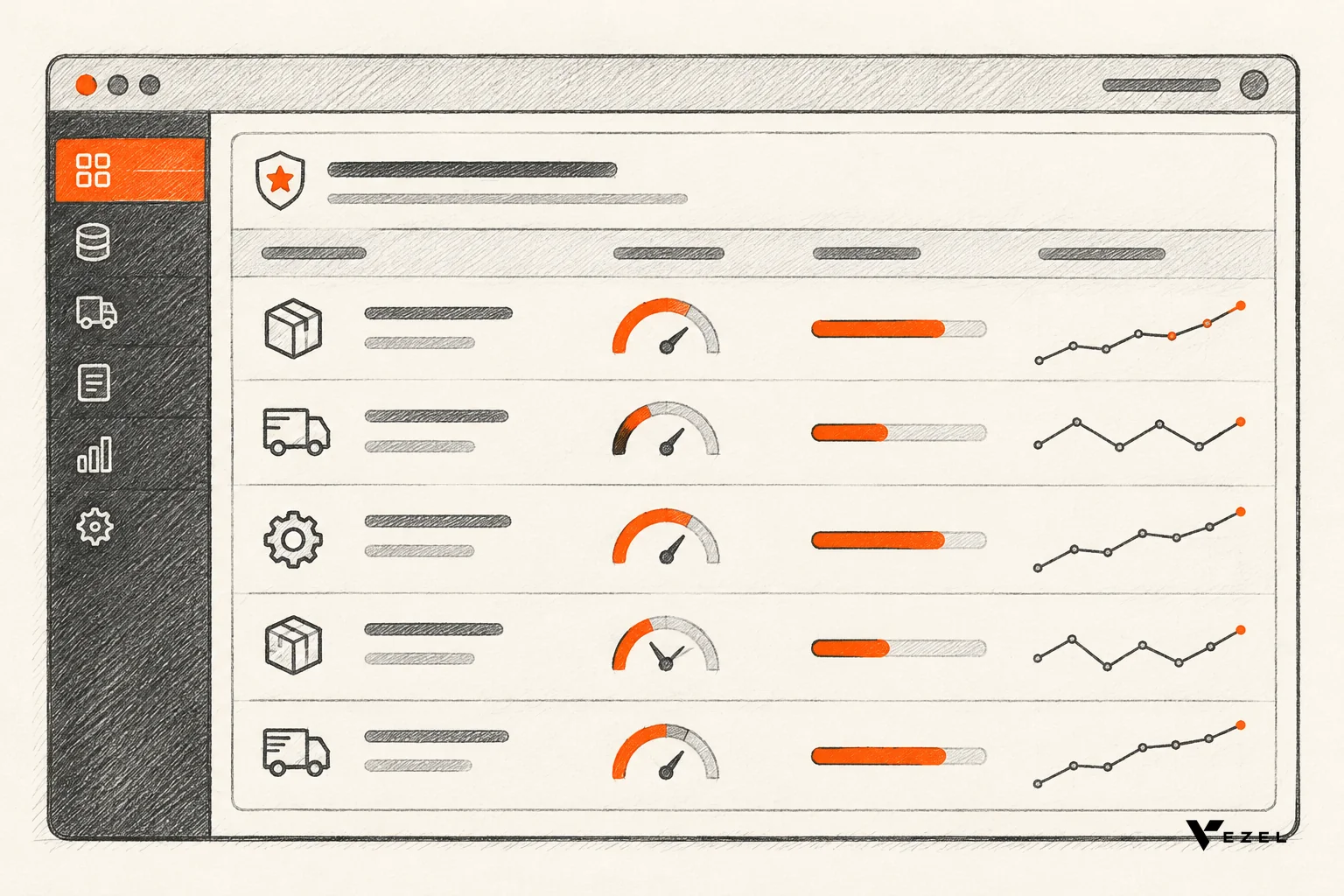
A supplier scorecard dashboard built inside your ERP ranks every supplier on live delivery, quality, price and stock data, so buyers act on it without exporting to Excel. For US operations teams, the build takes six steps: pick decisions, choose 8 to 10 metrics, connect live data, inherit permissions, set weights and thresholds, then run a monthly review.
Key takeaways
- Start with decisions: write down the calls the scorecard must support (renew, rebid, escalate, dual-source) before you pick a single metric.
- Keep it to 8 to 10 metrics: delivery, quality, price, lead time, responsiveness and stock impact cover most buying decisions.
- Use live data, not exports: the dashboard reads procurement and inventory records through the ERP's own APIs, so the core ERP stays unchanged.
- Permissions carry over: extensions inherit your existing authentication, permissions and access controls, so a buyer sees only what the ERP already lets them see.
- Review on a rhythm: a daily buyer check and a monthly supplier review turn red scores into actions, not just colors.
Supplier scorecard dashboard at a glance
| Step | What you do | Data or input needed | Output |
|---|---|---|---|
| 1. Define decisions | List the supplier calls the dashboard must support | Procurement lead's list of recurring decisions | 3 to 5 decision statements |
| 2. Choose metrics | Pick 8 to 10 measurable supplier metrics | PO, receipt, inspection and invoice records | Metric definitions with owners |
| 3. Connect data | Link the dashboard to live ERP data through APIs | ERP API access and data models | Live scorecard, no exports |
| 4. Inherit permissions | Reuse existing ERP roles and access rules | Existing authentication and roles | Role-correct views per buyer |
| 5. Set weights | Weight metrics to total 100 and set green, amber, red bands | Your own baseline performance | One score per supplier |
| 6. Run the rhythm | Daily buyer check, monthly supplier review | Named owner for each red metric | Logged actions per supplier |
Why a supplier scorecard dashboard belongs inside the ERP
A supplier scorecard dashboard belongs inside the ERP because that is where purchase orders, receipts and stock already live. Buyers see current scores next to the order they are about to place. A spreadsheet copy is out of date the moment it is saved.
Most teams start with an export. Someone pulls PO and receipt data every month, pastes it into a workbook, and builds charts by hand. It works until the person who owns the workbook goes on leave, or until a late shipment happens on the 3rd and nobody sees it until the 30th.
We built our own demo around this problem. In Vezel's demo with Flexibiz, an ERP for the packaging industry, AI-powered dashboards sit directly inside the ERP. Users create, customize and explore dashboards there instead of exporting reports to Excel or building charts by hand. A supplier scorecard is the same pattern applied to procurement.
The other half of the case is the ERP itself. Nobody wants to open a change request on a core system just to add a scorecard. Vezel connects to the product's APIs and data models with a zero-footprint setup, and it builds procurement approvals, inventory dashboards and supplier scorecards without changing the core ERP.
If you want the broader pattern first, our guide to building custom dashboards inside your SaaS covers it. This article stays on the supplier scorecard use case.
1. Pick the decisions the scorecard must support
Metrics come second. A scorecard that does not change a decision is decoration, and buyers stop opening it within a few weeks.
Sit with your procurement lead and list the supplier calls that repeat. Most teams end up with a short set:
- Renew or rebid: which contracts are up soon, and is the supplier earning the renewal?
- Escalate: which supplier needs a call this week because of late or rejected deliveries?
- Split volume: where is one source carrying too much risk, so a second supplier is justified?
- Approve a PO: should this order go out, given the supplier's recent record?
Write each decision as a sentence with an owner. "The category buyer decides each quarter whether to rebid, using the supplier's trailing score" is a good one. Every metric you add later has to point at one of these sentences.
Academic work on this is consistent. A University of Oberta de Catalunya project on balanced scorecards and dashboards on top of an existing ERP, CRM or app frames the dashboard as something aligned with business strategy, not a pile of charts.
2. Which supplier metrics belong on a scorecard dashboard?
Six metric groups belong on most supplier scorecard dashboards: on-time delivery, quality, price variance, lead-time reliability, responsiveness and inventory impact. Together they answer whether a supplier delivers the right goods, at the right price, when you need them, and whether problems get fixed.

Keep the total to 8 to 10 metrics. More than that and buyers cannot tell which number matters. Here is a practical starting set, with where each comes from in a typical ERP.
| Metric | How to define it | ERP data source | Decision it feeds |
|---|---|---|---|
| On-time delivery | Share of PO lines received by the confirmed date | PO lines, goods receipts | Escalate, rebid |
| In-full delivery | Share of PO lines received at the ordered quantity | PO lines, goods receipts | Escalate, split volume |
| Quality or rejection rate | Rejected units divided by received units | Inspection and quality records | Rebid, approve PO |
| Price variance | Invoiced price against the contract or PO price | Invoices, price lists | Renew, rebid |
| Lead-time reliability | Actual lead time against quoted lead time | PO dates, receipts | Split volume |
| Responsiveness | Days to resolve a dispute or corrective request | Issue or claim log | Escalate |
| Inventory impact | Stockouts or expedited orders traced to the supplier | Inventory, stock movements | Split volume, safety stock |
| Spend share | Supplier's share of category spend | PO and invoice totals | Concentration risk |
Add what only your business knows
Public scorecard templates show how others weight things. A Rowan University procurement vendor scorecard assigns a percentage weight to each item, such as 10% for the vendor's price relative to competitors. Use templates like that as a prompt for your own list, not as a standard.
For a packaging converter, you might add film-spec compliance or roll-width tolerance. A distributor might add fill rate by branch. Those are the measures buyers argue about anyway, so put them on the dashboard.
Include the human signal
Numbers miss things. A Harvard Kennedy School vendor performance guide pairs measurable items with questions such as whether you would recommend the vendor. A simple one-to-five buyer rating field, entered after each major delivery, gives the scorecard that judgment layer.
3. Connect the dashboard to live procurement and inventory data
You connect a supplier scorecard dashboard to live data by pointing it at the ERP's APIs, not by copying tables out. The dashboard queries purchase orders, receipts, invoices and stock levels on demand, so each score reflects the current state of the system.
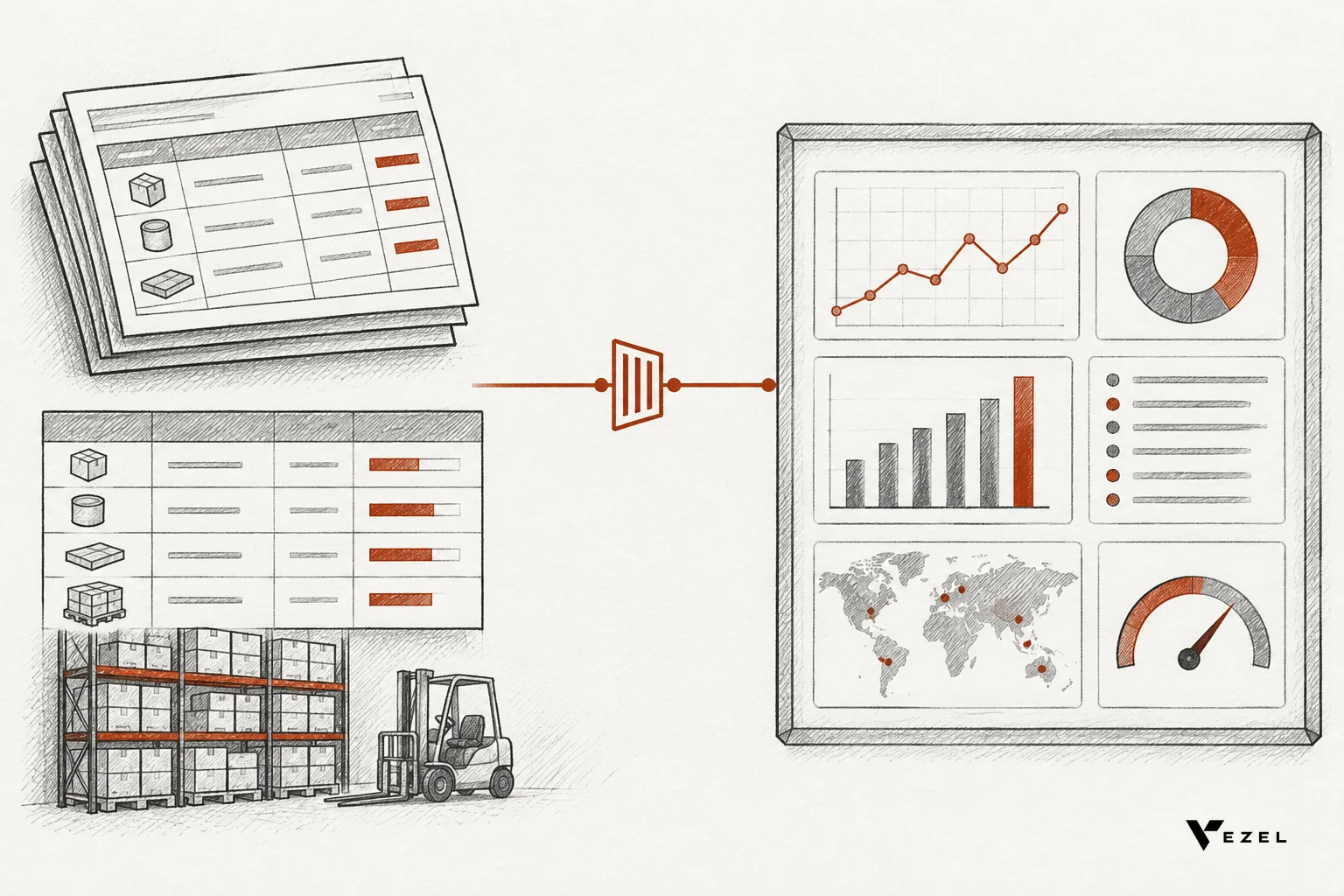
Vezel follows four steps. First, it connects to your APIs. Second, you generate the extension from plain English. Third, it is ready to use in a secure container. Fourth, you scale and govern it. For most SaaS platforms, integrating Vezel takes a few days.
For an ERP vendor, that connection is a one-time job. API auto-discovery maps to the data models and endpoints you already expose. Our walkthrough on connecting AI extensions to your SaaS APIs covers the technical side.
Describe the scorecard in plain English
Once data is connected, a buyer or ops analyst describes what they want. A prompt might read:
Build a supplier scorecard for my categories. Show on-time delivery, in-full rate, rejection rate and price variance for the last 90 days, plus open PO value and current stock days for items each supplier provides. Rank suppliers by weighted score and flag any below the red threshold.
The platform generates the dashboard, and the user then explores and adjusts it in the same way. In the Flexibiz demo, that creation and customization happens inside the ERP, so no one leaves the application.
Check the data before you trust the score
A live feed shows bad data faster than a monthly export does. Before launch, test three things:
- Supplier identity: the same supplier should not appear under two names or codes. If it does, merge them in the ERP or map them in the dashboard.
- Date fields: confirmed delivery dates must be filled in on POs. If more than a small share of lines lack one, on-time delivery will be meaningless, so fix capture first.
- Receipt timing: goods receipts should be posted close to physical arrival. Late posting punishes suppliers for your warehouse's backlog.
If a check fails, do not hide it in a footnote. Show a data-quality flag on the affected metric until the source is fixed.
4. How do existing ERP permissions carry over?
Permissions carry over because the extension inherits your existing authentication, permissions and access controls. A buyer who logs into the ERP logs into the dashboard the same way, and sees only the suppliers, categories and records the ERP already allows for that role.
That matters for supplier data. Pricing, contract terms and spend by supplier are often restricted. If a scorecard lived in a separate tool, you would have to rebuild those rules there, and any mismatch would be a leak.
Here is a practical test. Create two test users: a category buyer for one commodity, and a plant manager with read-only access. Open the same scorecard as each. The buyer should see only their own category's suppliers. The plant manager should see delivery and quality, but not contract prices if the ERP hides those from that role.
If either user sees something the ERP would not show them in its own screens, stop and report it before rollout. That is your walk-away signal. Our own security statement is narrow on purpose: extensions inherit your existing authentication, permissions and access controls. We make no claims beyond that.
Sharing scores with suppliers
Some teams want suppliers to see their own score. A Virginia ABC supplier scorecard program shows the idea in practice: it asks suppliers to keep an overall score of 95.00 or greater, and ties fee waivers to that score. Whatever you do, the rule is the same: each supplier sees only its own performance and nothing about any other supplier.
Treat that as a separate release. Get the internal scorecard trusted first, then decide what a supplier-facing view should show.
5. Set scoring weights, thresholds and review cadence
Weights decide what the single score means. Give each metric a weight, make the weights total 100, and score each metric on a 0 to 100 scale. Then set green, amber and red bands from your own baseline performance, not from a generic benchmark.
A hypothetical worked example
The numbers below are invented to show the math. Suppose a packaging converter uses six weighted metrics for two film suppliers.
| Metric | Weight | Supplier A score | Supplier B score |
|---|---|---|---|
| On-time delivery | 30 | 96 | 78 |
| Quality | 25 | 90 | 95 |
| Price variance | 15 | 80 | 90 |
| Lead-time reliability | 10 | 85 | 60 |
| Responsiveness | 10 | 70 | 80 |
| Inventory impact | 10 | 100 | 60 |
| Weighted score | 100 | 88.8 | 80.65 |
Supplier A scores 28.8 from delivery (30% of 96), 22.5 from quality, 12 from price, 8.5 from lead time, 7 from responsiveness and 10 from inventory impact, which totals 88.8. Supplier B totals 80.65.
The interesting part is Supplier B. It is cheaper and has better quality, so a price-and-quality view would favor it. The live scorecard shows late deliveries and stock impact pulling it down. A buyer now has a specific conversation to have, and a case for shifting some volume.
Set bands from your own baseline
For the example, assume green at 85 and above, amber from 70 to 84, and red below 70. Those cutoffs are placeholders. Pull a few months of your own scores first, see where your typical supplier lands, and set the red line so that only a small group of suppliers falls under it. If half your suppliers are red, nobody will act.
Weights should reflect cost of failure. A line that stops when material is late deserves a heavy delivery weight. A commodity item with plenty of safety stock can lean on price. Revisit the weights once a year, and log each change so scores stay comparable.
6. How do buyers use the scorecard day to day?
Buyers use the scorecard as a working screen: a quick morning check for red flags, a look at the supplier's record before approving a PO, and a monthly review where every red metric gets an owner and a next step. It fits inside normal buying work rather than adding a report to read.

The daily routine
- Open the scorecard and filter to your categories. Sort by change in score, so suppliers trending down appear first.
- Click into any red metric. See the underlying PO lines, so you know whether it is one bad shipment or a pattern.
- Check open orders before approving a PO. If the supplier is red on on-time delivery, decide whether to add buffer days, split the order or ask for a confirmed date.
- Log the action. A note such as "called supplier, new date confirmed" keeps the history for the monthly review.
The monthly supplier review
Once a month, hold a short review for the top spend categories. Keep it to the agenda the dashboard gives you. Walk through suppliers that moved into red, suppliers that improved, and any contract renewals due within the next quarter.
Every red metric leaves the meeting with an owner and a date. Without that rule, the dashboard becomes something people watch rather than act on. The same discipline applies to churn dashboards in SaaS, as we describe in our guide to a renewal churn risk dashboard.
Who governs changes
Buyers will want tweaks: a new metric, a different time window. Publishing, permissions, approvals and the extension lifecycle are managed from a central control plane. That lets a procurement lead approve a change to the scorecard before it reaches the whole team, so the numbers stay consistent.
Common mistakes and what to do when a check fails
Most failed scorecards break in the same few places. Here is what each looks like, and the fix.
- Too many metrics. If buyers cannot name the top three drivers of a supplier's score, cut metrics until they can.
- No decision attached. If a metric does not feed a decision from step one, remove it.
- Dirty supplier master data. Duplicate supplier records split the history and flatter the worst performers. Clean the master list before launch.
- Weights nobody agreed to. Get procurement, operations and finance to sign off on the weights. A score that one team disputes will be ignored by all of them.
- Punishing suppliers for your own delays. If receipts post late, exclude or flag those lines rather than lowering the score.
- Treating the score as the verdict. It is a prompt for a conversation. A single red month for a strategic supplier is a question, not a termination.
One thing remains open, and we will say so: whether to publish scores to suppliers. It can lift performance, and it can also trigger disputes over data. We would start internal, but a team with strong supplier relationships may reasonably go further, sooner.
FAQ
Do I need to change my ERP to build a supplier scorecard dashboard?
No. Vezel integrates with the ERP's APIs and data models through a zero-footprint setup. The scorecard runs as an extension on top of live procurement and inventory data, so the core ERP stays as it is. Your team still needs to confirm that the data fields behind each metric are filled in.
How long does it take to set up?
Most SaaS platforms can integrate Vezel in a few days. After that, a buyer or analyst can generate a first scorecard from a plain-English description. Agreeing on metrics and weights usually takes longer than the technical work, so schedule that conversation first.
Can the dashboard be white-labeled to look like our ERP?
Yes. Extensions are white-labeled and look and feel like a native part of the product. Vezel works with your design system, so the scorecard matches the screens buyers already use.
What else can Vezel build for ERP and operations teams?
Beyond supplier scorecards, Vezel builds procurement approvals, inventory dashboards, production monitoring and finance workflows, without changing the core ERP. Many teams start with the scorecard, then add an approval flow once buyers trust the numbers.
Next step: see a scorecard built on your own data
A supplier scorecard dashboard earns its place when a buyer opens it before approving a PO and acts on what it shows. If you run an ERP or SaaS product and your customers are still exporting procurement data to spreadsheets, we can show you the alternative.
Share a demo account and Vezel creates a working proof of what is possible inside your product. Book a demo to see a supplier scorecard built on live data, with your permissions carried over. Or see how it works to walk through the four steps from API connection to governance. We respond to inquiries within 1 to 2 business days.