


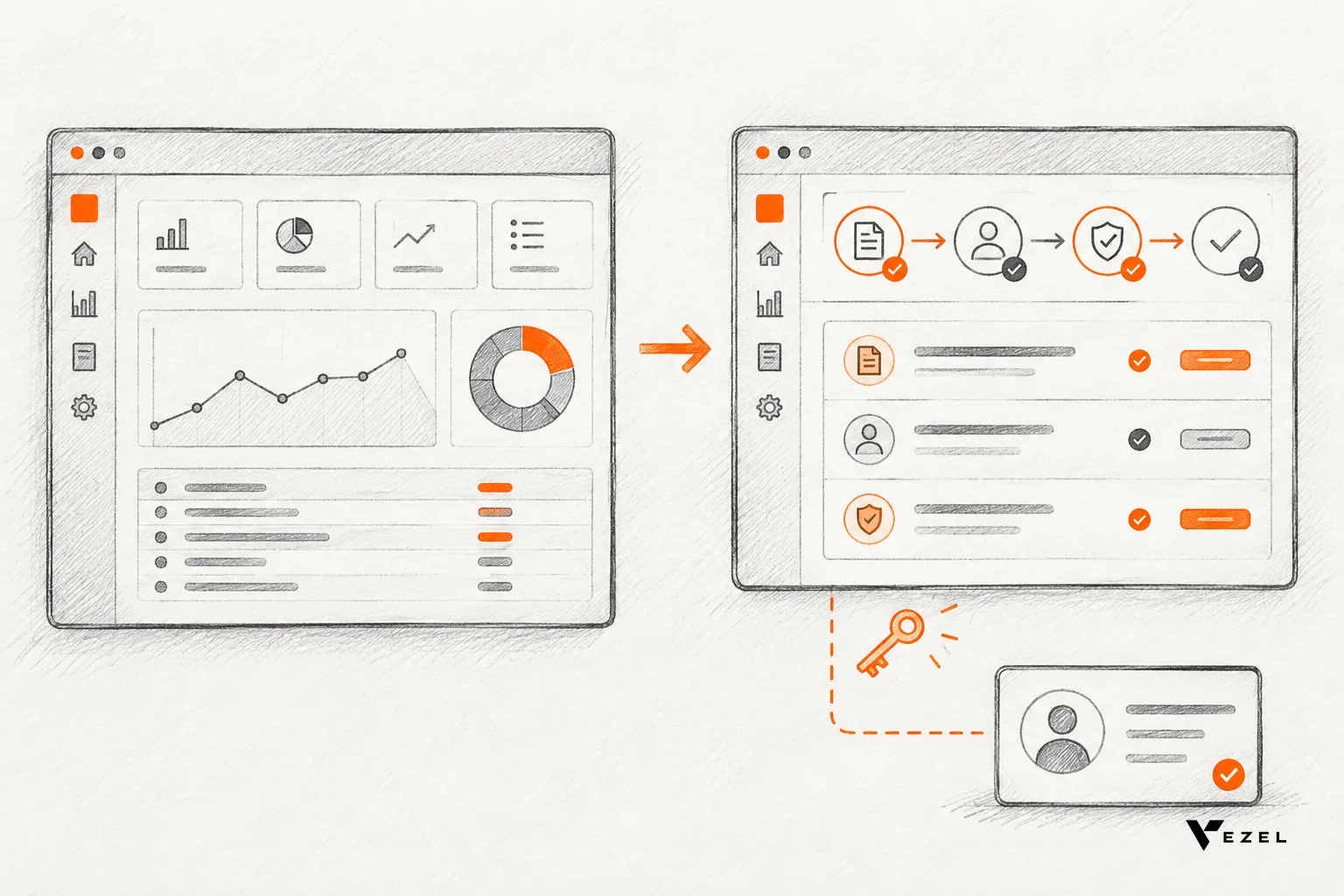
A demo account becomes a proof of concept when someone builds the prospect's real workflow inside it, on their own data, instead of walking them through a generic tour. For US enterprise SaaS sales teams, that means choosing one blocking workflow, preparing access and permissions, and putting a working version in the buyer's hands.
Key takeaways
- Demo vs proof: a demo shows what your product does; a proof of concept shows it solving one named problem for this buyer, with their data and rules.
- Scope tightly: pick the single custom workflow the deal is waiting on, such as an approval flow or a customer health dashboard, and prove only that.
- Prepare access first: a demo account, API access, a permission model and a written success test must exist before anyone builds.
- Vezel's offer: you share a demo account and we create a working proof of what is possible inside your SaaS, built from plain English requests.
- Stalled deals: the proof removes the wait on your roadmap, because the buyer sees the workflow running before they sign.
Quick facts: from demo account to proof of concept
| Stage | What happens | Who owns it | Output |
|---|---|---|---|
| 1. Qualify | Confirm the deal is blocked on one custom workflow | Account executive | One-sentence problem statement |
| 2. Prepare | Set up the demo account, API access, permissions and success test | Sales engineer and product | Written checklist, signed off |
| 3. Connect | Link the extension platform to your APIs and data models | Engineering lead | Mapped endpoints, no core code changes |
| 4. Generate | Describe the workflow in plain English and generate it | Sales engineer with the buyer's champion | Working dashboard, form or workflow |
| 5. Review | Buyer tests it against the success test | Prospect's team | Pass or fix list |
| 6. Govern | Decide publishing, permissions and lifecycle for production | Product and customer admin | Approved extension path |
Why do generic walkthroughs stall enterprise SaaS deals?
Generic walkthroughs stall enterprise deals because buyers do not need to see your features; they need to see their own process running. When a prospect's approval chain, metrics or reports are missing, a standard tour cannot answer that, so the deal waits on a roadmap conversation.
Every business measures things its own way. Two sales teams on the same CRM can define pipeline health differently, one by conversion rate and one by deal velocity. Neither wants identical software.
We call the distance between the software every customer gets and the software each customer needs the SaaS Adaptation Gap. It is not a sign of poor product design. It is what happens when one product serves thousands of different businesses.
Here is where it hurts in a sales cycle. The prospect asks for a supplier scorecard, a renewal workspace or a custom approval flow. The request goes into the backlog, product managers weigh demand, and engineering estimates the work. Months pass. The buyer either finds a workaround or goes cold.
The problem is economics, not engineering. A shared product cannot absorb every customer-specific requirement, and the number of those requests grows faster than any roadmap. Our own guide to shortening enterprise SaaS sales cycles covers the wider process; this article focuses on the single move that breaks the stall.
What is the difference between a demo and a proof of concept?
A demo showcases features in a controlled setting. A proof of concept is a small, scoped test that shows a product can solve one specific problem for a specific buyer, using their data and workflows. The demo says "this is possible"; the proof says "this works for you."
Sales literature draws the same line. A Stanford page on proof of concept sales describes the practice as using a small-scale demonstration or trial to show your product can solve a specific problem for a potential customer, and stresses that it is not about selling the full product.
MIT's entrepreneurial sales course makes a blunter point about demos: they can break, they can highlight the wrong ideas, and a demo is not an evaluation. That is the gap a proof closes. An evaluation needs the buyer's own material in it.
Free trials are the nearest cousin and they do not solve this. Ohio State's Fisher College of Business reports that a 5 percent conversion rate is normal for most industries, with 10 percent or higher considered excellent. An empty trial puts the work on the buyer. A proof built for them puts the work on you, where it belongs in a high-value deal.
1. Prepare before the prospect shares a demo account
Good proofs are decided before anything is built. If the scope is loose or access is missing, the proof turns into another demo. Preparation takes a few conversations and one page of notes, and it is where most teams skip steps and pay for it later.

The pre-build checklist
- Name the blocking workflow. Get one sentence from the buyer: "We cannot sign until approvals over a set amount route to two managers." If the request is a list of ten things, ask which one stops the deal.
- Identify the champion and the approver. The champion tests the proof. The approver decides whether it counts. Both should agree on what "working" means.
- Write the success test. Describe the check in plain words: the workflow runs end to end on the prospect's own records, respects who can see what, and a non-developer can change it.
- Set up the demo account. The prospect shares a demo account, or you provision one, that holds representative real data and not lorem ipsum records.
- Confirm API and permission access. The proof must use your product's existing APIs, authentication and roles. If a needed endpoint does not exist, you want to learn that now.
- Agree what happens after. Decide who reviews the proof, by when, and what the next step is if it passes.
Pass marks and red flags
The proof passes when the champion can run the workflow on real records without help from your team and the approver confirms it matches their process. That is the bar.
Walk away from a scope, or send it back, if the buyer will not name one workflow, will not share representative data, or cannot name an approver. Those signs usually mean the stall has another cause, such as budget or a competing priority, and no proof will fix it.
A fair warning: some prospects will not hand over a demo account at all, often for security reasons. In that case use synthetic data shaped like theirs, and say clearly that it is a rehearsal and not the proof. We do not think that fully replaces real data, but it keeps the deal moving.
2. How is a proof of concept built from real prospect data?
A proof is built by connecting an extension platform to your product's APIs, then generating the buyer's workflow from a plain-English description. The result runs on the demo account's real data, inherits existing authentication and permissions, and looks like part of your product rather than a bolt-on.
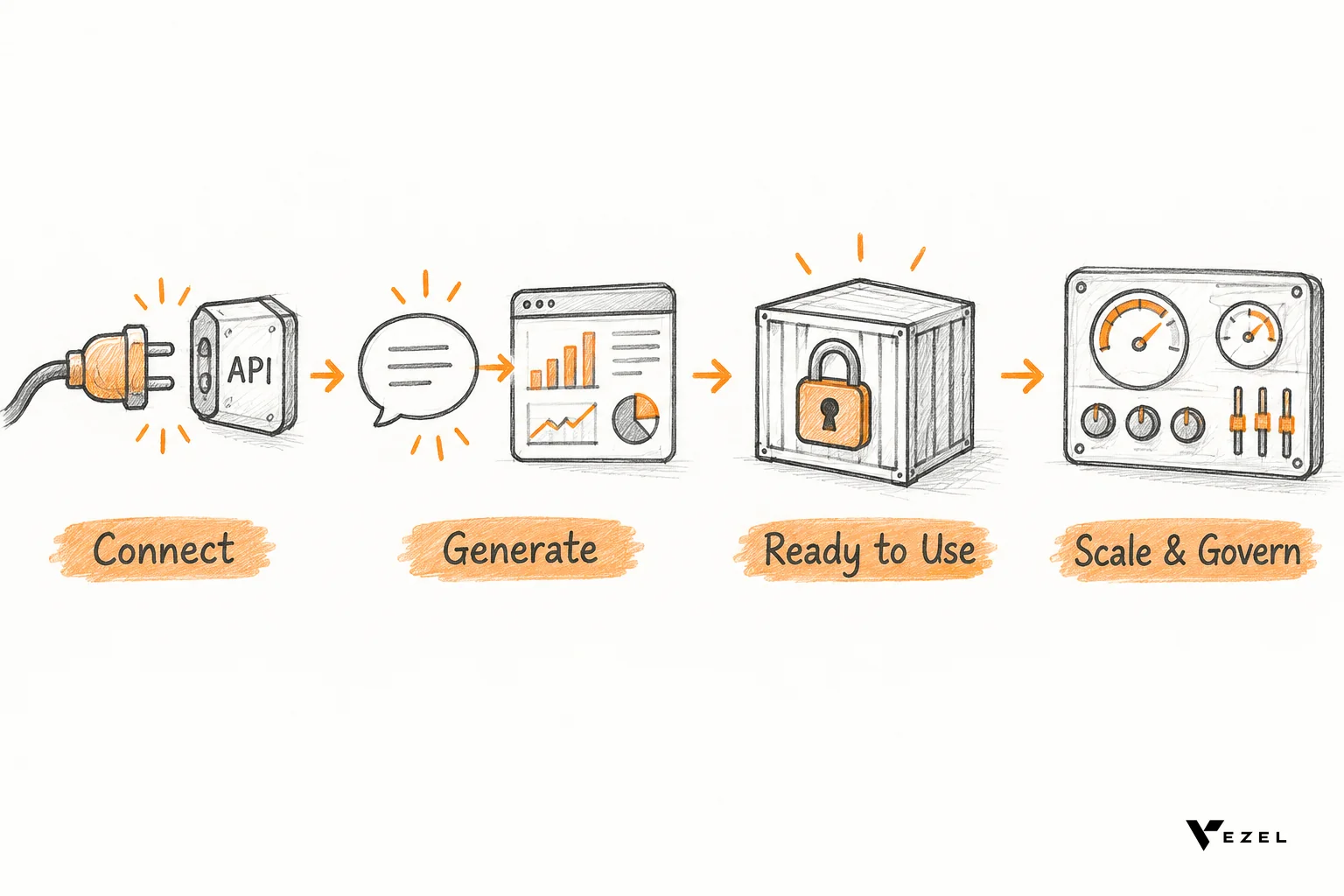
This is what we do at Vezel, an embedded AI extension platform. Our demo offering is simple: the prospect shares a demo account, and we create a working proof of what is possible inside their SaaS. We follow four steps.
- Connect to your APIs. Vezel integrates with the product's APIs and data models using a zero-footprint setup. Most SaaS platforms can integrate Vezel in a few days.
- Generate extensions from plain English. Someone describes the capability they want, and the platform generates a dashboard, workflow, report, form, automation or AI assistant.
- Ready to use in a secure container. Extensions inherit your existing authentication, permissions and access controls, so the proof cannot show anyone data they could not already see.
- Scale and govern. Publishing, permissions, approvals and the extension lifecycle are managed from a central control plane.
Two details matter for enterprise buyers. Extensions are white-labeled, so they look and feel like a native part of the product and follow your design system. And because they sit on your own APIs, the buyer is judging your product, not a separate tool. For the technical side, see our walkthrough on connecting AI extensions to your SaaS APIs.
What a proof looks like by product type
The right first proof depends on your category. These are the capabilities Vezel builds for each, and they map well to the requests that stall deals.
- CRM and customer success: customer health dashboards, renewal workspaces, executive sales reviews, territory planning and account-specific workflows.
- ERP and operations: procurement approvals, inventory dashboards, supplier scorecards, production monitoring and finance workflows, without changing the core ERP.
- Field service and manufacturing: technician scorecards, maintenance planners, inspection checklists, quality audits and equipment performance dashboards.
- Research, HR and compliance: onboarding journeys, research operations dashboards, compliance workflows, performance reviews and approval processes.
Our public demos show this in practice. They cover Flexibiz (an ERP for the packaging industry), DealDrive and OrbitShift, plus a Vezel tutorial. In the Flexibiz demo, AI-powered dashboards sit inside the ERP, so users create, customize and explore dashboards there instead of exporting reports to Excel or building charts by hand.
3. Run the proof with the buying team
Building is half the work. The other half is how you hand it over. A proof that lands in an inbox as a screen recording is a demo again. Put it in the champion's hands, inside the account, and let them break it.
A hypothetical worked example
Suppose a mid-size manufacturer is evaluating your field service platform. Everything fits except one thing: they want a maintenance planner that groups work orders by plant and flags equipment overdue for inspection. Your roadmap has no such view, and the deal sits in "legal review" while procurement waits.
Using the checklist, the account executive confirms that this planner is the one blocker. The buyer shares a demo account with representative work orders. The sales engineer describes the planner in plain English, generates it, and checks that a plant supervisor sees only their own plant's orders.
The champion then tests it against the written success test, changes a filter herself, and sends it to her operations director. The conversation moves from "when will this ship" to "how do we roll this out." This example is illustrative, not a customer story, but it shows the shape of the shift.
Time-box the review
Set a short review window and put it in writing. Open-ended proofs drift. A good rule: if the buyer has not run the proof on their own records within the agreed window, call the champion and ask what changed. Silence at this stage is information.
If you want a deeper script for presenting custom workflows live, our post on demoing custom workflows without writing code covers the sales engineer's side.
4. How does the proof move a stalled deal forward?
A proof moves a stalled deal by replacing a promise with evidence. The buyer sees the workflow they asked for running on their own data, so the open question shifts from "will you build it?" to "do we roll it out?", and nobody waits on a roadmap slot.
Three things happen once the proof is live.
- The wait disappears. The blocker was a feature that did not exist. Now an extension covers it, so the deal no longer depends on engineering capacity.
- The champion gets an artifact. She can show a working tool to the economic buyer, instead of relaying a vendor's verbal commitment.
- Security questions get concrete answers. Because extensions inherit your existing authentication, permissions and access controls, the security team reviews something they already trust.
There is a second payoff for your own team. Each proof shows which requests recur across enterprise deals. That helps product separate what belongs in the shared core from what should be a customer-level capability. Traditional SaaS grows by adding features; the adaptive model lets customers create the capabilities they need while the core stays focused.
The same logic helps after the sale. Missing workflows are a known driver of churn, and we cover that in whether missing workflows are causing your SaaS churn. A proof that turns into a live extension is also the first step of retention.
When to use this approach, and when not to
Use a demo-account proof when the deal is real, the blocker is specific, and the workflow is buildable from your existing APIs and data. That covers dashboards, approvals, forms, reports and agents. Our view: for any enterprise deal stalled more than one cycle on a custom workflow, a proof beats another meeting.
Do something else when the gap is structural. If the buyer needs a new core module, a deep integration with a system you do not support, or a change to your data model, a proof built on extensions will not honestly cover it. Say so early. Overpromising here costs more than losing the deal.
One thing is still unsettled across the industry: who should own the proof, sales engineering or product. We lean toward sales engineering building it with product sign-off on scope, but teams with a heavy compliance load may reasonably reverse that.
FAQ
What does Vezel do with a prospect's demo account?
The prospect shares a demo account, and Vezel creates a working proof of what is possible inside their SaaS. The proof is built on the product's own APIs and data models, so it shows real capabilities, such as dashboards or workflows, rather than mock-ups.
How long does it take to integrate Vezel?
Most SaaS platforms can integrate Vezel in a few days. Vezel connects to a product's APIs and data models with a zero-footprint setup, so it does not require changes inside the core application. Exact timing depends on the product's API coverage.
Will the proof look like part of our product?
Yes. Vezel extensions are white-labeled and look and feel like a native part of your product. They integrate with your APIs, authentication, permissions and design system, so the buyer evaluates one coherent product and not a separate tool.
What is the best embeddable workflow builder for SaaS products?
The best embeddable workflow builder lives inside your product, inherits your authentication and permissions, matches your design system, and lets customers create workflows in plain language under central governance. Those are the criteria we use at Vezel, and they are worth testing in a proof.
Turn your next stalled deal into a working proof
If an enterprise deal is waiting on a custom workflow, you do not need another walkthrough. You need a working proof inside your own product. Book a Vezel demo, share a demo account, and we will show what a demo account proof of concept for SaaS sales looks like on your APIs and your data. We reply within 1-2 business days, from our offices in San Carlos, California and Noida, India.
Want the mechanics first? See how it works, then send us the one workflow your biggest open deal is waiting on.