



Leave a customer workaround as a spreadsheet when one account uses it, the data is low-sensitivity and no renewal depends on it. Build a native feature when many accounts ask for the same thing, sensitive data leaves your permissions, or revenue is at risk. For US SaaS teams, a three-test triage on frequency, security exposure and revenue impact settles most customer requests: spreadsheet vs native feature.
Key Takeaways
- Three tests decide it: frequency (how many accounts), security exposure (does data leave your permissions) and revenue impact (does a renewal or deal hinge on it).
- A workaround is a demand signal: a spreadsheet someone maintains tells you what the product is missing, but it does not tell you whether the gap is yours to close for everyone.
- Most requests are neither: many are long-tail, single-customer needs that should not hit your roadmap and should not stay in Excel either.
- A third route exists: embedded extensions let customers build dashboards, workflows and forms inside the product, under your existing login and permissions.
- Write down the verdict: every request gets a logged outcome (leave, build, or extend) so the same debate does not restart each quarter.
Customer Requests at a Glance: Spreadsheet or Native Feature
| Test | Safe to leave as a spreadsheet | Signals a native feature gap | Better as an embedded extension |
|---|---|---|---|
| Frequency | One account, asked once | Many accounts across segments ask for the same outcome | One account or a small cluster, each wanting its own variant |
| Security exposure | Non-sensitive, aggregate data | Exports carry personal, financial or contract data outside your permissions | Data stays in the product, under existing roles |
| Revenue impact | No link to renewal or an open deal | A named renewal or expansion is tied to it | A deal needs a tailored view quickly, but the need is not shared |
| Ownership | Owned by a team that can maintain it | Owned by one person who may leave | Owned by the customer, governed by you |
| Freshness | A weekly or monthly snapshot is enough | Users need live status and decisions | Live data via your APIs |
| Who pays in engineering time | Nobody | Your roadmap, because everyone benefits | Nobody on the core team |
Why Do Spreadsheet Workarounds Pile Up in SaaS Products?
Spreadsheet workarounds pile up because shared SaaS products are built around common requirements, while each customer runs on its own metrics, approvals and reports. The distance between the two grows with every new customer. Teams fill it with exports, manual lists and side tools because the roadmap cannot move at the speed of their operations.
Dropbox co-founder Drew Houston has described deciding the order in which to build features or fix problems as one of the biggest challenges his company faced. Every SaaS company knows the pattern. A request enters the backlog, product managers weigh demand, engineering estimates the work, and the item is prioritized or postponed.
That cycle works. It just does not scale forever. Customer diversity grows faster than any roadmap, so at some point customer-specific requests outnumber what the team can ship. We call the leftover distance the SaaS Adaptation Gap: the difference between the software every customer receives and the software each customer actually needs.
Why AI assistants did not close the gap
Many products added copilots and natural language search. Those help users interact with existing features. They do not build the Monday-morning renewal view or the approval flow that matches one customer's policy. So the spreadsheet stays, because the assistant answers a question once and the team needs a tool they open daily.
Not every request deserves a feature
Researchers at the McCombs School of Business found that the value of user suggestions depended on the kind of feature being suggested. That fits what product teams see: some requests are goldmines and some are one person's preference. Triage exists to tell them apart before anyone writes code.
Where Do Spreadsheet Workarounds Hide Risk?
Spreadsheet workarounds hide risk in four places: exported data that leaves your permission model, numbers that go stale between exports, logic that lives in one person's head, and decisions made on a view nobody on your side can see. Each is invisible until a renewal, an audit or a departure exposes it.
Start with permissions. Your product knows who may see which rows. A CSV does not. The moment a customer exports account or financial data into a shared sheet, row-level access is gone, and anyone with the link sees everything. Our guide on how to prevent shadow IT in your SaaS platform covers this exposure in more depth.
Then there is freshness. A sheet is a snapshot. A manager approving purchases from last Tuesday's export is deciding on old data, and nobody flags it. Finally, the owner problem: one analyst builds the formulas, then changes jobs, and the customer's process breaks while your support queue absorbs the blame.
The hidden cost to you, not just to them
You also lose visibility. If a customer runs its renewal process in a sheet, you cannot see usage tied to that workflow. You learn about the gap when the customer lists it as a reason to leave. A workaround that exists outside the product is a churn signal you cannot measure.
How Do You Triage a Customer Workaround Request?
Run every workaround through three tests in this order: frequency (how many accounts want the same outcome), security exposure (does the data leave your permissions) and revenue impact (does a renewal or open deal depend on it). Two or more failing tests means a native feature or a governed alternative. Zero means leave the spreadsheet.
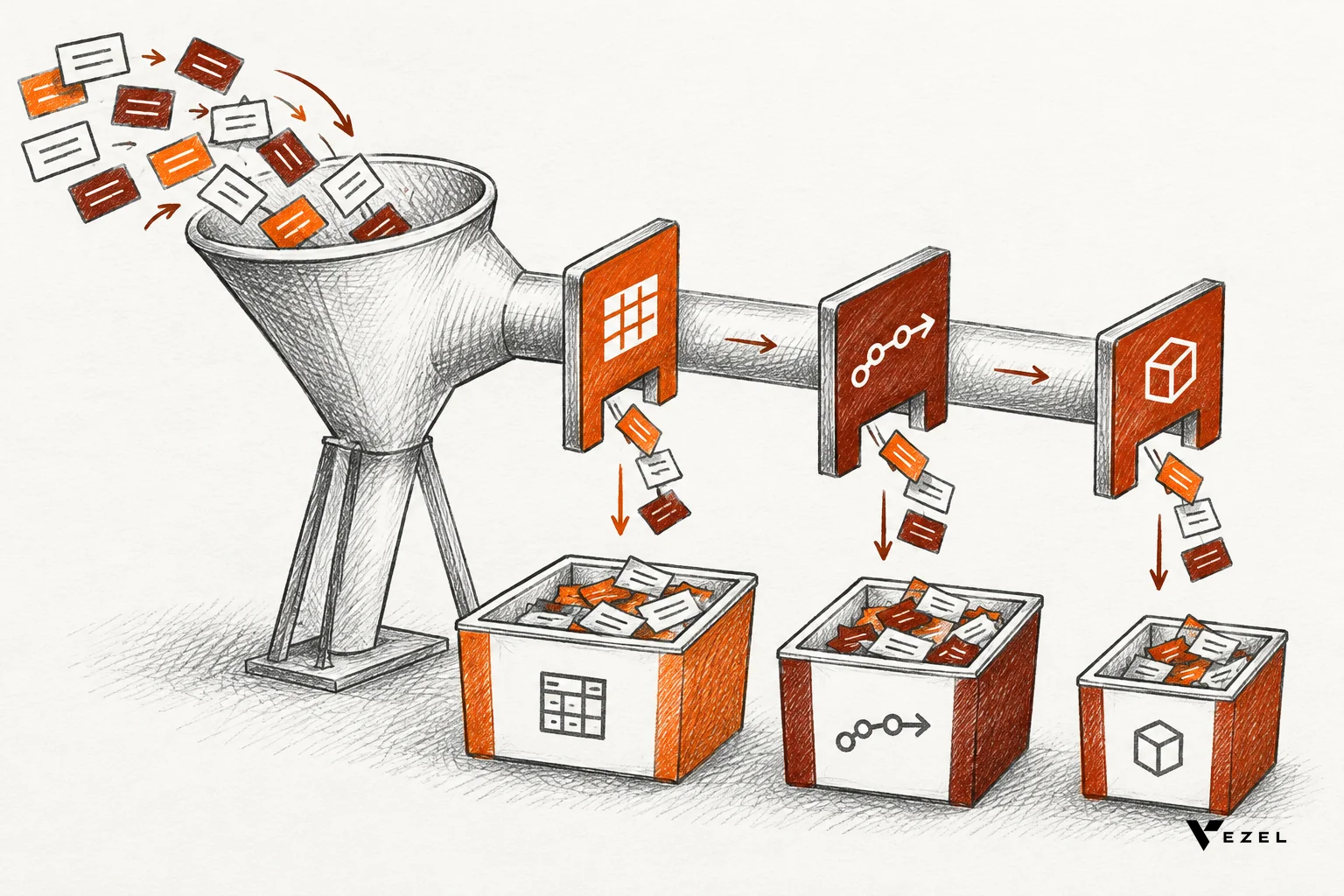
These thresholds are our working rule of thumb, not an industry standard. Adjust them to your product, but write them down so the answer does not change with whoever is loudest in the room.
Test 1: Frequency
Count distinct accounts, not requests. One customer asking five times is still one account. Look for the same outcome described in different words, such as "a renewal view," "a health list" and "an at-risk report." If a handful of accounts across different segments describe the same result, that is a pattern. If only one does, it is a single-customer need.
Pass mark for leaving it: one account, and no similar requests in your support or sales notes. Walk-away signal: the same outcome from several accounts in more than one segment.
Test 2: Security exposure
Ask what the workaround moves. Aggregate counts and public figures are low risk. Customer-level contact details, pricing, contract terms, health or financial records are not. Check whether the sheet is shared outside the customer's own company, and whether your role model would have allowed those users to see those rows.
Pass mark for leaving it: non-sensitive, aggregate data that stays inside the customer's company. Walk-away signal: row-level or personal data in a file you cannot govern.
Test 3: Revenue impact
Attach a name to it. Is there a renewal date, an expansion discussion or a stalled enterprise deal that mentions the gap? Ask your account executives and customer success managers directly. A vague complaint with no account behind it scores low. A named customer whose champion says "we need this to sign" scores high.
Pass mark for leaving it: no open deal or renewal references it. Walk-away signal: a dated commercial event depends on it, or the promised roadmap item keeps slipping. Our post on engineering capacity lost to custom customer requests shows how to put a cost beside those requests.
Which Requests Are Safe to Leave as Spreadsheets?
Requests are safe to leave as spreadsheets when they come from one account, use non-sensitive aggregate data, tie to no renewal or deal, and have an owner who can maintain them. A monthly snapshot report for one team usually qualifies. Tell the customer plainly that it is a workaround, and log it.
Good candidates share a few traits:
- A snapshot is enough; nobody makes live decisions from it.
- The audience is small and internal to the customer.
- The sheet can break without harming anything but convenience.
- The ask has not repeated in three months of tickets and calls.
Spreadsheets are also fine as discovery tools. Ask the customer to share the sheet's columns and formulas. Their structure shows you which fields and calculations matter, which is cheaper than another discovery workshop.
Which Signals Point to a Real Native Feature Gap?
A real native feature gap shows up as the same workaround across several accounts, sensitive data leaving your permissions, a named renewal or deal tied to the request, or a workaround that keeps breaking. Any two together mean the capability belongs in the shared product, because everyone benefits from it.
Watch for these patterns:
- Convergent workarounds: different customers build nearly identical sheets.
- Daily use: teams open the sheet every morning, so it is part of how they operate.
- Decisions made from it: approvals, escalations or pricing moves depend on its numbers.
- Repeated breakage: support tickets that start "the export no longer matches."
- Sales friction: prospects ask for it in evaluations, and your reps promise "it's on the roadmap."
Be honest about what is not settled. Frequency counts can mislead: loud customers inflate a request, and quiet customers never ask. Triage is a judgment aid, not a formula, and a close call deserves a conversation with the customer before a build decision.
A Hypothetical Worked Example
Here is a made-up scenario to show the tests in motion. A US CRM vendor gets three requests in one week. This is an illustration, not a real customer story, and the scores follow our rule of thumb above.
| Request | Frequency | Security exposure | Revenue impact | Verdict |
|---|---|---|---|---|
| A regional manager wants a monthly pipeline snapshot in her own layout | One account | Aggregate numbers, internal only | None | Leave as a spreadsheet |
| Four accounts in different industries each keep a sheet of renewals by risk level | Several accounts, several segments | Contact and contract data exported to shared files | Two have renewals within the quarter | Native feature |
| One enterprise prospect needs a territory view split by its own region codes | One account | Account data, but could stay in product | An open deal depends on it | Extension, built for that customer |
Notice the third row. It fails the revenue test, but not the frequency test, so building it natively would add a feature only one customer will ever use. Leaving it as a spreadsheet risks the deal. That is the case that needs a different answer.
What About the Long Tail? Embedded Extensions for Single-Customer Needs
Embedded extensions handle the long tail by letting customers build their own dashboards, workflows, forms and reports inside your product from a plain English description. The capability stays out of your core roadmap, inherits your authentication and permissions, and looks native, so you avoid both spreadsheets and one-off custom code.

This is the model behind Adaptive SaaS: a shared core that stays focused, plus customer-specific capabilities that sit alongside it. Traditional SaaS grows by shipping more features. Adaptive SaaS lets customers create the capabilities they need inside the product, which reduces roadmap pressure while the core platform stays simple.
At Vezel, this is what we build. Our platform connects to your product's APIs and data models with a zero-footprint setup, then customers generate extensions from plain English. Most SaaS platforms can integrate Vezel in a few days. The steps are: connect to your APIs, generate extensions, run them in a secure container, then scale and govern.
Why it answers the security test
The security worry with workarounds is data leaving your controls. Extensions flip that. They inherit your existing authentication, permissions and access controls, and they are white-labeled so they look and feel like part of the host product. Publishing, permissions, approvals and the extension lifecycle are managed from a central control plane.
What customers typically build
The requests that live in sheets map well to what customers can build in Vezel:
- CRM and customer success: customer health dashboards, renewal workspaces, executive sales reviews, territory planning.
- ERP and operations: procurement approvals, inventory dashboards, supplier scorecards, production monitoring and finance workflows, without changing the core ERP.
- Field service and manufacturing: technician scorecards, maintenance planners, inspection checklists, quality audits.
- Research, HR and compliance: onboarding journeys, research operations dashboards, compliance workflows, performance reviews and approvals.
Our Flexibiz demo shows the idea in an ERP for the packaging industry: AI-powered dashboards live inside the product, so users create and explore dashboards there instead of exporting reports to Excel or building charts by hand.
An extension is not a cure for everything. If many accounts share a need, a shared native feature is still cheaper per customer than letting each rebuild it. Extensions earn their place on the long tail, where building for one account would not pay back. For a deeper view of how this reduces queues, see how to reduce your SaaS engineering backlog from enterprise requests.
A Triage Checklist You Can Run This Week
Use this sequence on your current backlog. It needs product, customer success and security in the same hour, not a new tool.
- Collect: pull every open request that mentions an export, a spreadsheet, a report or "a way to track." Include sales notes and support tickets.
- Group by outcome: merge requests that describe the same result in different words. Count distinct accounts per group.
- Score the three tests: frequency, security exposure and revenue impact, using the pass marks above.
- Assign a verdict: leave, build native, or extend. Record the reason in one sentence.
- Tell the customer: a clear answer, even "this stays a workaround for now," beats silence.
- Review quarterly: re-count accounts per group. A "leave" that gained three new accounts becomes a "build."
What to do when a check fails
If security fails, treat it as urgent regardless of frequency: pause sharing of the export, then move the workflow into the product or a governed extension. If revenue fails with low frequency, use an extension for that account. If frequency fails alone, put the item on the roadmap with a clear owner and date, or tell customers it is not planned.
Frequently Asked Questions
Is a spreadsheet ever the right long-term answer?
Yes. A spreadsheet is the right long-term answer when the need is small, internal and non-sensitive, such as a monthly snapshot for one team. It stops being right when the sheet drives daily decisions, carries row-level data outside your permissions, or becomes tied to a renewal.
How many customers asking makes a request a native feature?
There is no universal count. Look for the same outcome from several accounts across more than one segment, then add the other tests. Three accounts with sensitive data and live renewals outweigh ten casual mentions. Frequency is one signal of three, never the whole decision.
Can customers build capabilities without hurting our core product?
Yes, if extensions run in a secure container, inherit your existing authentication and permissions, and publish through a governed control plane. The shared core stays untouched while each customer adds only what its own business needs.
Does this replace our product managers?
No. Product managers still decide what belongs in the shared product. Extensions give them a scalable way to say "not in the core, but your customer can build it," instead of a flat no or a vague "maybe next year."
Next Step: See What Your Spreadsheets Could Become
Every workaround in your backlog is already telling you something. Run the triage, then decide which ones should stay in Excel, which belong on the roadmap, and which a customer could simply build themselves inside your product. If you want to see the third route working, book a demo with Vezel.
Share a demo account and we will create a working proof of what is possible inside your SaaS. You can also see how it works step by step before you reach out. We reply within 1-2 business days.