



Your sprint planning meeting starts the same way it always does. Someone pulls up the backlog. There are 47 open items. Fourteen of them are enterprise customization requests — a custom approval flow for a healthcare client, a bespoke margin dashboard for a distributor, a compliance checklist for a manufacturing account. Your team built three of these last quarter. The other eleven are still sitting there, aging.
Nobody says it out loud, but everyone in the room knows: the roadmap work — the features that will actually move the product forward, is getting squeezed. Again.
The Backlog Nobody Talks About in the All-Hands
Industry estimates put the share of engineering capacity consumed by one-off, single-customer requests as high as 30-40% at mid-market B2B SaaS companies. That's not a rounding error. That's nearly half your team's output going toward work that will never benefit another customer, never compound into platform value, and never appear in a product announcement.
The requests themselves aren't unreasonable. A hospital's compliance team needs a checklist scoped to their equipment. A distributor's sales manager needs a margin view that reflects their specific pricing logic. A manufacturing plant needs a shift-handoff tool that maps to their shift structure. Each request is legitimate. Each one represents a real workflow that a real team depends on.
The problem is arithmetic. If 80 enterprise accounts each file two or three requests per quarter, that's 160-240 requests against an engineering team that can realistically ship 20-30 features in the same period. You cannot close that gap by working harder or hiring faster.
What makes this worse is the organizational friction it creates. Sales promises customization to close the deal. Engineering resists because the request doesn't generalize to other customers. The resulting tension is a recurring source of roadmap hijacking, where the loudest deal of the quarter determines what gets built next, regardless of what the product strategy actually calls for. The bespoke builds that do get shipped become permanent maintenance debt embedded in the core codebase, slowing down every future release.
Why Conventional Fixes Make the Backlog Worse
Most engineering leaders have tried at least one of the standard responses. None of them solve the underlying problem.
Building more features is the most intuitive response. The problem is that every feature added to a shared core product adds complexity for every customer, not just the one who asked for it. More menus, more settings, more screens. Frontline users, the ones whose daily habits determine retention, are the most sensitive to this complexity. Adding features to solve one segment's problem often makes the product less usable for everyone else.
Configuration panels and admin settings help when customer variance is narrow. They break down when variance is wide, for a simple reason: configuration changes how existing features behave. It cannot create new functionality. If a customer's workflow requires a view, calculation, or sequence of steps that simply doesn't exist in the product, no amount of toggling will produce it.
Custom engineering for key accounts works when you have a handful of strategic relationships. It doesn't scale past that. The vast majority of bespoke builds are never reused by any other customer. They become permanent maintenance debt, and the team that built them is now responsible for keeping them working through every future product change.
Low-code tools like Retool or Superblocks dramatically reduce build time, but they're designed for internal use cases, not customer-facing extensibility. They live outside the host product, with their own authentication and their own URL. They don't inherit the host product's row-level security or role-based permissions. And they still require someone who thinks like an engineer to operate them. For a comparison of how these tools stack up against embedded extensibility, see Retool vs Embedded Extensibility for SaaS Products: Which Scales?
The Root Cause: SaaS Was Built for the Average Customer
The deeper issue is structural. The economic engine of SaaS rests on building a product once and selling it to many customers. That premise is what makes SaaS margins attractive. It also has a flaw: the customers buying a single SaaS product are rarely doing the same job in the same way.
A maintenance management platform might serve a hospital's compliance team, a roofing company's field crews, a manufacturing plant's reliability engineers, and a fleet operator's dispatchers, all on the same core product. Each group has different vocabularies, different regulatory pressures, and different "first thing I do in the morning" workflows.
When a single interface has to serve all of these groups, it ends up being roughly 60-80% relevant to any individual customer. The remaining 20-40% doesn't disappear. It moves somewhere else: into spreadsheets, WhatsApp threads, or ad hoc scripts. This is the usage gap, and it's the direct source of your engineering backlog.
Average feature adoption in B2B SaaS sits somewhere in the 22-35% range. The majority of what a vendor builds goes unused by any given account, not because the features are bad, but because they were designed for a hypothetical average customer who doesn't exist. Roughly two-thirds of B2B SaaS churn correlates with low product adoption rather than product defects. Customers don't usually leave because the software is broken. They leave because it isn't part of their daily routine.
Enterprise customization requests are, at their core, customers telling you exactly where the usage gap is. The backlog isn't a prioritization problem. It's a signal that your product architecture isn't set up to handle the natural diversity of your customer base.
The Systematic Fix: Redirect Requests to a Self-Serve Extensibility Layer
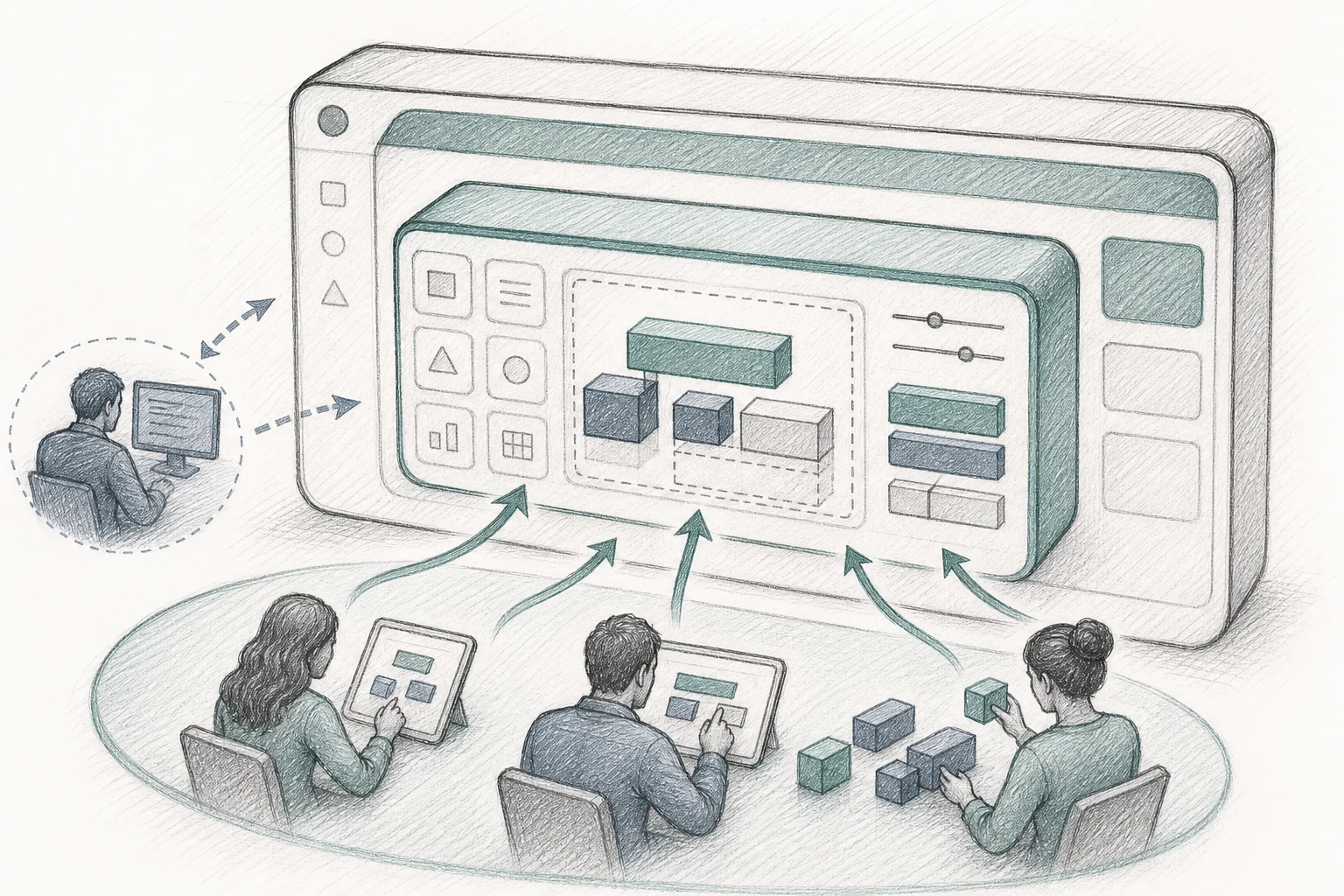
The shift that actually reduces the backlog isn't building faster. It's changing who builds. An embedded AI extension builder is a platform layer integrated directly into your SaaS product so that end-customers, and your own customer success or solutions engineering teams, can describe a workflow in plain English and receive a working application that runs on their real data.
The critical word is embedded. From the end-customer's perspective, they never leave the product they already trust. There's no separate login, no new URL, no parallel system to manage. They're still inside your platform, they've just gained the ability to shape part of it.
This is architecturally different from tools like Retool, Superblocks, or standalone AI builders like Lovable or Bolt. Those tools produce standalone applications that live on their own infrastructure, with their own databases and their own authentication. They're excellent for prototyping. They're not architected to become governed, permanent extensions of a multi-tenant B2B product.
A production-ready embedded extension builder has five architectural pillars that make it enterprise-safe:
- Multi-tenant runtime. Every generated app runs in an isolated sandbox scoped to a single customer's tenant. Customer A's apps cannot read Customer B's data, enforced at the infrastructure level.
- API auto-discovery. The builder ingests your product's API surface via OpenAPI specs, infers data shapes from sample responses, and maps natural-language intents to the correct calls automatically, no manual endpoint mapping required.
- Security inheritance. Every API call a generated app makes passes through the same authentication, authorization, and row-level access rules your platform already enforces. If a user can't see certain records in the core product, an app they build can't see those records either.
- White-label theming. Generated apps adopt your design system, typography, color tokens, component styles, so they feel native to your product, not bolted on.
- Governed marketplace. Apps are versioned, published for discovery by other users in the same organization, and carry usage analytics so both the builder and your team can see what's actually being used.
Vezel is built around exactly this architecture. It integrates via API into your existing SaaS platform and enables end-users to self-serve their own customizations, eliminating the one-off development requests that are filling your backlog. You can see how it works before committing to anything.
What Gets Built (And What Engineering Never Has to Touch)
The applications that emerge from this model aren't exotic. They're the unglamorous, highly specific tools that a particular team needs to get through a particular day, the kind of thing that's "too niche for the roadmap" but "too important to the customer to ignore."
A food manufacturing plant builds a mobile inspection app that generates the correct safety checklist based on which equipment a technician scans. A real estate team builds a "today's listings ranked by days on market with one-tap comp pricing" view. A SaaS sales manager builds a renewal-risk dashboard that flags accounts with declining usage. An HVAC company builds a refrigerant-tracking form that logs pounds added per unit and flags systems approaching a regulatory threshold.
None of these would survive a roadmap prioritization meeting. Each one is too specific to one customer's version of a common job. But that specificity is precisely what drives daily use, and daily use is what the usage-gap problem was always about.
The unit of output is the microapp: a small, single-purpose application that solves one workflow problem well. Production deployments report roughly 3 microapps generated per active user within weeks of launch, with hundreds of apps created across a customer base of a few hundred to roughly a thousand users. For a deeper look at how this plays out for dashboards specifically, see How to Build Custom Dashboards Inside Your SaaS.
One particularly high-leverage use case: solutions engineers who can build a requested workflow live during a sales call, rather than promising it "on the roadmap", report meaningfully higher win rates. The prospect sees their specific workflow running on their actual data before the contract is signed. That's a different kind of sales motion entirely. For approval workflows specifically, the same principle applies, see How to Embed a Workflow Builder in Your SaaS for implementation detail.
Rollout Strategy That Won't Disrupt Existing Enterprise Accounts
The rollout doesn't have to be a big-bang launch. A phased approach keeps existing enterprise accounts stable while you build toward full self-serve extensibility.
Phase 1, Integration (roughly two weeks). Connect the extension builder to your API surface via OpenAPI specs. Configure the security mapping: SSO, roles, row-level access. Apply your design system and branding. At this stage, nothing is visible to customers yet.
Phase 2, Seed the marketplace. Before opening self-serve to customers, build a handful of first-party example apps covering the most common workflow requests you already receive. These become the starting point for customer discovery and signal what's possible. They also immediately deflect the most frequent backlog items.
Phase 3, Enable CS and solutions engineers. In early deployments, customer success and solutions engineering teams are the primary builders, working with customers to describe and generate workflows during onboarding and QBRs. This phase builds internal fluency and generates the first wave of customer-specific apps without requiring end-customers to self-serve yet.
Phase 4, Open self-serve with governance guardrails. Once the marketplace has content and your team has built fluency, open the builder to end-customers with appropriate publishing controls. Customers can build for themselves; your team reviews and approves before apps go live for broader distribution.
For existing enterprise accounts with custom-built features already in the codebase: the transition is additive, not disruptive. You're not removing anything. You're giving those accounts a better path for future requests, one that doesn't require an engineering ticket.
Metrics to Track Backlog Reduction

Measuring the impact of this shift requires tracking a different set of numbers than your standard sprint velocity. Here's what production deployments consistently report:
Engineering capacity reclaimed. The primary metric is the reduction in one-off custom requests entering the backlog. Target: 30-40% reduction within the first two quarters. Track by comparing the volume of enterprise customization tickets before and after the extensibility layer goes live.
Support ticket deflection. When customers can solve their own workflow problems, "how do I..." and feature-request tickets drop. Production deployments commonly report 30-35% reductions in this category. This is a leading indicator, it shows up faster than retention data.
Custom app adoption rate. Track the percentage of users who activate at least one custom app. Production deployments report roughly 90% activation, versus a typical 20-40% adoption rate for a standard feature release. High activation means the extensibility layer is becoming part of the daily workflow, not a novelty.
Day-30 retention among app users. Users who build or use a custom app show day-30 retention in the high 80s, compared with industry-average one-month retention figures often cited around 35-40%. This is the metric that matters most to a CFO reviewing the software stack, it's the difference between a tool someone opens every day and one that looks good on paper.
Net revenue retention impact. Accounts that build custom workflows expand to higher tiers to support more users and more data. Some deployments report NRR increases in the 20+ percentage-point range. The mechanism is straightforward: when a customer's daily workflow runs inside your product, they don't cancel. They expand.
Roadmap velocity. The lagging indicator, but ultimately the most important one for engineering leaders: how many roadmap features shipped per quarter, before and after. When 30-40% of engineering capacity stops going to one-off requests, that capacity goes somewhere, and it should show up in your release cadence.
Frequently Asked Questions
Will enterprise customers accept self-serve instead of custom engineering?
In practice, enterprise customers don't care who builds the workflow, they care that it exists, runs on their real data, and is available when they need it. When a solutions engineer can build a requested workflow live during a call, the response is typically positive. The key is that the output feels native to the product they already trust, not like a workaround.
How long does integration actually take?
A typical integration, connecting the extension builder to your API surface, configuring security mapping, and applying branding, takes roughly two weeks. The prerequisite is a reasonably well-documented API surface, ideally with an OpenAPI specification. Teams with well-maintained API docs move faster.
What happens to existing custom-built features already in the codebase?
Nothing changes for existing custom builds. The extensibility layer is additive. Over time, as customers use the self-serve layer for new requests, the volume of new custom engineering work drops, and the existing bespoke builds can be gradually migrated to the marketplace as first-party apps, reducing maintenance burden without disrupting the accounts that depend on them.
Is this secure enough for enterprise compliance requirements?
Security inheritance is the single most important differentiator of an embedded extension builder from a generic AI coding tool. Every API call passes through the same authentication, authorization, and row-level access rules your platform already enforces. Every generation and deployment event is logged for audit purposes. The security model is your security model, the extension layer doesn't introduce a new attack surface.
The Backlog Is a Solvable Problem
The engineering backlog filled with enterprise customization requests isn't a sign that your team is underperforming. It's a sign that your product architecture hasn't yet caught up with the natural diversity of your customer base. The customers filing those requests aren't being unreasonable, they're telling you exactly where the usage gap is.
The fix isn't to build faster. It's to change who builds. When customers can describe a workflow in plain English and get a working application inside your product, on their real data, within their existing permissions, the requests stop flowing into your backlog and start flowing into a self-serve layer that scales without engineering involvement.
The teams that make this shift report reclaiming 30-40% of engineering capacity, seeing adoption rates that dwarf standard feature releases, and watching NRR climb as customers build their daily workflows into the platform rather than around it.
If your backlog is telling you something needs to change, book a demo with Vezel to see how an embedded extensibility layer works inside a real SaaS product, and what it would take to redirect your next wave of enterprise requests away from your engineering queue. Or if you're ready to explore on your own terms, start a free trial and see what your customers would build.



