A vertical SaaS platform owner cut renewal risk by letting at-risk customers build their own live dashboards instead of waiting on a stalled reporting roadmap. This customer success story reducing churn with embedded dashboards shows the shift from promised features to self-serve, permissioned reporting that customers could use the same week they asked for it.
Key Takeaways
- Unshipped features are the trigger, not the root cause: renewal risk usually starts the moment a customer realizes a promised report or dashboard slipped off the roadmap again.
- Self-serve beats another promise: giving customers a way to build the report themselves removes the need for another roadmap commitment engineering can't guarantee.
- Permissions travel with the dashboard: embedded extensions that inherit existing RBAC and row-level access avoid a second security review during renewal talks.
- Engineering capacity is the real constraint: one industry estimate puts one-off enterprise customization at up to 40% of engineering bandwidth, a level that no roadmap can sustain indefinitely.
- Vertical SaaS categories share this pattern: healthcare tech, field ops, and finance platforms all see the same custom-reporting gap drive the same churn risk.
At a Glance: The Renewal Problem and the Fix
| Situation | Before | After |
|---|---|---|
| Custom reporting request | Logged in backlog, no committed date | Built by the customer in plain English, same week |
| Data access | Manual export or spreadsheet workaround | Live connection via API auto-discovery |
| Security review | New tool, new permission audit | Inherits existing authentication and RBAC |
| Branding | Third-party BI tool, off-brand | White-labeled, feels native to the product |
| Engineering involvement | Sprint allocation per request | Zero code required per dashboard |
| Renewal conversation | "It's coming next quarter" | "Here's the dashboard, built last week" |
The Renewal Nobody Wanted to Own
Picture a mid-market vertical SaaS platform serving field service companies across the United States. Renewal season arrived, and three enterprise accounts flagged the same complaint: the custom reporting promised during their sales cycle never shipped.
Each account had built a spreadsheet workaround instead. One finance lead had stitched together a weekly export just to track technician utilization by region. That workaround was functional, but it was also a warning sign the platform team could not ignore.
The account team knew another "it's on the roadmap" answer would not save these renewals. Customers had heard that line before. This is where missing workflows and unshipped reporting tend to compound into churn risk that no discount can fix.
Why Unshipped Roadmap Features Turn Into Churn
Unshipped roadmap features turn into churn because the missed date becomes proof the vendor overpromises, not just a delay. Once a customer catches one broken commitment, they start pricing every future date on the roadmap at a discount, and by renewal they are already evaluating alternatives.
The deeper issue is capacity, not intent. One estimate places one-off enterprise customization work at up to 40% of engineering bandwidth at mid-market SaaS companies, a level of drag that stalls core product innovation for everyone else on the platform. A shared roadmap simply cannot absorb every customer-specific report request at the pace enterprise renewals demand.
Product teams end up choosing between building generic reporting that satisfies nobody fully, or building bespoke reports that don't scale past one account. Neither path keeps pace with a growing base of accounts, each with its own definition of the metrics that matter.
What Changed: Letting Customers Build Their Own Dashboards
What changed for this platform was replacing the backlog ticket with an embedded AI extension builder that customers could use themselves, in plain English, inside the product they already logged into.

Instead of filing a ticket for "technician utilization by region," the finance lead simply described what she needed. The extension builder mapped that request to the platform's existing data model through API auto-discovery, and a live dashboard appeared inside the product within minutes, not a quarter.
This is the core mechanic behind building custom dashboards inside a SaaS product without pulling an engineer off the core roadmap for every request.
How the Dashboards Stayed Safe and On-Brand
The dashboards stayed safe because they inherited the platform's existing authentication and row-level permissions instead of running under a separate login. A regional manager still could only see their own region's data, exactly as the core product already enforced.
White-label theming meant the new dashboards matched the product's design system, so customers never felt like they had been handed a bolt-on BI tool. A governed marketplace tracked which extensions each account had published, giving the platform team version control and a way to retire or update dashboards as the underlying data model changed. That governance layer is what separates this from unmanaged shadow IT.
Embedded Dashboards vs Other Ways to Close the Reporting Gap
Spreadsheets, scheduled BI exports, custom development, and internal tool builders like Retool all attempt to close the same reporting gap, but each comes with a different cost and a different failure mode for customer-facing use.
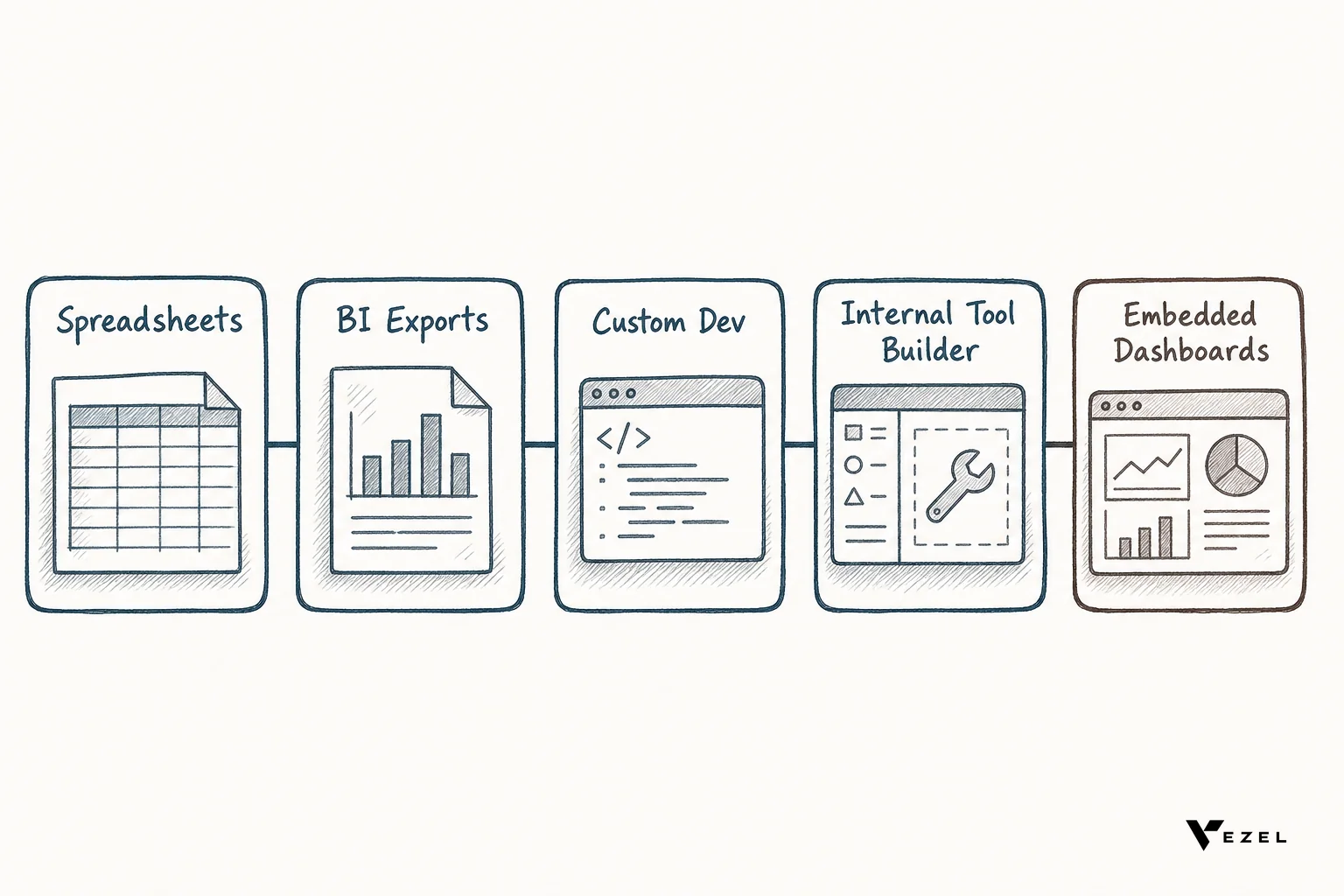
| Approach | Speed | Security model | Engineering load |
|---|---|---|---|
| Spreadsheets | Fast to start, breaks at scale | None, data leaves the platform | Zero, but creates shadow IT |
| Scheduled BI exports | Static, stale between refreshes | Separate access controls | Low, but limited flexibility |
| Custom development | Weeks per request | Built per project | High, one-off per customer |
| Internal tool builders (Retool-style) | Fast for internal teams | Doesn't inherit product RBAC | Medium, still developer-dependent |
| Embedded AI extension builder | Minutes, self-serve | Inherits existing RBAC | Near zero per dashboard |
Teams evaluating this space often compare a Retool alternative for customer-facing extensibility against building the same capability in-house, and the security model is usually the deciding factor once enterprise procurement gets involved.
What This Means for Renewal Conversations Today
For customer success teams, this means a renewal call no longer has to open with an apology about a missed roadmap date. It can open with a live dashboard the customer already built or a working demo the CS team builds on the call itself.
That shift also relieves pressure on engineering. Every dashboard a customer builds themselves is one fewer ticket competing for the next sprint, which is exactly the kind of backlog relief vertical SaaS platforms in healthcare, field ops, finance, and logistics are chasing right now. The pattern holds across categories because the underlying problem, every customer defining its own metrics, is not unique to any one industry.
A Checklist Before You Try This With an At-Risk Account
- List every account with an unshipped custom reporting or workflow commitment tied to their renewal date.
- Confirm which data sources and API endpoints need to be discoverable before a customer can build against them.
- Decide which dashboards are safe for full self-serve and which need CS or admin sign-off before publishing.
- Set up white-label theming so any customer-built dashboard matches your product's existing design system.
- Assign someone to own the governed marketplace so versions and permissions stay tracked over time.
Frequently Asked Questions
Does embedded dashboard building replace the product roadmap?
No, it reduces pressure on the roadmap rather than replacing it. Core features that benefit the entire customer base still belong on the shared roadmap; embedded dashboards absorb the long tail of one-off, account-specific reporting requests instead.
Is a customer-built dashboard secure enough for enterprise data?
Yes, when the extension inherits the host platform's existing authentication and row-level permissions rather than creating a new access model. A dashboard built this way can only surface data the customer's existing login already permits them to see.
How fast can a customer actually build one of these dashboards?
Most plain-English dashboard requests resolve in minutes once the underlying API is discoverable, compared to weeks for a custom development ticket. Complexity varies, but the difference is measured in a single sitting, not a sprint cycle.
If unshipped reporting is putting a renewal at risk on your team right now, don't wait for the next sprint planning meeting to find out if it will finally ship. Book a demo and see how an embedded AI extension builder turns that stalled promise into a live dashboard your customer can use today, or see how it works before your next renewal call.