


The renewal call goes well. The customer's champion says all the right things. Then, three weeks later, the account goes dark — and when you finally get someone on the phone, the real reason surfaces: "We ended up building most of our actual workflows in spreadsheets. The platform just didn't quite fit how we operate."
That sentence is the quiet killer of vertical SaaS retention. Not bugs. Not pricing. Not a competitor with a shinier UI. The platform didn't fit. And for enterprise customers — who have specific regulatory pressures, specific team structures, and specific "first thing I do in the morning" routines, "doesn't quite fit" is a slow-motion exit.
This playbook is for product and GTM leaders at vertical SaaS companies who are ready to close that gap permanently. We'll cover why enterprise customers churn even when they're technically satisfied, why the conventional fixes make things worse, and how embedded vertical SaaS extensibility gives enterprise buyers the last-mile customization they need, without turning your roadmap into a graveyard of one-off requests.
The Enterprise Customer's Unspoken Ultimatum
Enterprise buyers rarely say "we need extensibility" in a procurement doc. What they say is: "We need a custom approval workflow for our compliance team," or "We need a dashboard that shows our ops data the way our regional managers actually think about it." These are the same request in different clothes.
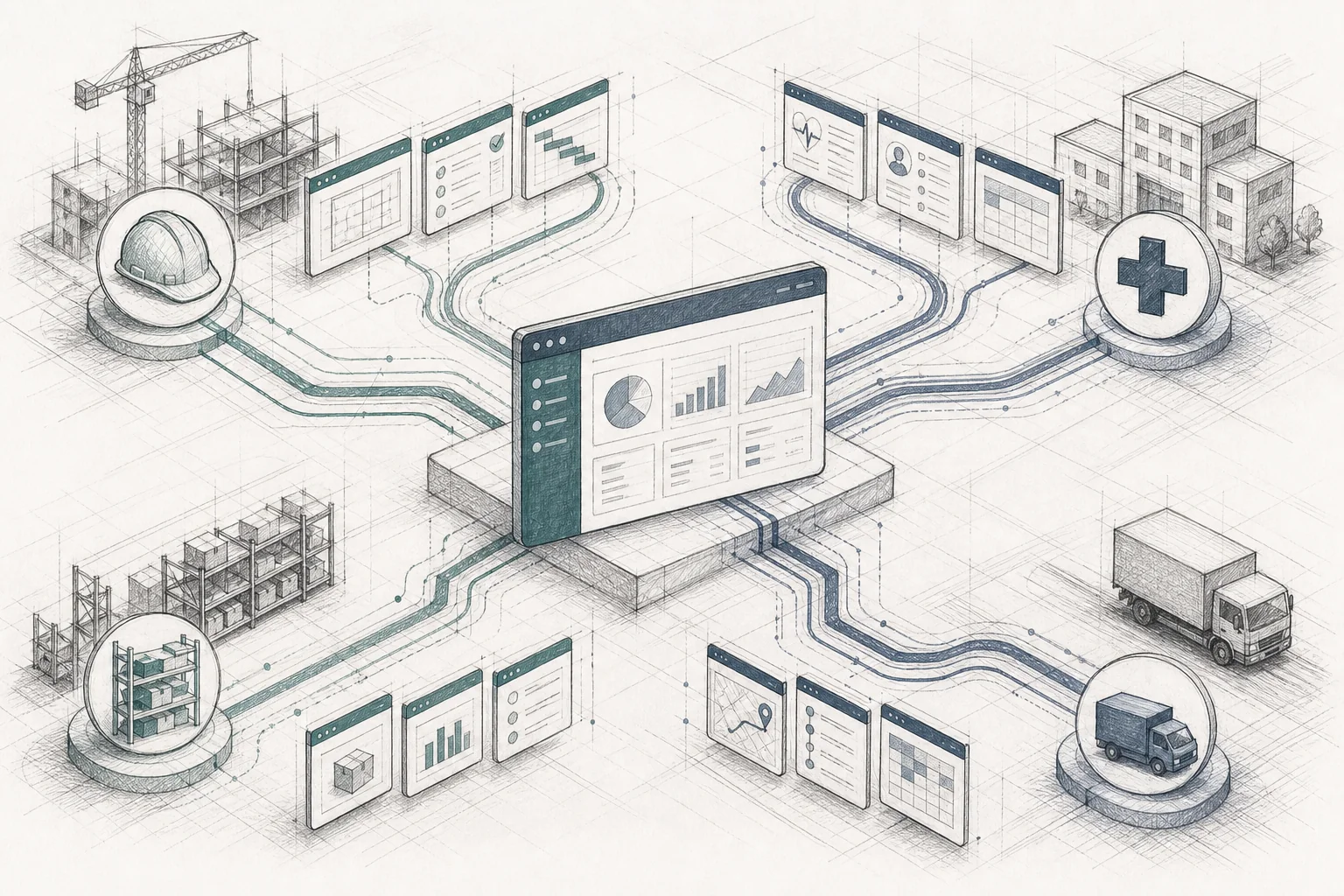
The structural problem is this: vertical SaaS platforms are built on a build-once-sell-many model. That model is what makes SaaS economics work. But it has a flaw baked in. The customers buying a single platform are rarely doing the same job in the same way. A maintenance management platform might serve a hospital's biomedical engineering team, a food manufacturer's reliability engineers, a property manager's facilities crew, and a fleet operator's dispatchers, all on the same core product. Each group has different vocabularies, different regulatory pressures, and different daily workflows.
The result is what product teams call the usage gap: the distance between what the software does and what a specific customer actually needs. Industry benchmarks put average feature adoption somewhere in the 22, 35% range across B2B SaaS. The majority of what a vendor builds goes unused by any given account, not because the features are bad, but because they were designed for a hypothetical average customer who doesn't exist.
That unused 65, 78% doesn't disappear. It moves somewhere else: into spreadsheets, WhatsApp threads, and increasingly, into "shadow AI", employees pasting company data into consumer chatbots or building personal dashboards that live entirely outside the vendor's platform and security model. When a CFO reviews the software stack and asks "which tools does someone open every day?", a platform that technically can do everything but is only used for 20% of a team's actual workflow looks like an expensive database. It gets cut.
Why Vertical SaaS Platforms Are Uniquely Vulnerable
Horizontal SaaS companies face the usage gap too, but vertical SaaS platforms face it with a specific twist: the customer diversity is hidden. On the surface, every customer is "in the same industry." Underneath, a CMMS serving hospitals, roofing companies, and manufacturing plants is serving three completely different operational realities under one product roof.
This creates a compounding problem. Two-thirds of B2B SaaS churn correlates with low product adoption rather than product defects or dissatisfaction with quality. Customers don't usually leave because the software is broken. They leave because it isn't part of their daily routine. And for enterprise accounts, where the buying committee is large, the contract is significant, and the switching cost is real, the churn decision often comes after 12, 18 months of quiet disengagement, not a dramatic incident.
The feature-request backlog is where this tension becomes visible to product teams. Founder communities consistently report that 70, 80% of enterprise feature requests never ship. This isn't a prioritization failure, it's arithmetic. If 100 enterprise accounts each file 2, 3 requests per quarter, that's 200, 300 requests against an engineering team that can realistically ship 20, 30 features in the same period. Each unbuilt request represents a real workflow that a real customer needs. When it doesn't get built, the customer either lives with the gap and slowly disengages, or builds a workaround and slowly migrates their "real work" outside the platform.
The Four Fixes That Don't Actually Fix It
Most vertical SaaS companies have tried at least one of these approaches. Each one helps at the margins. None of them solves the problem at scale.
Building more features is the most intuitive response. The problem is that every feature added to a shared core product adds complexity for every customer, not just the one who asked for it. More menus, more settings, more screens. Over time the product becomes a Swiss Army knife, theoretically capable of anything, practically navigable by no one. Frontline users, whose daily habits determine retention, are the most sensitive to this complexity.
Configuration panels and admin settings are more disciplined, but they hit a hard ceiling. Configuration changes how existing features behave. It cannot create new functionality. If a customer's workflow requires a view, calculation, or sequence of steps that simply doesn't exist in the product, no amount of toggling will produce it.
Custom engineering for key accounts, the "whale tax", works when you have a handful of strategic accounts. It doesn't scale. Some industry estimates put the share of engineering capacity consumed by one-off, single-customer requests as high as 30, 40% at mid-market B2B SaaS companies. Worse, the vast majority of these bespoke builds are never reused by any other customer. They become permanent maintenance debt embedded in the core codebase, slowing down every future release.
Generic AI copilots, the chat sidebar, the "ask your data a question" feature, have become the default way SaaS companies signal AI investment. In practice, they tend to land at single-digit weekly-active-usage rates after the initial novelty fades. A chatbot answer disappears when the tab closes. Users don't want to re-type the same prompt every morning; they want a button that just works. This pattern has earned an informal name in product circles: "checkbox AI", shipped to satisfy a board narrative rather than a specific customer workflow, quietly sunsetted 12, 18 months later.
For a deeper look at how standalone tools like Retool compare to embedded approaches, see Retool vs Embedded Extensibility for SaaS Products: Which Scales?
What Embedded Extensibility Actually Looks Like
An embedded AI extension builder is a platform layer integrated inside your SaaS product, not bolted on the side, not a separate URL, not a developer tool your customers have to learn. From the end-customer's perspective, they're still inside the product they already trust. They've just gained the ability to shape part of it.

Five capabilities consistently distinguish a production-ready embedded extension builder from a generic AI coding tool:
Multi-tenant runtime. Every generated app runs in an isolated sandbox scoped to a single customer's tenant. Customer A's apps cannot read Customer B's data, even on a shared platform instance. This isolation is enforced at the infrastructure level.
API auto-discovery. The builder ingests the host product's API surface, infers data shapes from sample responses, and maps natural-language intents to the correct calls automatically, no manual endpoint mapping required.
Security inheritance. This is the single most important differentiator for enterprise compliance. Every API call a generated app makes passes through the same authentication, authorization, and row-level access rules the rest of the platform already enforces. If a user can't see certain records in the core product, an app they build can't see those records either.
White-label theming. Generated apps adopt the host product's design system, typography, color tokens, component styles, so they feel like a native part of the product rather than a bolted-on tool.
Governed marketplace. Generated apps are versioned, published for discovery by other users in the same organization, and carry usage analytics so both the builder and the vendor can see what's actually being used.
The unit of output is the microapp: a small, single-purpose application that solves one workflow problem well. A morning prioritization dashboard. A compliance inspection checklist with mandatory photo capture. A margin calculator that pulls cost and pricing data. A shift-handoff tool that summarizes what changed during a shift. None of these are "platform features" in the traditional sense. Each is narrow, specific, and tailored to exactly one team's version of a common job. That specificity is precisely what drives daily use.
This is architecturally distinct from tools like Retool or Superblocks, which are designed for internal developer teams building separate applications. It's also distinct from standalone AI builders like Lovable or Bolt, which produce standalone applications with their own databases, their own authentication, and their own URLs, parallel systems, not governed extensions of the product the customer already uses. For a practical walkthrough of embedding this kind of capability, see How to Embed a Workflow Builder in Your SaaS.
A Vertical-by-Vertical Breakdown: What Enterprise Teams Actually Build
The pattern of what enterprise customers build when given extensibility is remarkably consistent across verticals. The apps are never exotic. They're the unglamorous, highly specific tools that a particular team needs to get through a particular day, the kind of thing that's "too niche for the roadmap" but "too important to the customer to ignore."
Field service and maintenance (CMMS). A food manufacturing plant builds a mobile inspection app that generates the correct safety checklist based on which equipment a technician scans. A hospital's biomedical engineering team builds a real-time "critical equipment down" board that reorganizes work-order data around patient impact rather than ticket status. A property manager builds a tenant-facing maintenance tracker that replaces "what's the status?" calls with live updates.
CRM and sales. A SaaS sales manager builds a renewal-risk dashboard that flags accounts with declining usage and surfaces the last few touchpoints. A distributor builds a territory planner weighted by margin and close probability, something a generic forecasting module was never going to produce because it's specific to how that company prices deals.
ERP and supply chain. A food manufacturer builds a batch traceability tool that links raw-material lots to finished goods with one-tap recall initiation. A construction contractor builds a change-order dashboard that tracks scope changes by subcontractor and flags margin impact in real time.
HR and workforce software. A healthcare HR team builds a credential-expiration tracker grouped by department with one-tap renewal reminders. A restaurant chain builds a shift-swap approval board that auto-updates payroll. A construction company builds a crew-scheduling tool filtered by trade certification and site proximity.
The common thread across all of these: each app was built by or for a specific team, around their specific version of a common job. No single vendor roadmap could have anticipated all of them. But every single one of them drives daily use, which is the only metric that actually predicts retention. For more on building the dashboard layer specifically, see How to Build Custom Dashboards Inside Your SaaS.
The Retention Playbook: Rolling Out Extensibility to Your Enterprise Base
Giving enterprise customers the ability to build their own workflows sounds like it could spiral into chaos. In practice, the opposite is true, because the governance model is built in from the start. Here's how production deployments typically sequence the rollout.
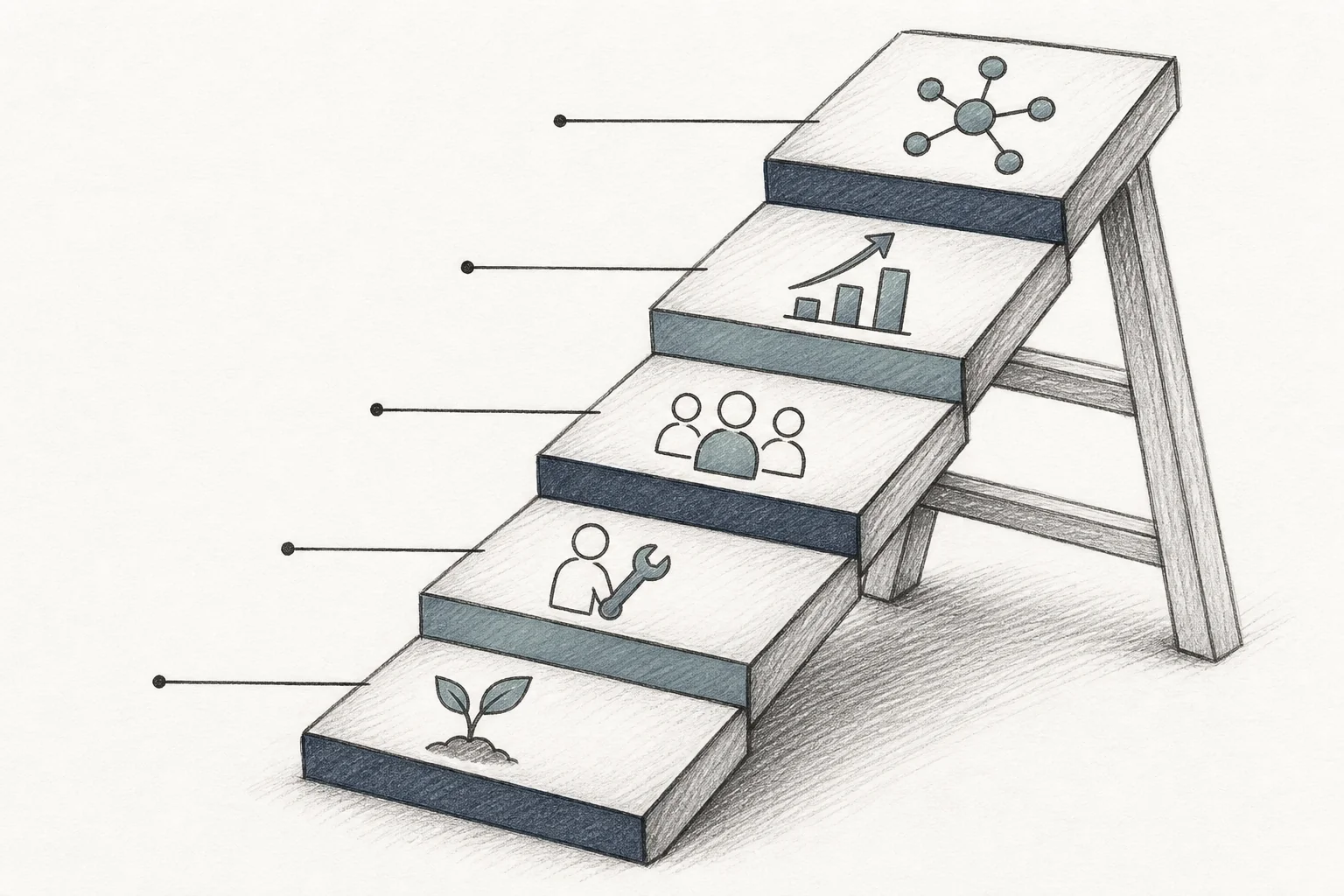
Step 1: Seed the marketplace. Before opening extensibility to customers, build 5, 10 first-party example apps covering the most common workflows in your vertical. These serve two purposes: they demonstrate what's possible, and they give customers a starting point to adapt rather than a blank canvas to stare at. Integration typically takes roughly two weeks, connecting the extension builder to your API surface via OpenAPI specs, configuring the security mapping, and applying your design system.
Step 2: Activate CS and solutions engineers first. The first builders shouldn't be end-users, they should be your customer success and solutions engineering teams working with customers. This is where the sales cycle impact shows up most dramatically: a solutions engineer who can build a requested workflow live during a sales call, rather than promising it "on the roadmap," reports meaningfully higher win rates. The workflow exists the same day it was described, not months later.
Step 3: Open self-serve to power users. Once the marketplace has a foundation of working apps and your CS team has built fluency with the builder, open it to power users at enterprise accounts, typically ops leads, team managers, or IT administrators. Governance guardrails (publishing controls, approval workflows for app deployment, role-based access to the builder itself) ensure that self-serve doesn't mean ungoverned.
Step 4: Use analytics to identify what drives daily use. The marketplace's usage analytics tell you which apps are opened every day versus which ones were built once and forgotten. Apps with high daily-active-usage are your retention anchors, the workflows that have become part of a team's actual routine. These are the apps worth promoting, documenting, and building on.
Step 5: Promote high-adoption apps across accounts. When an app built by one customer solves a problem that five other customers have, the marketplace becomes a distribution mechanism. With appropriate governance settings, high-adoption apps can be made available to other customer organizations facing the same workflow gap, turning one customer's solution into a product-level asset.
Throughout all five steps, the governance layer remains intact: every generation and deployment event is logged for audit purposes, version history allows changes to be rolled back, and the host platform's security model is never bypassed. Enterprise compliance teams get the audit trail they require; end-users get the flexibility they need.
The Business Case: Metrics That Move the Board
The retention argument for embedded extensibility is compelling on its own. The financial argument is what closes the internal conversation.
Production deployments of embedded extension builders report roughly 90% user activation on custom apps, compared with a typical 20, 40% adoption rate for a standard feature release. Day-30 retention among users who built or used a custom app runs in the 85, 90% range, dramatically above the industry-average one-month retention figures often cited around 35, 40%.
On the cost side, the reclaimed engineering capacity is significant. When enterprise customers can self-serve their own workflow customizations, the volume of "how do I..." support tickets and one-off feature requests drops, commonly cited reductions run in the 30, 35% range. Engineering teams that were spending 30, 40% of their capacity on bespoke enterprise requests get that time back for core product development.
Net revenue retention tells the clearest story. Accounts that build custom workflows expand to higher tiers to support more users and more data. NRR increases of 20+ percentage points have been reported in production deployments, because an enterprise customer who has built their daily operations around your platform's extensibility layer is not a churn risk. They're an expansion opportunity.
The sales cycle impact compounds this. According to Gartner's B2B buying research, enterprise deals stall most often when buyers can't see their specific workflows reflected in the product. An extensibility layer that lets a solutions engineer build a requested workflow live in a demo, rather than adding it to a roadmap promise, removes that stall point entirely. For further context on how enterprise buying behavior shapes SaaS product strategy, the Forrester SaaS platform strategy research is worth reviewing.
Frequently Asked Questions
Does extensibility mean losing control of the product experience?
No, and this is the most common misconception. Embedded extensibility operates within a governed framework. Publishing controls, approval workflows, and role-based access to the builder itself mean that what gets deployed is always within bounds the vendor defines. The host platform's design system ensures that every generated app looks and feels native. Customers gain flexibility; vendors retain governance.
How do we prevent enterprise customers from building apps that break compliance?
Security inheritance is the architectural answer. Every API call a generated app makes passes through the same authentication, authorization, and row-level access rules the rest of the platform already enforces. A user cannot build an app that accesses data they don't already have permission to see. Every generation and deployment event is logged for audit purposes, giving compliance teams the trail they need.
What's the integration lift for embedding an extensibility layer?
For a platform with a well-documented API surface, integration typically takes roughly two weeks: connecting the extension builder via OpenAPI specs, configuring the security mapping (SSO, roles, row-level access), applying the design system, and seeding the marketplace with initial example apps. The integration is API-first and zero-footprint, it doesn't require changes to the host product's core codebase.
How is this different from just giving customers an API?
An API gives technically sophisticated customers the ability to build integrations, but it requires engineering skill, a separate development environment, and ongoing maintenance. Embedded extensibility gives non-technical users (ops leads, team managers, CS teams) the ability to describe a workflow in plain English and get a working application the same day, inside the product they already use, with no separate infrastructure to manage.
Enterprise customers don't churn because your product is bad. They churn because their specific operations, their inspection sequences, their approval hierarchies, their margin logic, never quite fit inside the product you built for everyone. Vertical SaaS extensibility closes that gap without bloating your roadmap, without draining your engineering team, and without asking enterprise buyers to accept "good enough."
If you're ready to see what this looks like inside your platform, book a demo with the Vezel team, we'll show you how enterprise customers at vertical SaaS companies are building the workflows they need, the same day they describe them. Or if you'd prefer to explore the mechanics first, see how it works before committing to a conversation. When you're ready to move, start your free trial and put extensibility in front of your first enterprise account this week.



