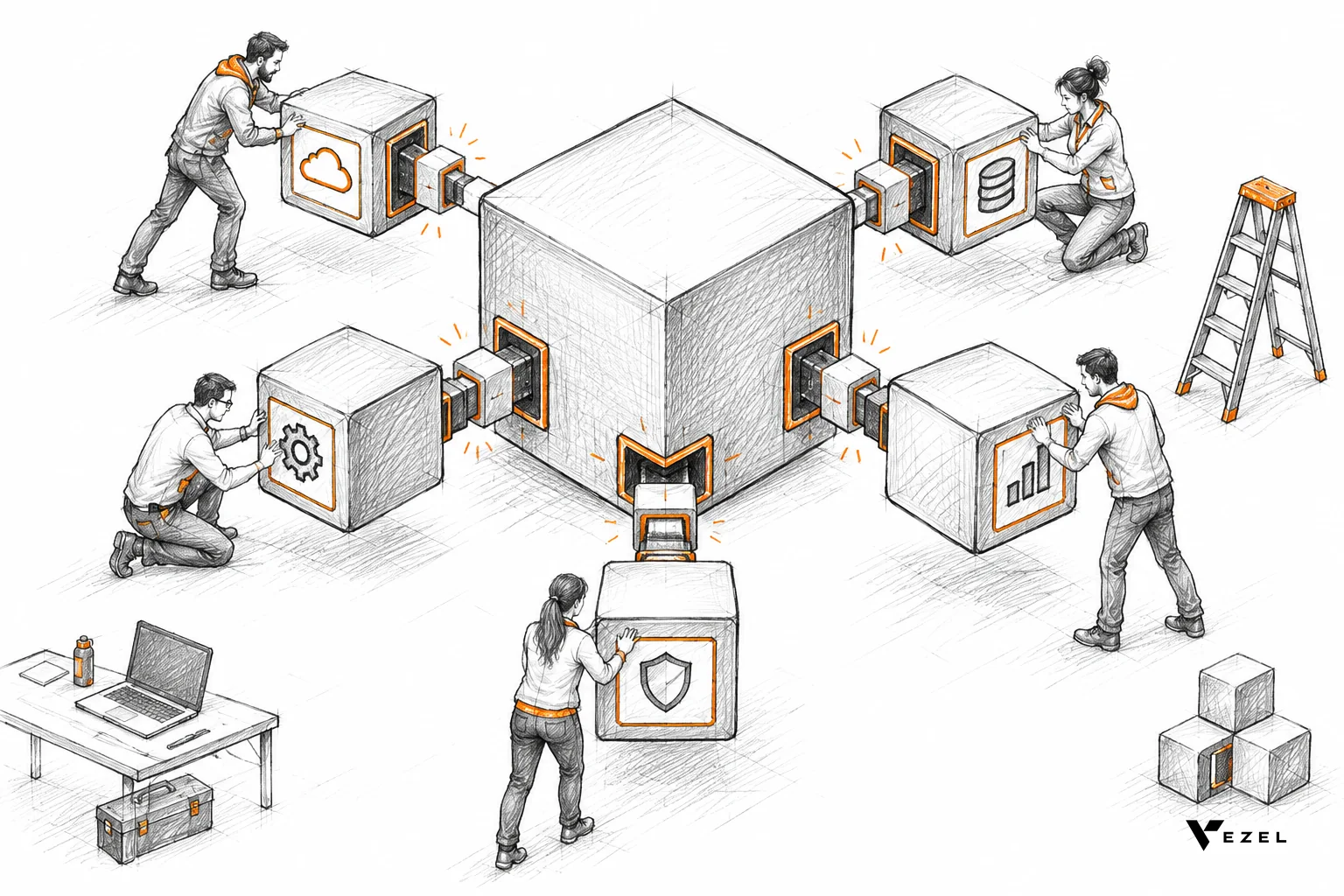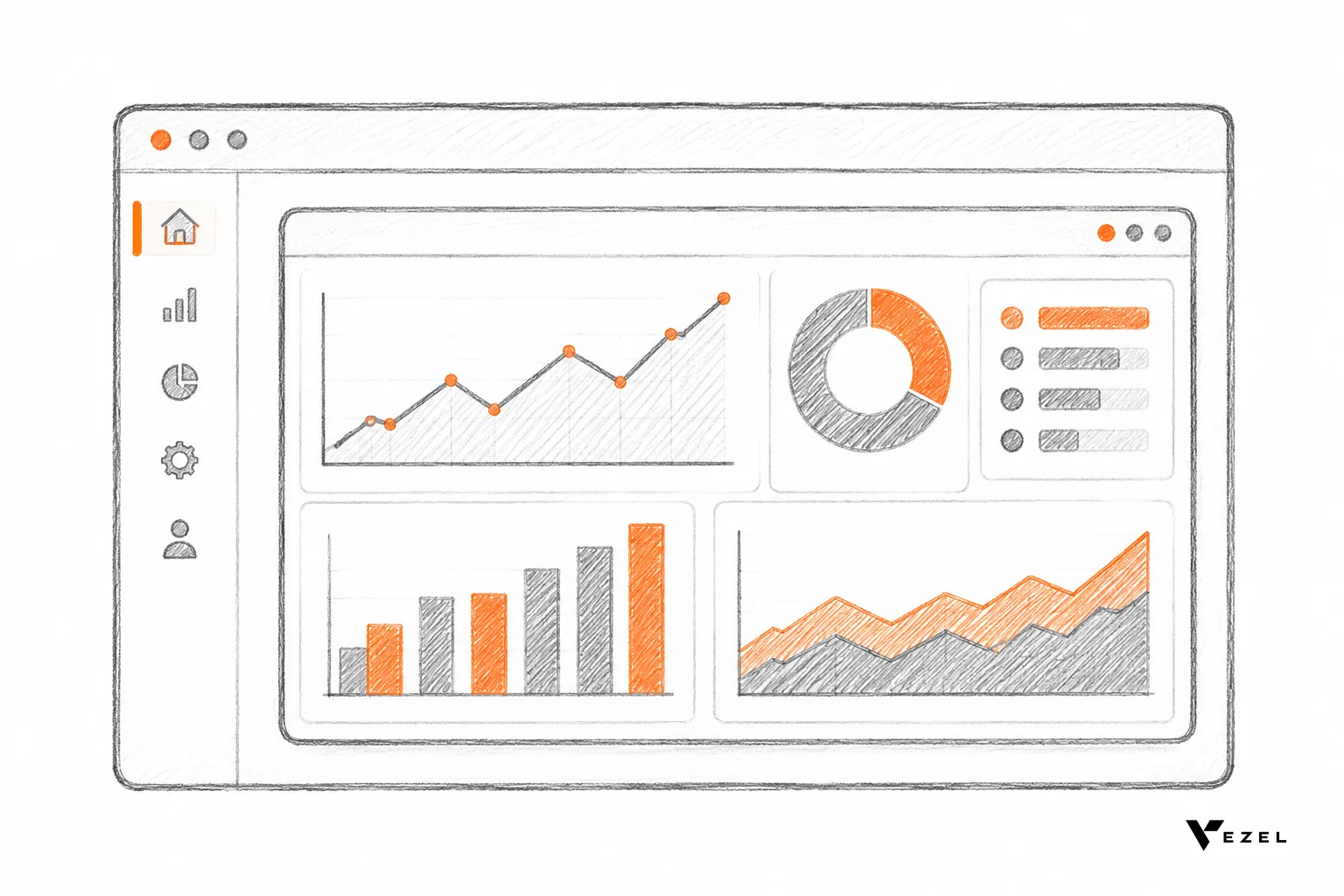



Headless SaaS is software whose product logic and data sit behind a complete API, with no single built-in interface that everyone must use. Any front-end can sit on top: your own app, a customer's custom screen, or an AI agent. For US SaaS teams, it trades interface control for flexibility, and it works best when permissions are enforced at the API.
Key takeaways
- Definition: a headless SaaS product is an API-first core with interchangeable front-ends, so the "head" (the interface) becomes one client among many.
- Main upside: customers, partners and AI agents can reach the same capabilities through the interface that suits them, without waiting for your roadmap.
- Main cost: your API becomes the product. Coverage gaps, breaking changes and weak permission checks hurt every front-end at once.
- The missing piece: headless gives customers the option to build interfaces, but most customers have no developers to do it. Embedded extension builders close that gap.
- Our view at Vezel: keep your own UI, expose a clean API, and let customers create native dashboards, workflows and agents inside the product under your existing authentication.
Headless SaaS at a glance
| Question | Short answer |
|---|---|
| What is the core idea? | Capabilities, data and rules live behind APIs; interfaces are separate and swappable |
| Who builds the front-end? | You, your customers' developers, partners, AI agents, or customers themselves through an embedded builder |
| Biggest benefit | Freedom to adapt the experience per customer without changing the core |
| Biggest risk | The API becomes the product, so gaps and breaking changes are exposed to everyone |
| Security model that works | Every front-end inherits the host's authentication and permissions, enforced at the API |
| Best fit | B2B platforms whose customers each run different processes (CRM, ERP, field service, HR and compliance) |
| Does it replace your UI? | No. Most teams keep a first-party interface and add others beside it |
What is headless SaaS?
Headless SaaS is software delivered as a service where the back end (data, business rules and capabilities) is exposed through APIs, and the interface is a separate layer. The "head" can be replaced, multiplied or removed. One product can then serve a web app, a mobile app, a customer-built screen and an AI agent.
The term borrows from headless content management. A University of California, Santa Barbara web standards guide to headless CMS describes a platform with no default front-end, where content is raw and can be published anywhere through any framework. Headless SaaS applies the same idea to whole products, not just content: workflows, records and rules become reusable through the API.
Headless SaaS vs headless CMS
A headless CMS separates stored content from how it is displayed. A headless SaaS product goes further. It exposes actions (approve this order, close this ticket, score this account) as well as data. That is why the model matters for agents and automations, which need to do work, not just read pages.
Is headless SaaS the same as API-first?
Not quite. API-first is a design habit: you design the API before the interface. Headless is the outcome when that API is complete enough that the interface becomes optional. Most mature SaaS products are API-first in places and headless in none; the gap between the two is where most of the work sits.
How does a headless SaaS product work?
A headless SaaS product works in layers. A data and domain core holds records and rules. An API layer exposes them through documented, versioned contracts. An authentication and permission layer decides who can do what. Front-ends, whether first-party or built by others, call that API and render the results.
Each layer has a job, and the order matters. The permission layer sits below every interface, not inside one. If access rules live only in your own screens, a second front-end can bypass them. That single design choice separates a safe headless model from a risky one.
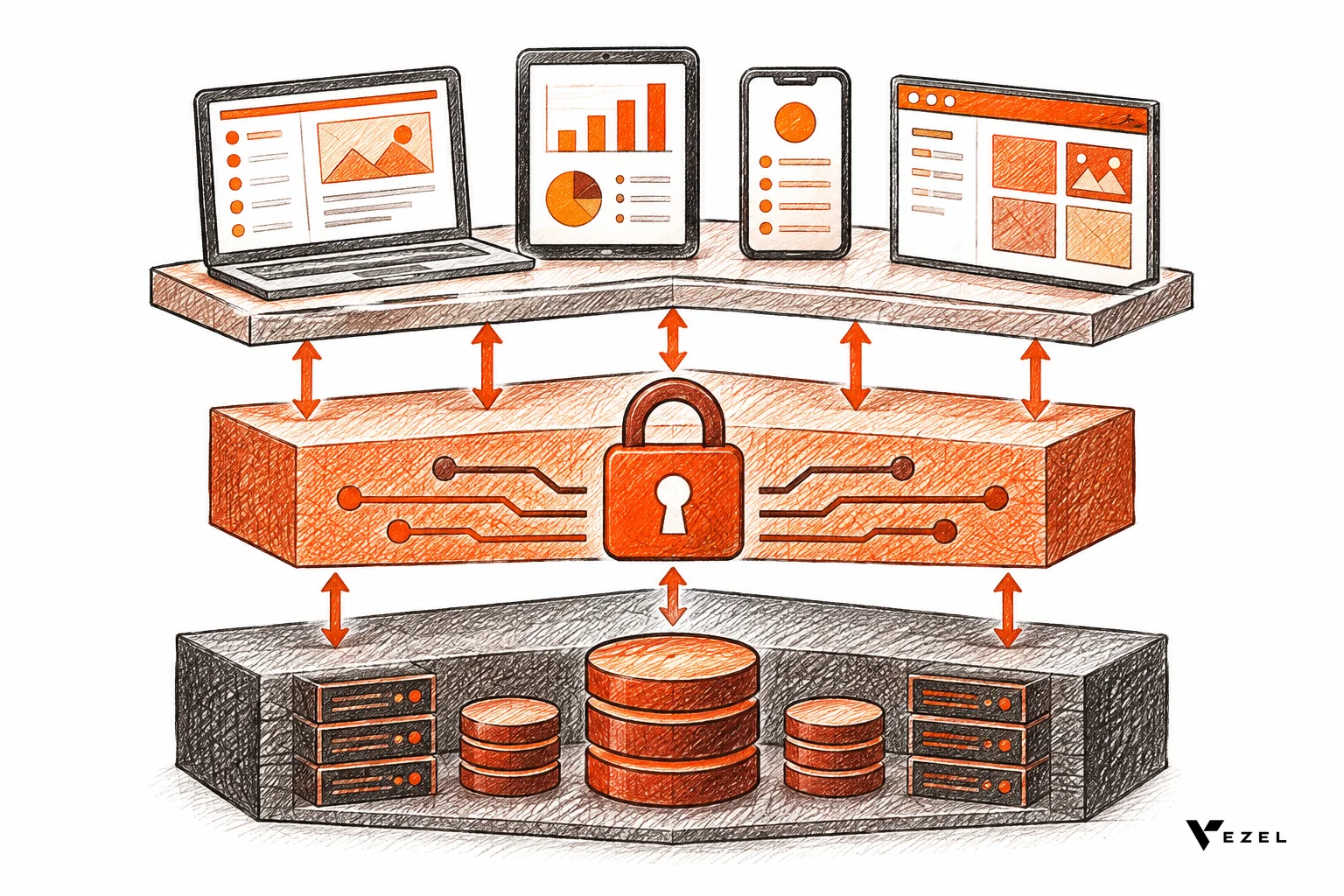
The four layers in practice
- Core: the data models and business rules shared by all customers.
- API contracts: endpoints, schemas and versions that stay stable enough to build on.
- Identity and access: authentication, roles and row-level rules enforced server-side. Our walkthrough on RBAC vs ABAC for multi-tenant products covers how to pick the model.
- Front-ends: your own app, customer-built screens, partner tools and agents.
Why multi-tenancy raises the stakes
Most SaaS products share infrastructure across many customers. Monash University research on evolving multi-tenant SaaS applications notes that multi-tenancy promotes efficient use of shared hardware and software, and that variability between tenants adds complexity to design decisions. A headless approach is one way to absorb that variability at the interface instead of the core.
What are the pros of going headless?
The main pros are interface freedom, wider reach and a more focused core. Customers can shape the experience around their own process, partners can build on your product, and AI agents can act through the same API. Your core team stops hard-coding every customer's preferred screen.
Here is how those benefits show up for a product team:
- Per-customer experience without per-customer code. Two companies using the same CRM can define pipeline health differently, and each gets its own view over the same data.
- More channels from one build. Web, mobile, voice, chat and embedded views call the same capabilities.
- Agent readiness. Agents work best against clear, machine-readable contracts, which a headless API provides by design.
- A focused core. Engineers invest in the platform and its contracts instead of repeating one-off screens.
- Ecosystem potential. Consultants and partners can build on the product when the API is good enough.
What are the cons and risks of headless SaaS?
The main cons are that your API becomes the product, UX can fragment, and every new front-end widens the security surface. Breaking an endpoint now breaks customer-built screens. Customers also need someone able to build interfaces, which many lack. Governance, versioning and support get harder.
Weigh these honestly before committing:
- API quality is now product quality. Missing endpoints, thin docs and unstable schemas show up as customer pain. Our guide to connecting extensions to your SaaS APIs shows how quickly coverage gaps surface.
- Versioning burden. You promise compatibility to people you may never meet.
- Security surface. More clients mean more tokens, scopes and rate limits to manage.
- Inconsistent experience. A customer-built screen may not match your design system, and support teams may not recognise it.
- The builder problem. A pure API gives customers raw material, not a finished interface. Most business teams cannot write front-end code.
One question is not settled: how much of the experience a vendor should still own. Fully headless products give up some control over how users meet the product. We think most B2B vendors should keep a strong first-party interface and open the rest selectively, but that depends on how varied your customers' processes are.
Headless SaaS vs traditional SaaS vs Adaptive SaaS
Traditional SaaS ships one interface for everyone and grows by adding features. Headless SaaS opens the interface layer. Adaptive SaaS, the approach described in the Vezel manifesto, lets customers create the capabilities they need inside the product while the core stays focused and shared. The three are not rivals; they sit on a spectrum.
| Attribute | Traditional SaaS | Headless SaaS | Adaptive SaaS (with Vezel) |
|---|---|---|---|
| Interface | One built-in UI | Any front-end over the API | First-party UI plus customer-created native extensions |
| Who adapts the product | The vendor, through the roadmap | Customers' developers or partners | Customers themselves, in plain English |
| API dependence | Partial | Total | Uses your existing APIs, auth and permissions |
| Look and feel | Consistent | Varies by builder | White-labeled to match the host product |
| Governance | Vendor release process | Mostly left to each builder | Central control plane for publishing, permissions and lifecycle |
Our source material frames the distinction as features versus capabilities. A feature is predefined and serves everyone. A capability is contextual and serves a specific business. Headless makes capabilities possible; it does not, by itself, produce them.
How can customers build their own interfaces on a headless product?
Customers can build interfaces in three ways: their own developers write code against your API, a generic low-code or internal-tool builder connects to it, or an embedded extension builder inside your product generates native screens from plain English. The third path needs no developers and keeps everything inside your product.
Path 1: customer developers write code
This gives the most control and the highest cost. It suits large customers with engineering teams. Everyone else waits, or falls back on spreadsheets and exports. That is how shadow IT starts, a risk we cover in how to prevent shadow IT in your SaaS platform.
Path 2: external low-code or internal-tool builders
Tools built for internal apps can read your API. The catch is that they live outside your product, so users switch contexts, the design drifts, and you must re-create permission rules in another place. Whether that is acceptable depends on how sensitive the data is.
Path 3: an embedded extension builder
Here the builder runs inside the host product. A user describes a dashboard, form, workflow or agent in plain English, and it appears as a native part of the application. This keeps the headless benefits (many interfaces, one core) without asking customers to code.
Where Vezel fits: embedded extensions on a headless core
Vezel is an embedded AI extension platform. It connects to your APIs and data models with a zero-footprint setup, then lets your customers generate dashboards, workflows, reports, forms, automations and AI assistants from plain English. Extensions are white-labeled, so they look and feel like part of your product.

Security follows the headless rule we described earlier. Extensions inherit your existing authentication, permissions and access controls, so a customer-built screen cannot see more than its user could in your own UI. Publishing, permissions, approvals and the extension lifecycle are managed from a central control plane.
How it works, step by step
- Connect to your APIs. Vezel integrates with your APIs, authentication, permissions and design system.
- Generate extensions from plain English. Customers describe what they need.
- Ready to use in a secure container. The result runs inside your product.
- Scale and govern. You control what is published and who can use it.
Most SaaS platforms can integrate Vezel in a few days. For a closer look at the technical side, see how it works.
What customers build on top
- CRM and customer success: customer health dashboards, renewal workspaces, executive sales reviews and territory planning.
- ERP and operations: procurement approvals, inventory dashboards, supplier scorecards and production monitoring, without changing the core ERP.
- Field service and manufacturing: technician scorecards, maintenance planners, inspection checklists and quality audits.
- Research, HR and compliance: onboarding journeys, compliance workflows, performance reviews and approval processes.
Our Flexibiz demo, an ERP for the packaging industry, shows the pattern. Users create, customize and explore AI-powered dashboards inside the ERP instead of exporting reports to Excel or building charts by hand.
How to choose: a readiness checklist for product leaders
To decide whether your product is ready to go headless, test five things: API coverage of the actions customers need, permissions enforced server-side, a versioning policy, usable documentation, and governance over what customers publish. If the permission check fails, fix that before opening any new front-end.
Use these pass and walk-away tests:
- API coverage. Pass: every action a user can take in your UI has an endpoint. Walk away (for now): key actions exist only as UI behavior.
- Permissions at the API. Pass: calling the API with a limited user's token returns only that user's data. Fail: any rule that lives only in your front-end code.
- Versioning. Pass: a written policy for deprecation and notice. Fail: endpoints that change without warning.
- Documentation. Pass: a machine-readable spec such as OpenAPI that matches reality. Fail: docs that lag the product.
- Governance. Pass: you can review, publish, restrict and retire customer-built interfaces. Fail: no way to see what customers have built.
A decision rule
If most customers have developers, publish a strong API and stop there. If most do not, and they keep asking for custom views, pair your API with an embedded builder. We would not recommend going fully headless and removing your own UI unless your main users are other systems or agents.
If you are evaluating vendors, how to choose an embedded extensibility platform gives a longer scorecard. For US healthcare, HR or finance products, also check that data access stays within your existing compliance boundaries.
FAQ
Do I have to drop my existing interface to be headless?
No. Most vendors keep their first-party interface and add other front-ends beside it. Headless describes the architecture underneath, where the API is complete enough that any interface can be swapped in. Your own screens become one client of the API among several.
Is headless SaaS secure?
It can be, if access rules are enforced at the API and not in the interface. Every front-end, including customer-built ones, should inherit your existing authentication, roles and row-level rules. Add token scopes and rate limits for automated clients, and review what customers publish.
How long does it take to make a SaaS product headless?
It depends on how complete your API is today. Closing coverage gaps and permission gaps is the slow part. Adding an embedded extension layer is faster: Vezel says most SaaS platforms can integrate it in a few days, using the APIs they already have.
Can AI agents use a headless SaaS product?
Yes, and it is one of the strongest arguments for the model. An agent needs clear contracts and delegated authority. When it acts through your API with the user's permissions, it can do only what that user could do.
Next step: give customers a front-end they can actually build
A headless core opens the door, but most of your customers still need someone to walk through it. If your API is ready and your customers keep asking for views and workflows you cannot ship, book a demo with Vezel. Share a demo account and we will build a working proof of what is possible inside your SaaS, secured by your own authentication and permissions.