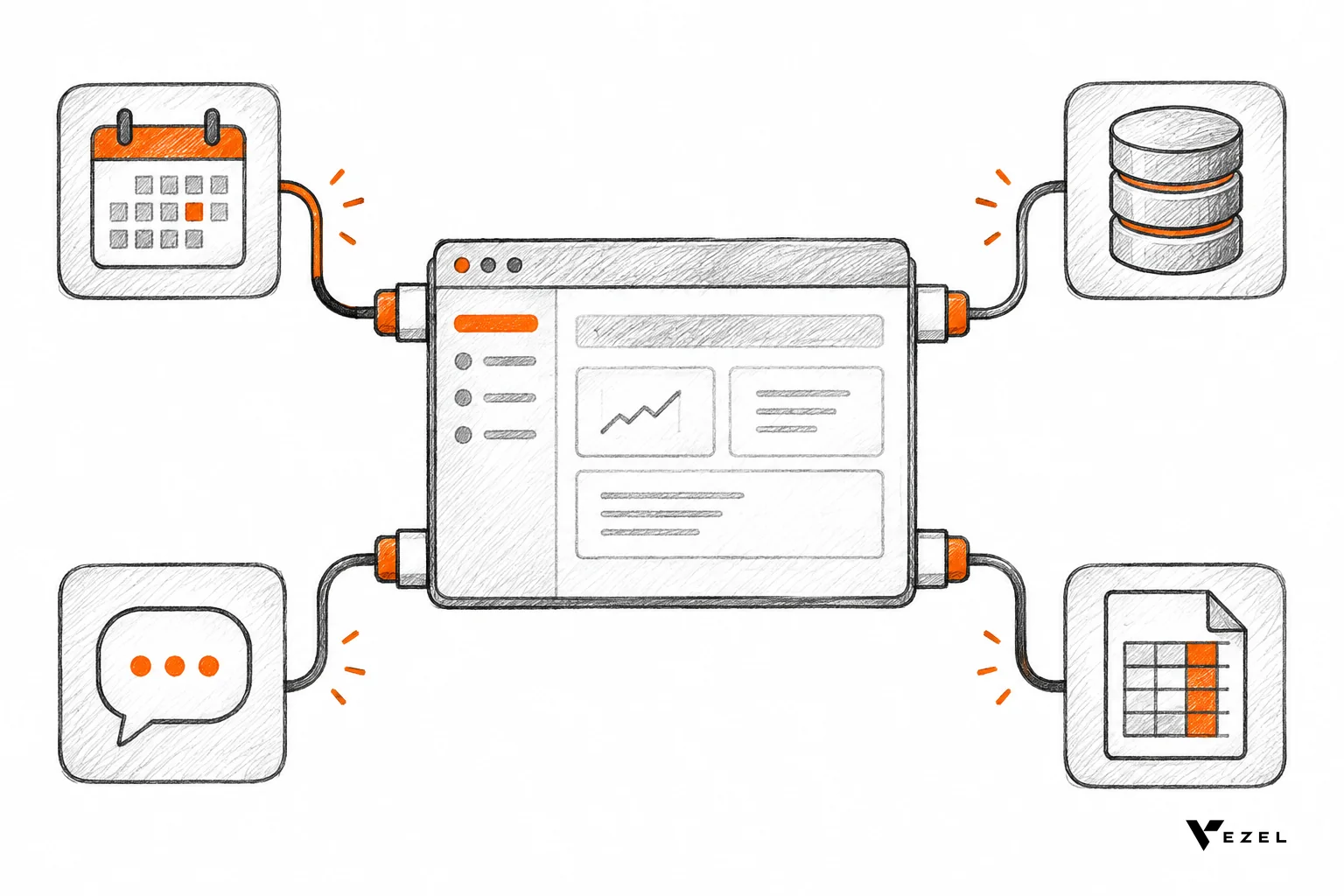


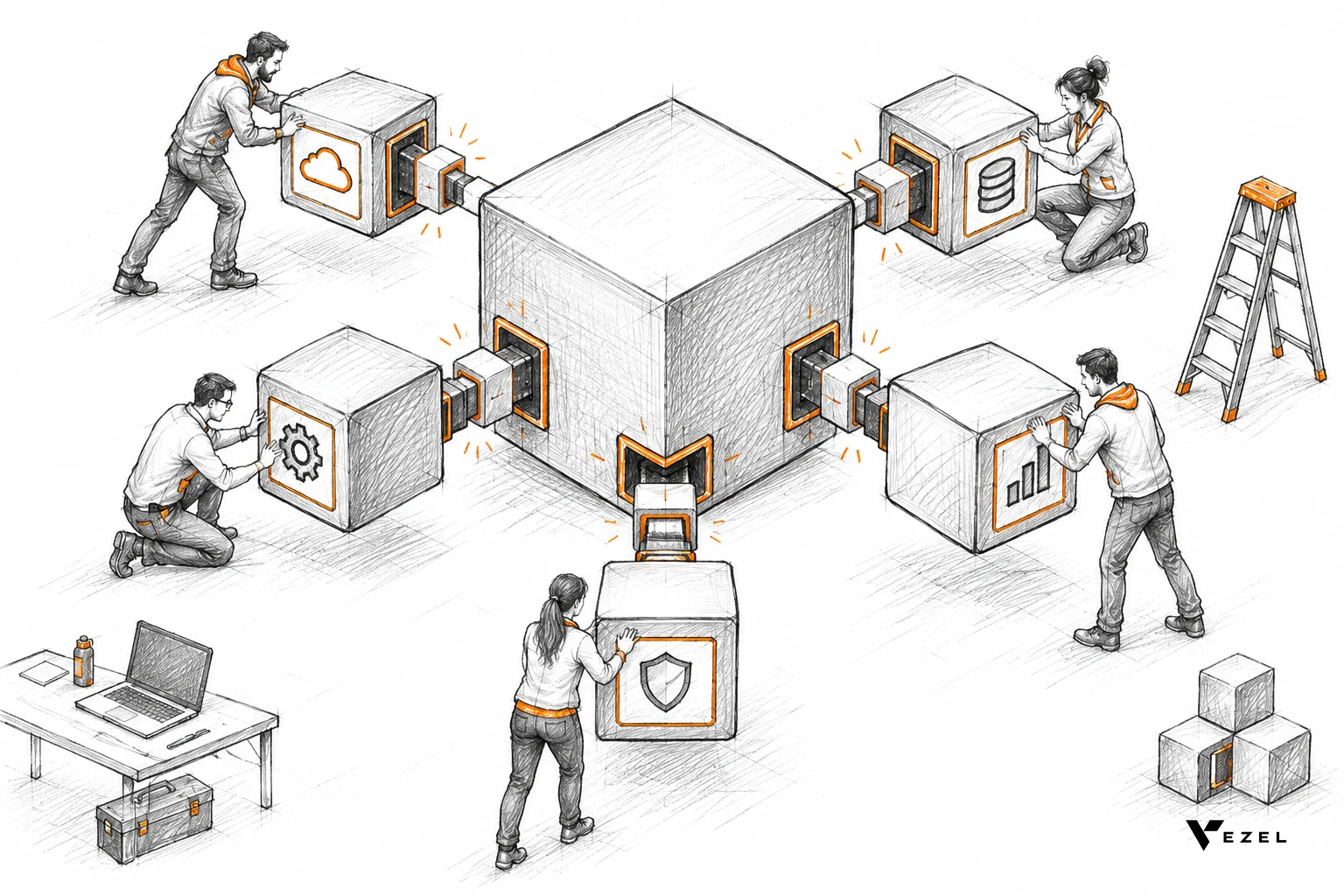
Plugin architecture is a design where a stable core application exposes defined extension points, and separate modules add behavior through them. For a US SaaS team, a workable system needs five parts: hooks, sandboxing, a versioned API, a marketplace for publishing, and governance over who can build, approve and retire extensions.
Key takeaways
- Core stays small: customer-specific behavior lives in extensions, so one account's needs never reshape the product everyone uses.
- Isolation first: run extensions in a sandbox and make them inherit the host's authentication and permissions instead of rebuilding access control.
- Contracts beat features: a small, documented, versioned set of hooks and APIs lasts longer than a large, loosely defined one.
- Governance is part of the design: publishing, approvals and retirement need an owner and a control surface from day one.
Plugin architecture at a glance
| Component | What it does | What breaks without it |
|---|---|---|
| Hooks and extension points | Give extensions defined places to react to events, change data or add UI | Extensions patch internals and break on every release |
| Sandboxing | Isolates extension code and limits its resources | One faulty extension slows or crashes the product for everyone |
| Extension API | Lets extensions read and write product data through scoped, documented endpoints | Extensions use private shortcuts or over-broad credentials |
| Permission inheritance | Applies the user's existing roles and row-level rules to the extension | Extensions expose data the user should never see |
| Marketplace and publishing | Provides review, release and discovery of extensions | Extensions spread by copy and paste, with no review trail |
| Versioning and lifecycle | Tracks releases, deprecations, rollbacks and retirement | Old extensions fail silently after the core changes |
What is plugin architecture, and why do SaaS teams adopt it?
Plugin architecture splits software into a core system and add-on modules that load through defined interfaces. SaaS teams adopt it because customers keep asking for behavior that only one account needs. Extensions let those needs live beside the product instead of inside it, so the core stays small and releases stay predictable.
The textbook version is simple. One university course handout describes plugins as code components that a host application loads and uses to enhance its default functionality. The host owns the rules. The plugin follows an interface.
How hosted SaaS changes the picture
Classic desktop plugins ran on one user's machine. SaaS adds three problems. Many tenants share one running system. The vendor, not the customer, is responsible when something goes wrong. And the person writing the extension may be a customer admin or a partner consultant, not your engineer.
So a SaaS plugin system needs more than an interface. It needs tenant isolation, access control that follows the user, and a way to ship and withdraw extensions without a deploy. If your core is already multi-tenant, our guide to multi-tenant architecture models and customization trade-offs covers the data-separation layer that extensions sit on top of.
Well-known examples, in general terms
Marketplaces are the clearest public example. An MIT CISR case study on Salesforce records that in 2023 it was the CRM provider with the biggest market share, and that it built a platform business beyond the CRM product itself. Salesforce's own site now describes a marketplace where customers browse, install and deploy apps, actions and agents.
Retool, Glide, Superblocks and Mendix sit in a neighboring category: platforms for building apps and internal tools. They are useful reference points for what builders expect from tooling. They are not the same thing as an extension system inside your own product, where you control the host, the data and the rules.
How do hooks and extension points work?
Hooks are named points in the host application where an extension can run code or add interface elements. The host calls the extension when something happens, such as a record being saved, and passes a defined payload. The extension responds within agreed limits. The host never exposes its internals beyond that contract.
Most SaaS products need four kinds of extension point:
- Event hooks: run after something happens (an invoice approved, a ticket closed).
- Filter hooks: change data before the host uses it (adjust a field value, add a validation).
- UI slots: places in the interface where an extension can render a panel, tab, dashboard or form.
- Triggers and schedules: run on a timer or on demand, for workflows such as a nightly report.
Rules for designing good hooks
Start with a handful, not fifty. Every hook is a promise you must keep across releases, and removing one later costs more than adding it now. Pick the spots where customers already build workarounds, and ship those first.
Each hook needs a written contract: the payload shape, a time limit, and what happens when the extension fails or times out. If a hook has no stated failure behavior, the first slow extension will decide it for you.
Our position: prefer asynchronous event hooks over synchronous filter hooks wherever you can. A synchronous hook sits inside the user's request, so a slow extension makes your product feel slow. Keep synchronous filters for the few cases, like validation, where the core truly must wait.
Why does sandboxing matter for SaaS extensions?
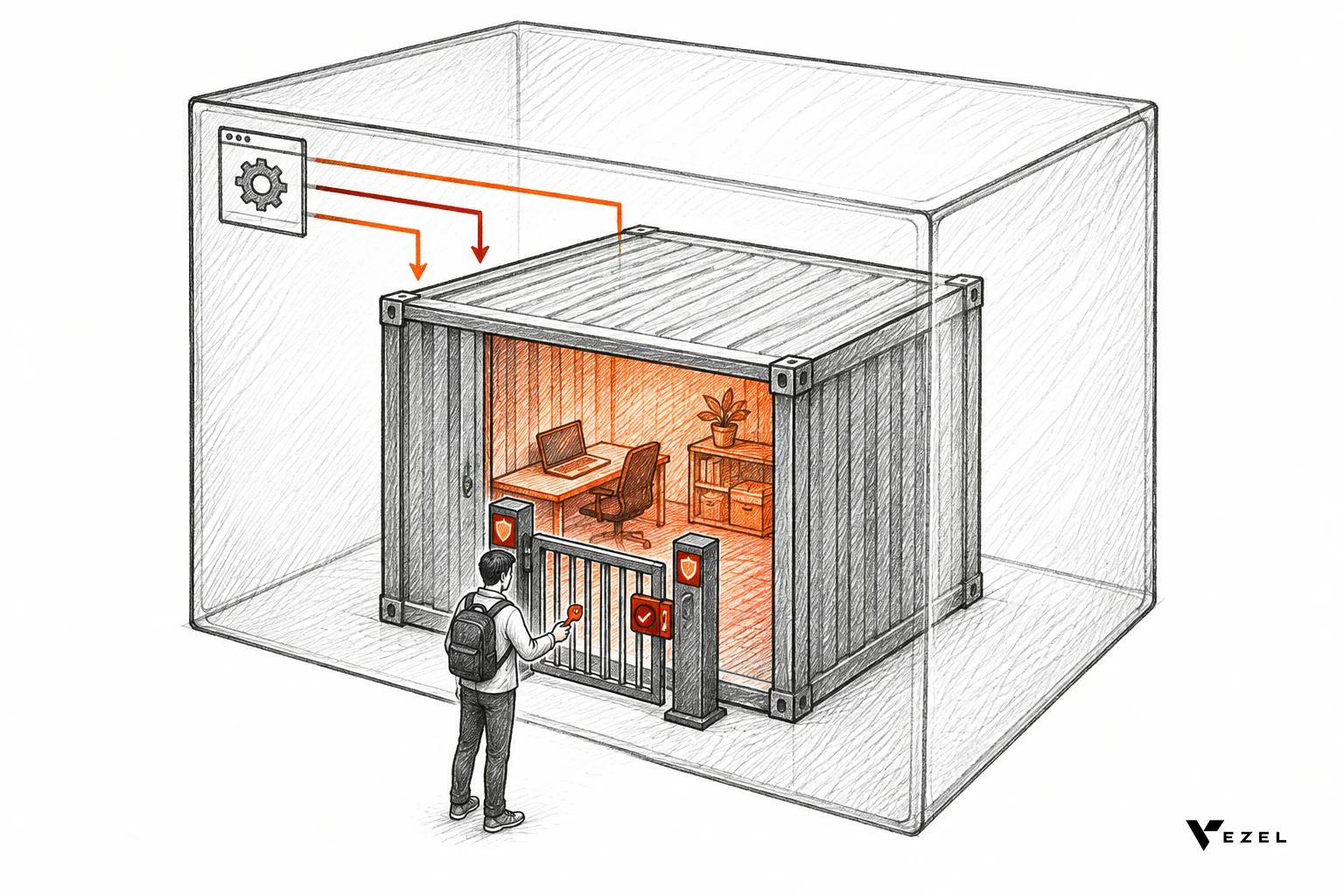
Sandboxing runs extension code in an isolated environment with its own resource limits and no direct access to the host's internals. It matters because extensions are written by people you do not fully control. Without isolation, one buggy or malicious extension can slow, crash or read data from the shared product.
Choosing an isolation model
| Model | Isolation strength | Trade-off |
|---|---|---|
| In-process (loaded into the host) | Weakest | Fast and simple, but a crash or leak reaches the core |
| Separate process or container | Strong | Needs orchestration, with cold-start and cost to manage |
| Browser iframe for UI | Strong for the front end | Needs a message channel back to the host for data |
| Serverless function | Strong, short-lived | Limits on run time and state |
One Carnegie Mellon course on API design frames plugins as a framework that provides a plugin interface and callback mechanisms for the variable parts. That is the right mental model for isolation too: the sandbox is the boundary, and the callbacks are the only door.
For customer-built extensions, we would not use in-process loading. Choose a container or equivalent. How much isolation is enough for partner-written code that touches regulated data is still debated, and you should settle it with your security team rather than a blog post.
Inherit permissions; do not re-implement them
The most common security mistake is giving an extension its own service account with broad access. Now the extension sees more than the person using it. The better pattern is inheritance: the extension acts as the signed-in user, under that user's roles and row-level rules.
That is how Vezel works. Extensions run in a secure container and inherit your existing authentication, permissions and access controls. A pass/fail test you can run on any extension system: sign in as a user who cannot see a record, open the extension, and look for the record. If it is absent, pass. If it appears anywhere, walk away until it is fixed.
Enterprise buyers will ask about this early. Our list of enterprise buyer questions about SaaS extension security is a good rehearsal. If you sell to US federal agencies, the FedRAMP Marketplace lists authorized cloud services; ask your assessor whether the extension runtime sits inside your authorization boundary.
How should you design the API layer for extensions?
Give extensions a public, documented, versioned API with scoped credentials, rate limits and an audit log. Extensions should use the same endpoints your own front end relies on wherever possible. A private shortcut for a favorite partner today becomes an undocumented dependency you cannot change tomorrow.
Five design rules cover most of the ground:
- Describe it in OpenAPI. A machine-readable spec lets tools and generators map your endpoints and data models without hand-written glue.
- Scope every credential. An extension that builds a dashboard needs read access, not write access.
- Rate-limit per extension. One noisy extension should not use up a tenant's quota.
- Log every call. Record which extension, which user, which endpoint, and when.
- Keep errors predictable. Extension authors cannot debug what your API hides.
Vezel connects to a product's APIs and data models with a zero-footprint setup, and most SaaS platforms can integrate it in a few days. The speed comes from the spec, not magic. A clean, well-described API is what makes any extension system fast to stand up. For the connection steps, see how to connect AI extensions to your SaaS APIs.
How do marketplaces, publishing and versioning work?
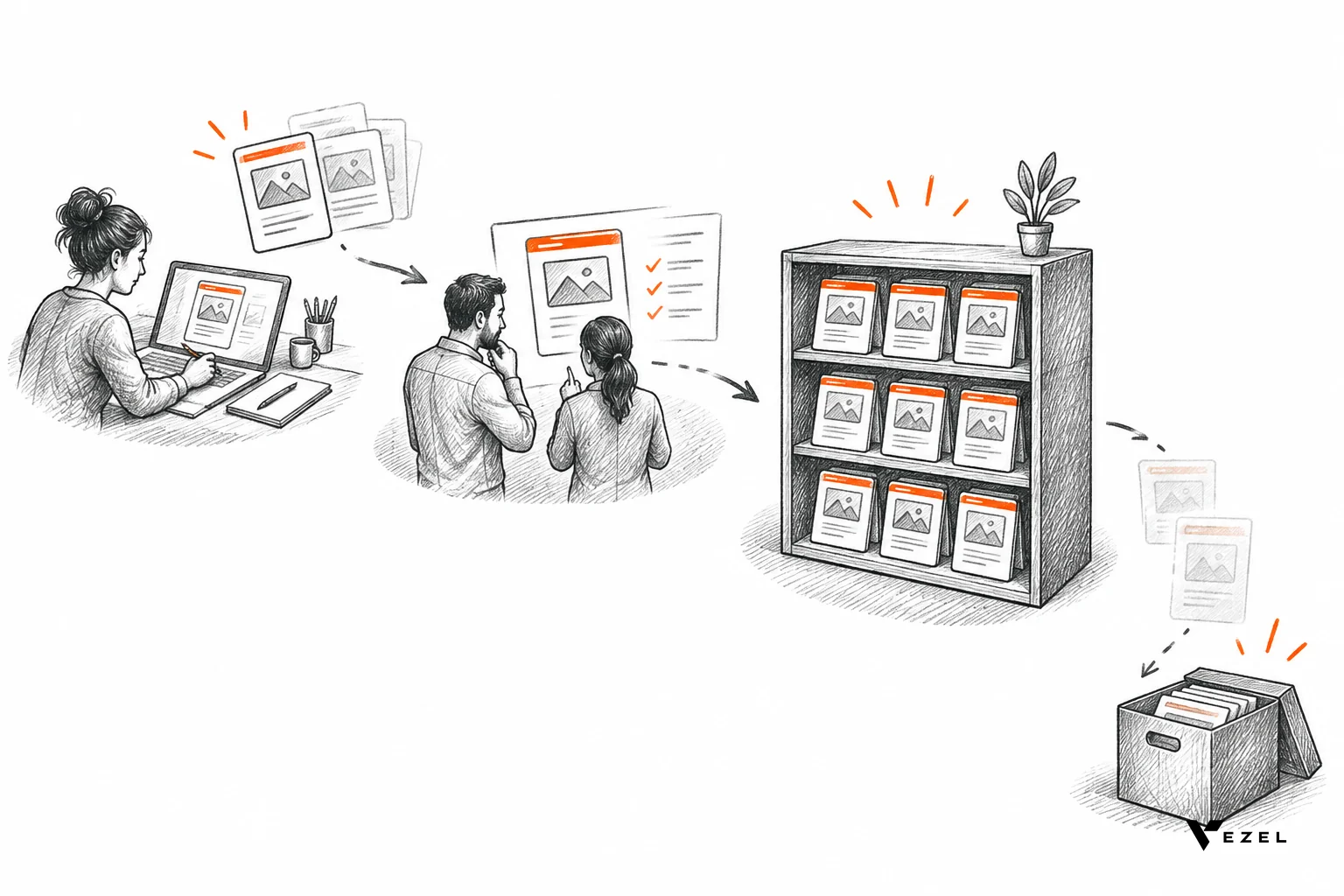
A marketplace is the managed place where extensions move from draft to review to published, and where customers discover and install them. Versioning gives each release an identifier, so you can roll forward, roll back or retire it. Together they stop extensions spreading without review.
A simple publishing flow
- Draft: the builder creates and tests the extension in a private space.
- Review: an approver checks permissions requested, data touched and visual fit.
- Publish: the extension becomes available to a defined audience, such as one tenant, a partner group or everyone.
- Update: a new version goes through the same gate, while the old one stays available.
- Deprecate and retire: users get notice, then the extension is withdrawn.
Not every extension needs a public listing. A customer's private dashboard may only ever be shared inside one account. The marketplace should handle both: private distribution for one tenant and broader listing for reusable extensions. We explain the model in what a governed marketplace for SaaS extensions is.
Versioning rules that hold up
Use semantic versioning for your own APIs and hooks: a major number for breaking changes, a minor number for additions, a patch number for fixes. Extension authors then know which upgrades are safe to take automatically and which need a test.
Announce deprecations with a stated window and a migration path. Keep the previous API version running through that window. Let admins pin an extension to a version and roll back with one action.
Plain-English generation changes one thing here. When extensions are created by describing them rather than coding them, versions multiply quickly, because editing is cheap. Track every generated version just as you would hand-written code. Whether reviewers should check the prompt, the output, or both is something the industry has not settled.
Governance: permissions, approvals and lifecycle control
Governance is the set of rules and controls that decide who can create, approve, see, change and remove extensions. Without it, a plugin system turns into shadow IT inside your own product. Vezel manages publishing, permissions, approvals and the extension lifecycle from a central control plane.
Whatever system you build or buy, check that it answers each of these:
| Control | Question it answers | Pass looks like |
|---|---|---|
| Creation rights | Who may build an extension? | Set by role, per tenant, and changeable by an admin |
| Approval gate | Who signs off before users see it? | Named approver, recorded decision, no bypass for admins |
| Audience | Who can install or run it? | Scoped to user, team, tenant or all, and enforced at runtime |
| Data access | What can it read and write? | Same as the signed-in user, never more |
| Kill switch | Can you disable it now? | One action, effective right away, logged |
| Audit trail | Can you reconstruct what happened? | Who, what, when, for every change and call |
If a check fails, do not launch broadly. Narrow the audience to a pilot group, fix the gap, and widen again. The step-by-step version of this is in our guide to lifecycle management for customer-built SaaS extensions.
Build in-house or buy? A decision rule for US SaaS teams
Build the plugin system yourself if extensibility is your product's core differentiator and you can staff it for the long run. Buy or embed one if extensions are a way to serve customer-specific needs without growing the roadmap. The ongoing cost is maintenance, not the first launch.
A practical rule: count what a minimum viable system needs. That is hooks, isolation, a scoped API, permission inheritance, a review flow, versioning and an audit trail. If your team cannot staff all seven and keep them current for years, embed a platform and spend your engineers on the core.
Be honest about the exceptions. If your customers are developers who want to write code against your product, a hand-built SDK and marketplace may suit you better than a plain-English builder. If your customers are operations managers, they will not write plugins at all, and a builder they can use in their own words matters more.
Vezel is an embedded AI extension platform: customers describe dashboards, workflows, forms or agents in plain English, and the result runs inside your product, white-labeled to match your design system. For a wider view of the approach, see our beginner's guide to embedding an AI extension builder.
Plugin architecture FAQ
Is a plugin the same as an extension?
In practice, yes. Both are add-on modules that a host application loads through a defined interface. "Plugin" is the older engineering term, and "extension" is common in product and marketplace language. The architecture is the same: a stable core, defined extension points, and isolation between the two.
What is the biggest risk in a SaaS plugin system?
Over-broad data access is the biggest risk. If an extension can see more than the user running it, any bug becomes a data exposure. Make extensions inherit the signed-in user's authentication and permissions, and log every call so you can investigate what happened.
How many hooks should a first release have?
Fewer than you think. Ship the extension points where customers already build workarounds, such as a dashboard slot or an approval event. Each hook is a long-term promise, so add more only when real extensions need them, and document every payload and failure behavior.
Next step: see an extension system running inside a product
A plugin architecture is only as good as its contracts, its isolation and its governance. If you want to see those pieces working together, book a demo with Vezel and watch customer-built extensions run inside a host product with inherited permissions and central control. Want to see the flow first? See how it works, from API connection to governed publishing.