



Self serve reporting means customers build and save their own reports and dashboards inside your SaaS product, on live data, without filing a ticket. To make it work, you expose a curated data model, inherit existing permissions, ship templates, add publishing controls, and roll out in phases. Done in that order, reporting requests stop landing on engineering.
Key takeaways
- Curate the data model: give customers named business entities and certified metrics, not raw tables, so two people asking the same question get the same number.
- Inherit permissions: a report should never show a row the person running it could not already see in the product. Rebuilding access rules for reporting is where most projects go wrong.
- Templates beat blank canvases: start each persona with three to five ready reports they can edit in plain English.
- Govern publishing: keep private drafts free, and put team-wide or company-wide sharing behind an approval and versioning step.
- Roll out in three phases: pilot with a few accounts, expand by persona, then open to everyone, and triage every new request with one question: can the customer build this themselves?
Self-serve reporting at a glance
| Step | What you do | Pass mark before moving on |
|---|---|---|
| 1. Data model | Expose business entities and certified metrics through your existing APIs | Two users asking for "active accounts" get the same count |
| 2. Permissions | Inherit authentication, roles and row-level rules from the host product | A restricted test user sees zero rows outside their scope in any report |
| 3. Templates | Ship starter reports per persona, editable by prompt | A new user gets a useful report in the first session without help |
| 4. Governance | Private, team and company publishing states with approval and versions | Every shared report has an owner, a version and a retire date |
| 5. Rollout | Pilot, expand by persona, then general availability | New "build me a report" tickets fall each phase, not just stay flat |
Why do custom report requests pile up on engineering?
Custom report requests pile up because every customer defines its metrics differently, while a shared product only ships reports that serve most customers. Each exception becomes a ticket, and engineering becomes the only way to get one. The queue grows faster than the team can clear it.
Vezel's own framing of this is the SaaS Adaptation Gap: the difference between the software every customer receives and the software each customer actually needs. Two sales teams on the same CRM can measure pipeline health by conversion rate in one case and deal velocity in the other. Neither is wrong, and neither is served by one fixed report.
Look at what customers do while they wait. They export to spreadsheets, pull data into a BI tool, or ask a consultant for help. If you see this pattern, our guide to custom reporting for vertical SaaS platforms explains how buyers weigh the options.
The cost is not only developer hours. A request that is "just one report" also needs testing, permission checks and ongoing maintenance. Multiply that by every account and the roadmap fills with work that helps one customer.
Self-serve reporting breaks that loop. The customer describes the report, the platform builds it on live data, and engineering never sees a ticket. The part that makes this safe is what you expose and to whom, which is where the next three sections go.
1. Expose a data model customers can safely report on
Start by deciding what customers are allowed to report on. The safest model is a curated layer of business entities (accounts, orders, technicians, invoices) with defined fields and certified metrics, reached through your existing APIs, not a direct window into your database tables.
Use customer language, not schema language
A customer success manager thinks in "renewals" and "health scores", not in acct_renewal_fct. Name entities and fields the way your users already do. If your product has a glossary, your reporting layer should use the same words.
This also helps AI-generated reports. When a person types "show renewals due in 60 days by region", the builder needs clean names to map that sentence to the right fields. Vezel does this through API auto-discovery, which reads your product's API definitions and maps endpoints and data models automatically, with a zero-footprint setup.
Certify the metrics that matter
Decide which numbers are the source of truth and mark them. Active customer, churned account, on-time delivery: each needs one definition that every report uses. MIT Sloan Management Review describes the goal of self-service data as letting people across a company work with data directly while IT and data professionals support them rather than gate every request.
That support role is your certified layer. Customers can build anything on top of it, but the shared metrics stay consistent. Otherwise, you swap a reporting backlog for an argument about whose number is right.
Keep it live
Exports go stale the moment they are created. Connect reports to live platform data through your APIs so a dashboard opened on Monday morning reflects Monday morning. Flexibiz, an ERP for the packaging industry, shows the idea in a Vezel demo: users create, customize and explore dashboards inside the ERP instead of exporting to Excel or building charts by hand.
A practical checklist for this step:
- List the five to ten entities customers ask about most, and expose only those first.
- Write one definition for each shared metric and publish it where users can see it.
- Mark fields that must never be reportable (internal notes, pricing logic, anything you would not show in the UI).
- Walk away from any plan that requires a nightly copy of customer data into a separate store, unless you can prove the copy enforces the same access rules.
2. Inherit permissions instead of rebuilding them
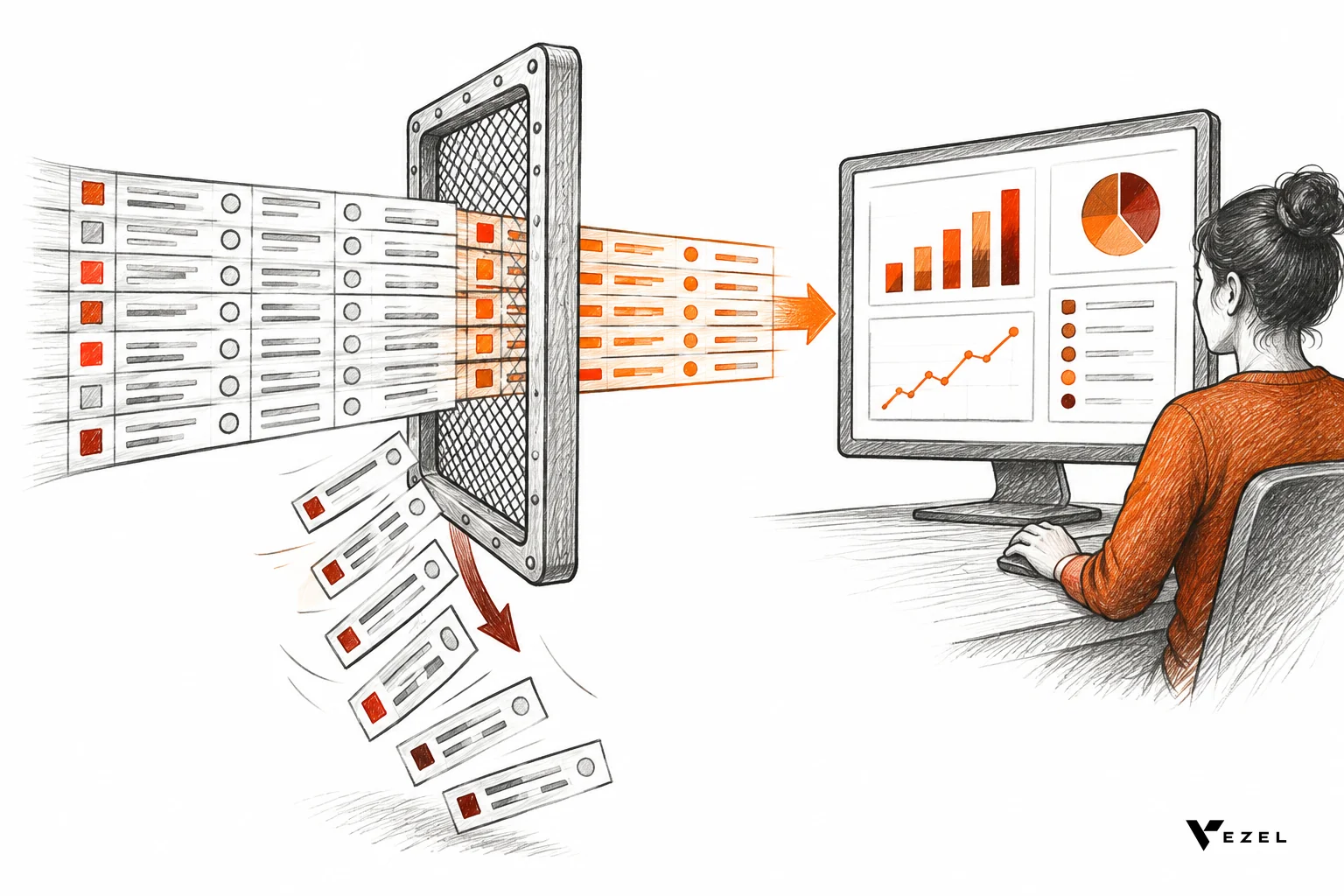
The rule is simple: a report may show a person only what that person can already see in the product. The cleanest way to guarantee it is to have the reporting layer inherit your authentication, roles and row-level access, not copy them into a second system that can drift.
Every duplicate permission model is a future incident. Roles change, a new region is added, an employee moves teams, and the reporting copy lags by a week. Inheritance removes that class of bug. Vezel extensions inherit the host product's existing authentication, permissions and access controls, so a generated report runs as the person who opened it.
How do healthtech and other regulated platforms keep reporting permissioned?
Regulated platforms keep reporting permissioned by running every report query as the signed-in user, so existing role and row-level rules apply automatically. The reporting layer never holds its own copy of access rules. A clinician, a billing analyst and an admin each see only their permitted records.
We walk through that setup in more depth in our post on custom reporting for healthcare tech SaaS. The same principle applies in banking, insurance and legal tech: the more sensitive the data, the less you want a second permission system.
Test it before customers do
Do not trust the design; test it. Create a restricted test user and run the same report as three different people. Here is the pass mark for each check:
- Row scope: the restricted user sees zero rows outside their assigned accounts, regions or locations. One leaked row is a fail.
- Field scope: columns hidden in the main UI stay hidden in reports, filters and exports.
- Aggregates: totals and charts match what that user could add up by hand from visible rows. A grand total that includes hidden rows is a leak.
- Revocation: remove a role and the saved report shows less data on the next load, with no manual cleanup.
If a check fails, stop the rollout and fix the inheritance path. Do not patch it with a report-level filter, because filters get edited and permissions should not.
3. Ship templates so customers do not start from a blank page
A blank canvas is intimidating, and most users will leave it blank. Ship a small set of templates for each persona and let customers edit them by describing the change in plain English. Templates are the fastest route from "I could build a report" to "I did".
Keep each persona's starter set small. Three to five reports, each answering a question that person asks every week, is enough. More than that and nobody can find anything.
| Persona | Starter templates | Typical edit by prompt |
|---|---|---|
| Sales leader | Pipeline by stage, executive sales review, territory view | "Group by industry instead of region" |
| Customer success | Customer health, renewal workspace | "Only accounts renewing this quarter" |
| Operations manager | Inventory dashboard, supplier scorecard, production monitoring | "Add late deliveries from the last 30 days" |
| Field service lead | Technician scorecard, equipment performance | "Compare by service branch" |
| Compliance or HR | Compliance status, performance review tracker | "Show overdue items by manager" |
These map to what Vezel builds for each audience: customer health dashboards and renewal workspaces for CRM and customer success, supplier scorecards and inventory dashboards for ERP, technician scorecards for field service, and compliance workflows for HR and compliance teams.
Your industry shapes the starter set, so borrow from vertical examples. Our post on CRM custom reporting shows what sales teams usually need first, and the one on supply chain custom reporting does the same for operations. Pick the template that matches your largest customer segment, not the one that sounds most impressive.
4. Set governance and publishing controls
Self-serve does not mean uncontrolled. Give every report a lifecycle: private draft, team-shared, company-published. Moving up a level should trigger the checks that match the risk. A private draft needs none; a company-wide dashboard that executives will quote needs an owner and a review.

A three-state model that works
- Private: anyone with report access can build and test. No approval needed, and nothing is visible to others.
- Team: the author shares with named colleagues. The report inherits each viewer's permissions, so sharing never widens access.
- Company: an admin approves, the report gets a version number, and it is searchable in a shared library.
Vezel manages this through a central control plane covering publishing, permissions, approvals and the extension lifecycle, plus a governed in-product marketplace for versioning, publishing and discovery. Whatever tooling you use, make sure these four controls exist.
Controls to insist on
- Ownership: every shared report names a person. A report with no owner is a candidate for retirement.
- Versioning: edits create a new version, and viewers can see what changed and roll back.
- Admin visibility: an admin can list every published report, its owner and its last use.
- Retirement: reports unused for a period you choose get flagged for review. We would pick a quarter as a starting point, then adjust to how often your customers actually reuse reports.
One thing remains unsettled across the industry: how much approval is too much. Heavy gates protect data quality but push people back to spreadsheets, which is the very habit you are trying to end. Our guide to self-serve customization covers where that line tends to sit for different customer sizes. Our view: gate sharing, never gate drafting.
5. Roll out in phases that stop the backlog
Roll out in three phases so each one produces evidence before you widen access. Start with a few accounts that already file reporting tickets, expand by persona, then open to everyone. The goal is a falling count of "please build me a report" requests.
Phase 1: pilot with the loudest requesters
Pick a small group of accounts with open reporting tickets. Rebuild their top requests as self-serve reports with them, then let them close the tickets themselves. You learn which entities and metrics are missing, and you get your first proof.
Phase 2: expand by persona
Open the feature to one persona at a time, with that persona's templates ready. Watch where users get stuck: unclear field names, a missing entity, or a permission surprise. Fix the model before adding the next persona.
Phase 3: general availability with a triage rule
When the feature is open to all, change how requests are handled. Every incoming report request goes through one question: can the customer build this on the existing data model? If yes, support sends the template or a short prompt example. If no, the request points to a data gap, and that is the only kind of reporting work that should reach engineering.
For a worked example, imagine a hypothetical mid-size logistics SaaS whose support team logs reporting tickets each week. After the pilot, it labels every ticket as "buildable" or "data gap". The buildable share goes to customers with a template; only data gaps go to engineering. The numbers here are illustrative, but the label is the useful part, because it turns an undifferentiated queue into two measurable ones.
What to measure
- Report-building tickets per week: should fall in each phase. If flat after phase 2, templates or field names need work.
- Share of active customers who saved a report: shows adoption, not just access.
- Time from request to working report: should move from days or weeks to minutes inside the session.
- Permission incidents: target zero. Any incident pauses the next phase.
Most SaaS platforms can integrate Vezel in a few days, according to Vezel's own integration experience, so the long part of rollout is usually the data model and template work, not the connection. For a broader view of what customers expect from in-product analytics, see our overview of embedded analytics for SaaS.
Which approach fits: build in-house, embed a BI tool, or use an embedded extension platform?
Build in-house if reporting is your core product, embed a BI tool for fixed dashboards that you control, and use an embedded extension platform when customers need to create their own reports on live data with inherited permissions. Most US B2B SaaS teams outside analytics should avoid building the builder themselves.
| Approach | Best for | Who builds the report | Main risk |
|---|---|---|---|
| Build in-house | Products where reporting is the differentiator | Your engineers | Backlog moves into the report builder itself |
| Embed a BI tool | A fixed set of dashboards you design | Your team, with some customer filtering | Separate permission model and styling to keep in sync |
| Embedded extension platform (such as Vezel) | Customer-specific reports, workflows and forms in one place | The customer, in plain English | Needs a clean API layer and a governance plan |
Vezel generates dashboards, reports, forms, workflows and AI assistants from plain English, white-labeled so they look native, and connected to your APIs and data models. Our view: if your engineers keep building the same report with a different filter, that work belongs with the customer.
Frequently asked questions
What is self serve reporting in SaaS?
Self serve reporting is a product capability that lets customers create, edit and share their own reports and dashboards without engineering help. It runs on live product data and respects each user's permissions. The goal is to turn customer-specific report requests into something users do themselves.
Does self-serve reporting replace engineering?
No. Engineering still owns the data model, the APIs and the security model. What changes is that engineers stop building one-off reports for individual accounts. They work on data gaps and core product, which is the better use of their time.
Is self-serve reporting secure for enterprise customers?
It is secure when reports inherit your existing authentication and access controls, so each query runs as the signed-in user. Enterprise buyers in the United States will usually ask how permissions are enforced and who can publish. Have the row-scope test results and your publishing rules ready.
How long does it take to launch?
Vezel states that most SaaS platforms can integrate it in a few days. Plan separate time for curating the data model, writing templates and running the permission tests, since those depend on your product and are where most of the effort goes.
Is it only for dashboards?
No. The same approach covers reports, forms, approval workflows and AI assistants. Reporting is a good first use case because the demand is easy to measure in your ticket queue, and the Academic and industry literature on self-service analytics treats it as a way to make business users less dependent on technical staff.
Stop the reporting queue at its source
Self serve reporting works when you treat it as four decisions: what data customers can reach, whose permissions apply, which templates get them started, and who approves what is shared. Get those right and the next "can you build us a report?" ticket becomes a prompt the customer types.
If you want to see how that looks on your own product, book a demo with Vezel. Share a demo account and we will build a working proof of what customers could create inside your SaaS. You can also see how it works step by step: connect to your APIs, generate from plain English, run in a secure container, then scale and govern. We respond within 1-2 business days.