



Priya runs operations for a mid-market logistics customer using a warehouse management SaaS platform. Every morning she opens the same dashboard, ignores 80% of it, and manually re-sorts a spreadsheet of overdue shipments by site and urgency. She's asked her account manager for a "prioritized view" three times this year. It's still not built. So she keeps rebuilding it herself, by hand, every single morning.
Multiply Priya by a few hundred accounts and you get the real story behind most B2B SaaS churn. It's rarely that the product is broken. It's that the product was built for an average customer who doesn't exist, and the 20-30% gap between "what the software does" and "what this specific team needs" gets filled with spreadsheets, sticky notes, and Slack messages instead of your platform.
This guide is about closing that gap for good. Specifically, it's about how to give SaaS customers self-serve customization — the ability for end-users to build their own dashboards, workflows, and forms directly inside your product, in plain English, without opening a ticket. Below is the exact sequence: diagnosing the gap, picking the right delivery model, wiring it to live data, locking down governance, and rolling it out without setting your roadmap on fire.

1. Diagnose Where Your Usage Gap Actually Lives
Before you build anything, find out exactly where your product stops being "enough." Most product teams already have the data. It's just scattered across three places nobody looks at together.
- Feature adoption reports. Industry benchmarks commonly put average feature adoption in the 22-35% range. Pull your own numbers. If two-thirds of what you shipped last year is barely touched, that's not a marketing problem — it's a fit problem.
- Support tickets tagged "how do I." These are workflow requests wearing a support costume. A customer asking "how do I see which jobs are overdue by site" isn't confused about your UI. They're asking for a feature that doesn't exist yet.
- The feature-request backlog. Founder communities consistently report that 70-80% of enterprise feature requests never ship. That's not a prioritization failure, it's arithmetic. A hundred accounts filing two or three requests a quarter will always outpace a team that can ship twenty or thirty features in the same window.
Here's the part that should worry you more than the raw numbers: churn correlates with low product adoption far more than it correlates with bugs or dissatisfaction. Customers rarely leave because something broke. They leave because the product quietly stopped being part of their daily routine, and something else, a spreadsheet, a script, a consumer AI chatbot fed with company data, took its place instead. That's shadow IT, and in 2026 it increasingly looks like shadow AI: employees pasting your data into tools you don't control because your product wouldn't build the one view they actually needed.
Run this audit before you do anything else. Tag your last two quarters of feature requests by "generalizable across many accounts" versus "specific to one account's workflow." The second bucket is your usage gap, and it's almost certainly bigger than you think. For a deeper look at quantifying this, see how missing workflows drive SaaS churn.
2. Understand Why Old Fixes Fall Short Before You Pick a New One
It's tempting to jump straight to a tool. Don't. Understand why the obvious fixes already failed, or you'll just rebuild the same trap with new branding.
Shipping more features adds complexity for every customer, not just the one who asked. Your product turns into a Swiss Army knife: theoretically capable of anything, practically navigable by no one. Configuration panels help when customer variance is narrow, but they can only change how existing features behave, they can't create functionality that doesn't exist yet. Bespoke engineering for whale accounts works for a handful of strategic customers, but some estimates put the share of engineering capacity consumed by one-off requests as high as 30-40% at mid-market B2B SaaS companies, and almost none of that work gets reused. Low-code internal tool builders like Retool solve a different problem: internal ops tooling for your own engineers, not customer-facing self-serve. They live outside your product with their own login and don't inherit your row-level permissions. And generic AI chatbots, the "ask your data a question" sidebar every SaaS product added between 2024 and 2026, tend to land at single-digit weekly usage once the novelty wears off, because a chat answer disappears the moment the tab closes and the interface is, by design, identical for every customer.
It helps to think about AI maturity in three levels. Level 1 is extraction, single-shot calls like photo-to-form or summarization. Level 2 is conversation, a chat interface with memory and tool use, but the output evaporates when the session ends. Level 3 is application generation, the AI produces a durable, installable app that becomes part of the customer's daily toolkit, built specifically around their description of their specific job. Self-serve customization only works at Level 3. Anything below it is a demo feature, not a retention lever.
3. Choose the Right Delivery Model: Embedded Extension Builder vs Alternatives
Once you know you need Level 3 application generation, the next decision is delivery model. There are four realistic options, and they don't perform the same on the dimensions that actually matter for customer-facing self-serve work.
| Approach | Who can build | Inherits your security model? | Lives inside your product? | Distribution | Time to first app |
|---|---|---|---|---|---|
| Bespoke engineering | Your engineers only | Yes (built by hand) | Yes | None, one-off build per account | Weeks to months |
| Standalone low-code (Retool, Glide) | Developers / technical builders | No, separate auth, separate URL | No | Manual sharing per app | Days, but outside your platform |
| Generic AI chatbot / copilot | Anyone, but output is ephemeral | Partial, read access only, typically | Yes | None, answers aren't durable | Instant, but disposable |
| Embedded AI extension builder | End-customers, in plain English | Yes, full RBAC and row-level inheritance | Yes, white-labeled | Governed in-product marketplace | Same day |
The embedded extension builder is the only model built specifically for the job of customer-facing, governed, permanent self-serve customization. It's the difference between handing your customers a separate toolbox they have to learn and log into, versus quietly extending the product they already trust. If you want a deeper side-by-side, we've broken down the tradeoffs in Retool vs embedded extensibility for SaaS products and how to choose an embedded extensibility platform.
4. Connect the Builder to Live Platform Data Without a Heavy Engineering Lift
This is the step that scares most product leaders, and it shouldn't. A well-built embedded extension platform connects to your existing APIs, it doesn't ask you to rebuild them. The pattern that recurs across production integrations looks like this:
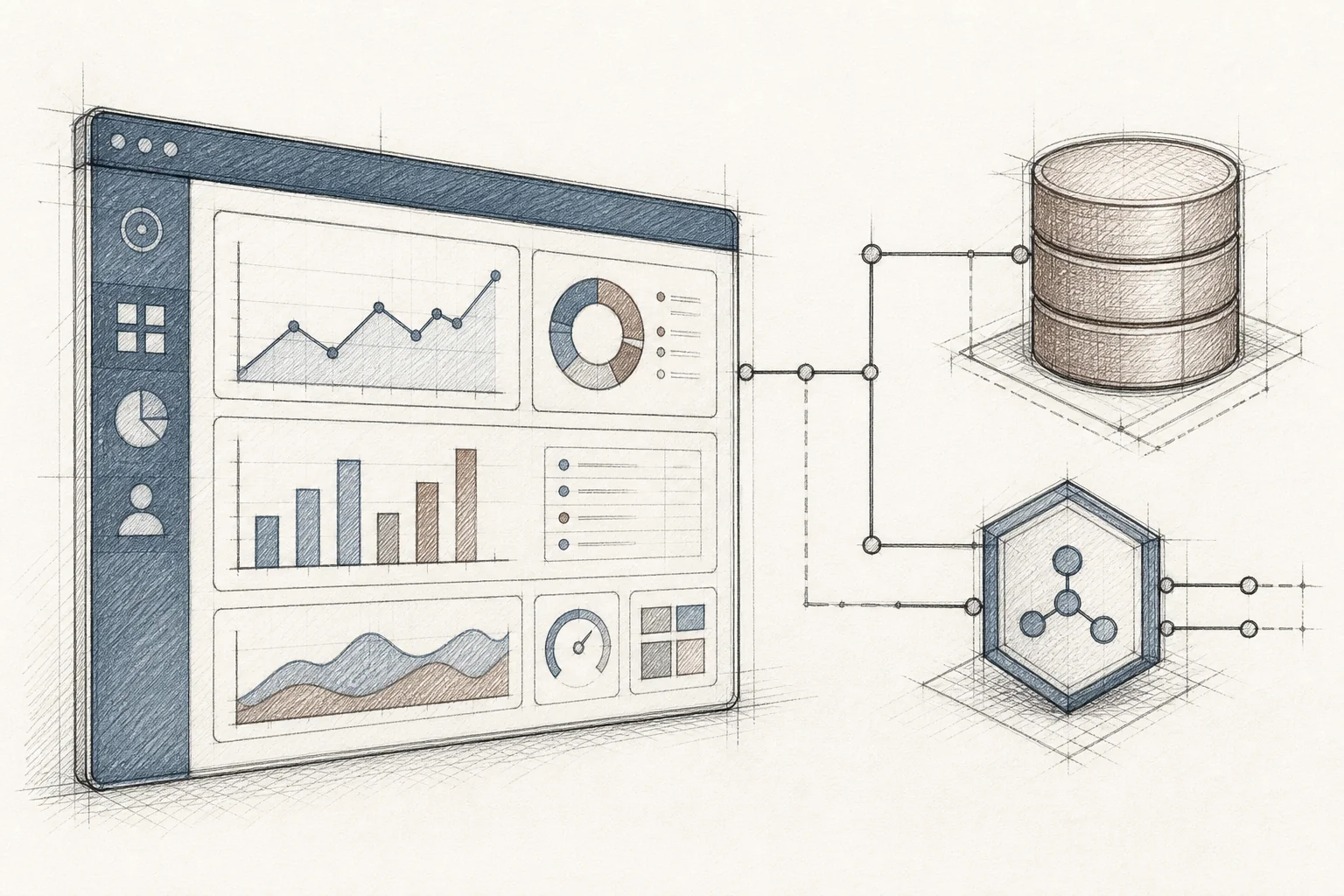
- Expose an OpenAPI specification for your product's core objects, jobs, accounts, inspections, whatever your data model centers on. Most SaaS platforms already have this or something close to it.
- Let the builder auto-discover your API surface. Rather than manually mapping every endpoint by hand, a good platform ingests your spec, infers data shapes from sample responses, and maps natural-language requests like "show me overdue jobs" to the correct calls automatically.
- Apply your design system. Typography, color tokens, component styles, and navigation patterns get inherited so generated apps feel native, not bolted on.
- Seed the marketplace with a handful of first-party example microapps covering the most common workflows in your vertical, so customers see what's possible before they start prompting.
Integration at this pace typically runs about two weeks, not a quarter-long engineering project. That's the entire point of an embedded model: your team wires up the connection once, and every customer after that builds their own apps without touching your backlog. For the workflow-specific version of this same setup, see how to embed a workflow builder in your SaaS and how to build custom dashboards inside your SaaS.
5. Set Up Governance Guardrails Before You Open the Doors
Self-serve doesn't mean unsupervised. The single most important differentiator between a governed embedded builder and a risky one is security inheritance: every API call a generated app makes should pass through the same authentication, authorization, and row-level access rules your core product already enforces. If a user can't see a record today, an app they build tomorrow shouldn't be able to see it either.

Before you open self-serve customization to any customer, make sure these guardrails are in place:
- Multi-tenant isolation. Every generated app runs in a sandbox scoped to a single customer's tenant, enforced at the infrastructure level so Customer A's apps can never read Customer B's data.
- Role-based and row-level permissions inherited automatically, with no separate login for the generated app.
- A publishing lifecycle, draft, internal review, publish, version, and rollback, so apps don't go live unreviewed and can be reverted if something breaks.
- Audit logging for every generation and deployment event, which matters enormously if you serve regulated industries. Healthcare SaaS platforms in particular need this locked down before rollout, see how healthcare SaaS platforms can offer extensibility for the specifics.
This governance layer is also what separates a real embedded extension builder from a standalone AI app generator like Bolt or Replit. Those tools produce a genuinely useful prototype, but the output lives on their infrastructure with its own database and its own login, a parallel system, not a governed extension of the product your customer already depends on. If you want the full breakdown of what a governance-first extensibility platform needs, we cover it in what to look for in a SaaS extensibility platform.
6. Teach Customers to Prompt in Plain English, Not Configure in Menus
Self-serve fails the moment you ask a customer to think like an engineer. The unlock is plain-English prompting: describe the workflow the way you'd describe it to a coworker, not the way you'd describe it to a database.
Real examples that recur across deployments in field service, healthcare, and logistics:
- "Show me open jobs ranked by urgency, grouped by site, with a button to reassign to the nearest available technician."
- "Build a compliance checklist that requires a photo at each step and a supervisor sign-off before it can close."
- "Give me a margin calculator that pulls cost and price data and shows profitability at three different bid levels."
- "Summarize what changed during this shift so the next team doesn't have to ask."
Good prompts share three traits: they name the data ("open jobs," "cost and price"), they describe the trigger or action ("a button to reassign"), and they specify the shape of the output ("grouped by site"). Customers don't need to know this framework consciously. They just need a few good example prompts to model, which is exactly why seeding your marketplace with first-party examples in step 4 matters so much.
Iteration matters just as much as the first prompt. A customer should be able to come back the next day and say "also highlight anything over 30 days old in red," and see the change reflected immediately, with version history so nothing is lost if the change doesn't work out. This is the same natural-language pattern used to build approval workflows without coding or deploy AI agents inside a SaaS platform, describe the job, refine conversationally, keep the history.
7. Roll It Out Without Draining Your Roadmap
Don't flip the switch for every customer on day one. Roll out in stages, and let each stage build the evidence for the next.
- Start internal-facing. Have your customer success and solutions engineers build apps live during onboarding calls and sales demos. This is where you'll see the fastest proof: a solutions engineer who can build a requested workflow live during a sales call, instead of promising it "on the roadmap," changes the conversation entirely. It's also one of the fastest ways to shorten an enterprise SaaS sales cycle, though check that slug matches your site's actual URL structure before publishing.
- Seed the marketplace by persona. Populate it with a handful of example apps for each customer type you serve, an ops dashboard, a compliance form, a margin calculator, so end-customers have a starting point instead of a blank prompt box.
- Open access gradually with permission tiers. Let power users and admins build first, then expand to broader roles as confidence grows.
- Measure the right things. Track adoption of generated apps, 30-day retention among the customers who use them, and the change in "how do I" support tickets. These three numbers tell you whether self-serve customization is actually closing your usage gap.
This staged approach also protects your roadmap. Instead of engineering absorbing every enterprise request, the request gets solved by the customer or your solutions team, same day, without a sprint being reprioritized. That's the direct answer to reducing SaaS engineering backlog from enterprise requests and stopping enterprise deals from bloating your roadmap.
What to Expect: Metrics That Prove Self-Serve Customization Works
Production deployments of embedded extension builders report a consistent pattern, and it's worth setting expectations against real numbers rather than vague promises:
- Adoption: roughly 85-95% of users activate at least one custom app, compared with a typical 20-40% adoption rate for a standard feature release.
- Retention: 30-day retention in the high 80s among users who build or use a custom app, against industry-average one-month retention figures often cited around 35-40%.
- Support load: "how do I" and feature-request tickets commonly drop 30-35%, because customers solve their own problem instead of waiting on a queue.
- Volume: hundreds of microapps generated across a few hundred to roughly a thousand users within weeks of launch, about three apps per active user.
- Net revenue retention: accounts that build custom workflows tend to expand to higher tiers to support more users and more data, with NRR increases reported in the 20+ percentage-point range in some deployments.
These figures come from production case studies across maintenance management, field service, and CRM verticals, not from a single hypothetical. The pattern holds because the mechanism is simple: apps that are specific to one customer's actual job get used daily, and daily use is what retention was always measuring.
Frequently Asked Questions
What is self-serve customization in SaaS?
It's the ability for a SaaS customer's own team, not your engineers, to build a dashboard, workflow, form, or AI agent inside the product they already use, described in plain English and running on their real, permissioned data.
Is this different from a low-code internal tool builder?
Yes. Tools like Retool are built for your internal engineers to build ops tooling outside your product. An embedded extension builder is built for your end-customers, lives inside your product with your branding, and inherits your existing security model automatically. See Superblocks vs embedded extensibility for a closer comparison of the internal-tool category.
Do customers need to know how to code?
No. The entire premise is plain-English prompting: a customer describes the workflow the way they'd describe it to a coworker, and the system maps that description to the right data and interface automatically.
How long does it take to launch self-serve customization?
Initial integration, connecting the builder to your APIs, mapping security, applying your design system, and seeding example apps, typically takes about two weeks, not a multi-quarter engineering project.
Is it secure for enterprise and regulated industries like healthcare?
It can be, provided the platform enforces multi-tenant isolation, inherits your existing role-based and row-level permissions, and logs every generation and deployment event for audit purposes. This is non-negotiable for regulated verticals, see how healthcare SaaS platforms can offer extensibility for a vertical-specific walkthrough.
The SaaS companies winning enterprise deals in 2026 aren't the ones with the longest feature list. They're the ones whose customers can build what they need themselves, the same day they ask for it.
Priya's overdue-shipments dashboard shouldn't take a quarter and a ticket. It should take one plain-English sentence and five minutes, running on her real data, visible only to her team, gone from her morning routine as a manual chore and permanently added to her product as a native feature she built herself. That's what self-serve customization actually delivers: fewer roadmap fires, shorter enterprise sales cycles, and customers who stop looking for a workaround because they no longer need one.
If you're ready to see this running against your own product's data, book a demo with Vezel and we'll walk through exactly how the integration, governance, and marketplace pieces map to your platform. Curious about the mechanics first? see how it works in the FAQ above, or start a free trial to test plain-English app generation against a sandboxed version of your own API. And if you'd rather talk through governance, security inheritance, or rollout sequencing with a real person, talk to an expert before you commit to a rollout plan.



