



Engineering capacity planning for a B2B SaaS team starts with one measurement: what share of each sprint goes to bespoke enterprise builds versus core roadmap work. Tag every ticket, reserve a fixed slice for one-off requests, and set a rule for when a request becomes a customer-built extension instead of a sprint item. That is the whole loop, and it works for US teams and for any English-speaking SaaS market.
We built Vezel for exactly this squeeze. Vezel is an embedded AI extension platform: customers describe what they need in plain English, and the result runs inside your product, using your APIs, permissions and design system. This guide shows how to plan around that, whether or not you ever use us.
1. Measure how much sprint time goes to bespoke enterprise builds
You cannot plan capacity you have not measured. Most teams guess how much time goes to one-off customer work, and the guess is usually low, because custom work hides inside "support", "integration" and "small fixes".
Start with the plain definition of the problem. A planning lecture from the University of Toronto frames the capacity constraint as what you build (F), by when (T), using how many people (N), with F limited to N times T. Every bespoke build spends part of N times T before the roadmap sees it.
Tag every ticket for one full quarter
Add one required field to your tracker. Every ticket gets exactly one tag, and nobody can close it without one.
| Tag | What it covers | What to record |
|---|---|---|
| Core | Shared features, platform quality, security, reliability | Engineer-days spent |
| Bespoke | Built for one customer: a dashboard, report, approval flow or tool | Engineer-days, customer name, deal or renewal at stake |
| Maintenance tail | Fixes, upgrades and tests for earlier bespoke builds | Engineer-days, which build it belongs to |
The third tag matters most. A one-off build is never one-off: someone must test, support and upgrade it for as long as the customer stays. Count that tail separately and your bespoke cost usually looks larger than the first estimate.
Audit the last 12 months of requests by pattern
Pull a year of customer-specific asks and group them by shape, not by customer. Many "custom" requests turn out to be the same dashboard or approval flow with different field names. Our guide on engineering capacity lost to custom customer requests goes deeper on this audit.
If you are unsure your team has the problem at all, the seven signs of lost engineering time give a quick check before you start tagging.
2. Reserve capacity before you plan the roadmap
Most roadmaps are planned from the top: list the features, then see what is left for requests. Flip it. Subtract the bespoke budget first, then plan core work against what remains.
The same Toronto lecture notes that a plan must respect the capacity constraint and be continuously updated to stay within it. In practice, that means three rules:
- Set the bespoke slice as a fixed number that product, engineering and sales leadership agree on. Use your tagged quarter as the starting point.
- Count the maintenance tail inside that slice. Otherwise old one-offs eat the budget silently.
- When the slice is full, requests wait or go elsewhere. Sales does not get an exception without trading something out.
This is hard politically. A closing enterprise deal always feels more urgent than the roadmap. A fixed slice turns that argument into a visible trade-off instead of a quiet raid on core work. For more on the pressure itself, see how to reduce your SaaS engineering backlog from enterprise requests.
3. How do you decide when a request should become an extension?
A request should become an extension when it serves one customer, team or role, reads or presents data your product already holds, and carries low risk to shared business logic. Requests that change core data models, security or behavior for all customers stay in the core roadmap.
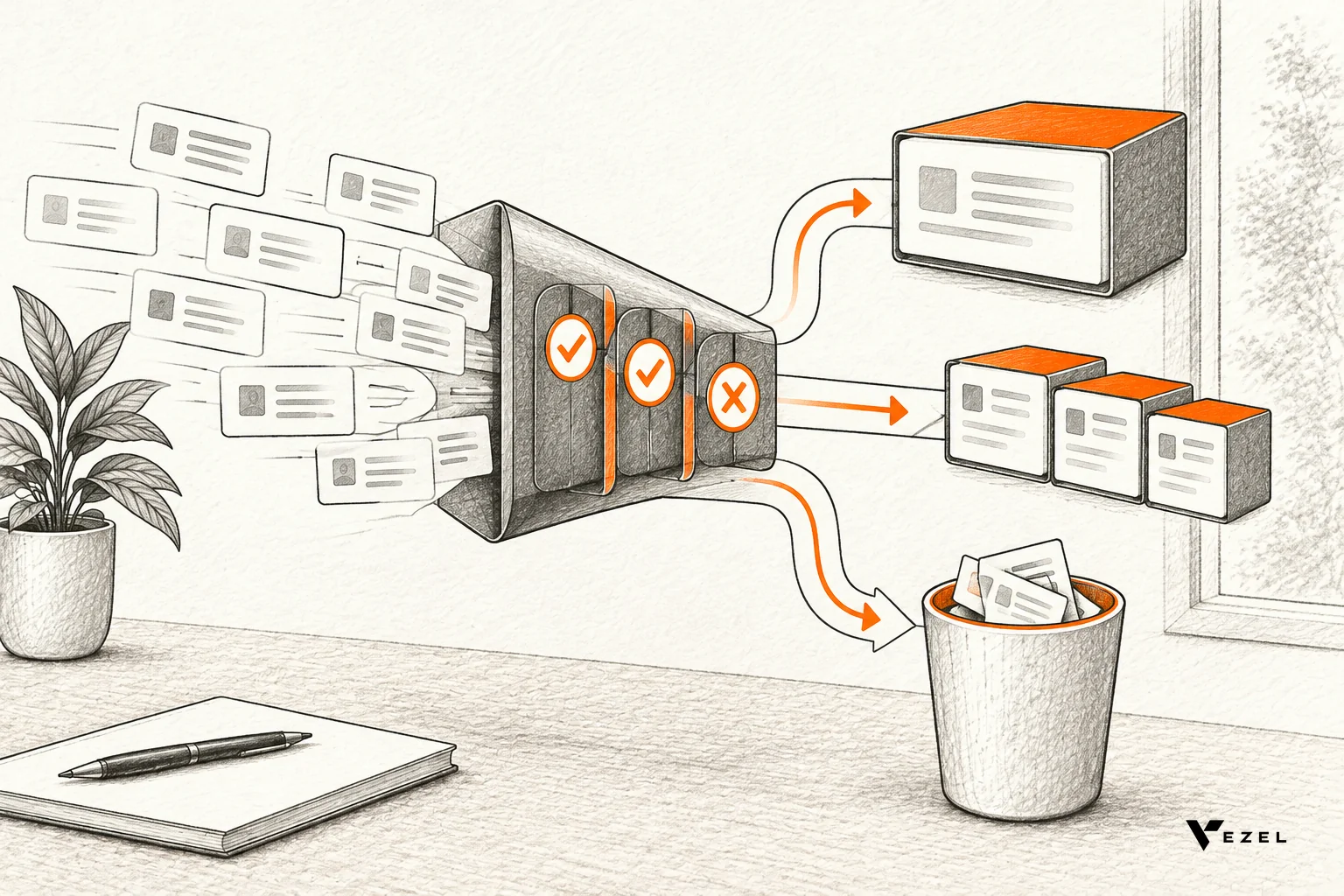
Write the threshold down so nobody argues it deal by deal. Harvard Business School's OPOWER case describes this exact tension: whether to build custom features in response to new customers' demands. A written rule is how you settle it once.
A simple three-way rule
| If the request... | Then |
|---|---|
| Changes shared logic, data models, permissions or security | Build in the core and put it on the roadmap |
| Is specific to one customer, team or role and works on data the product already exposes | Deliver as an extension |
| Is the same shape as a request from a second, unrelated customer | Deliver as an extension first, then watch usage for promotion |
| Needs something your APIs cannot expose yet | Fix the API gap in the core, then offer the extension |
Typical extension candidates include customer health dashboards, renewal workspaces, supplier scorecards, inspection checklists, approval workflows and onboarding journeys. Not every requirement fits. The host product's architecture and APIs shape what can be built, and foundational work still needs proper engineering.
Not sure whether a request deserves a native build at all? The spreadsheet versus native feature comparison covers the cheaper options.
4. Where do Vezel extensions fit in the capacity plan?
Vezel extensions sit between the core roadmap and the bespoke slice. Customer admins and end users create dashboards, workflows, forms and AI tools from plain-English descriptions, inside your product, so suitable requests stop consuming engineer-days while the core stays focused on shared features.
Here is how that changes each line of your plan.
- Bespoke slice: suitable requests move out of the sprint. The work shifts to the customer side, using your own APIs, authentication, permissions and design system, so extensions look native and white-labeled.
- Maintenance tail: extensions are governed from a central control plane, covering publishing, permissions, approvals and the extension lifecycle. Retiring one is a lifecycle decision, not a code removal project.
- Security review: extensions inherit your existing authentication, permissions and access controls, so you are not writing a second permission model.
- Integration effort: Vezel connects to your APIs and data models with a zero-footprint setup. Most SaaS platforms can integrate it in a few days, though scope depends on your product.
Your own engineers keep real work here. Someone owns the API surface, reviews what gets published and decides what moves to the core. We suggest a focused pilot on one high-value use case, so you can compare time to delivery and adoption against your current process. See how it works for the four-step flow.
A hypothetical worked example
Imagine a field service product whose team tags a quarter and finds three recurring requests: technician scorecards, inspection checklists and a customer-specific maintenance report. Each was built separately. Under the new rule, all three are extension candidates. The team keeps the API work in the sprint and hands the rest to customer admins. This example is hypothetical, to show the method, not a customer result.
5. How do you use usage data to keep, promote or retire an extension?
Judge each extension on adoption, repeat use and how many customers want the same thing. Keep niche extensions as they are, refine ones people use but complain about, promote widely used ones into the core, and retire those nobody opens. Usage informs the decision; your product team still makes it.

This is the Build, Learn, Evolve loop. Build the extension. Learn from who uses it and how often. Evolve it based on that evidence. The point is to separate discovering a capability from committing to maintain it forever in the shared product.
Questions to ask in each review
- Do users return? Repeat use beats first-week curiosity.
- Is the need spreading? Several unrelated customers asking for the same shape is a promotion signal.
- Does it touch shared logic? If it keeps needing core changes, it belongs in the core.
- Is anyone still using it? No usage across a full review period means retire it.
Promotion costs engineering time, so do it with evidence. That is the real gain: you commit sprint capacity to a feature after you have seen it used, not before.
6. Review the plan every quarter
Capacity plans decay. Re-tag, re-measure and re-set the slice each quarter. Watch four numbers: bespoke engineer-days, maintenance tail, requests routed to extensions, and extensions promoted or retired.
Avoid three common mistakes:
- Letting the tag field become optional after the first month.
- Counting only the first build and ignoring the upkeep.
- Sending everything to extensions, including work that changes shared logic.
If you want to test the extension path against your own product, book a demo with Vezel and bring your tagged list of recurring requests. Pick the one that repeats most and we will scope a pilot around it.