


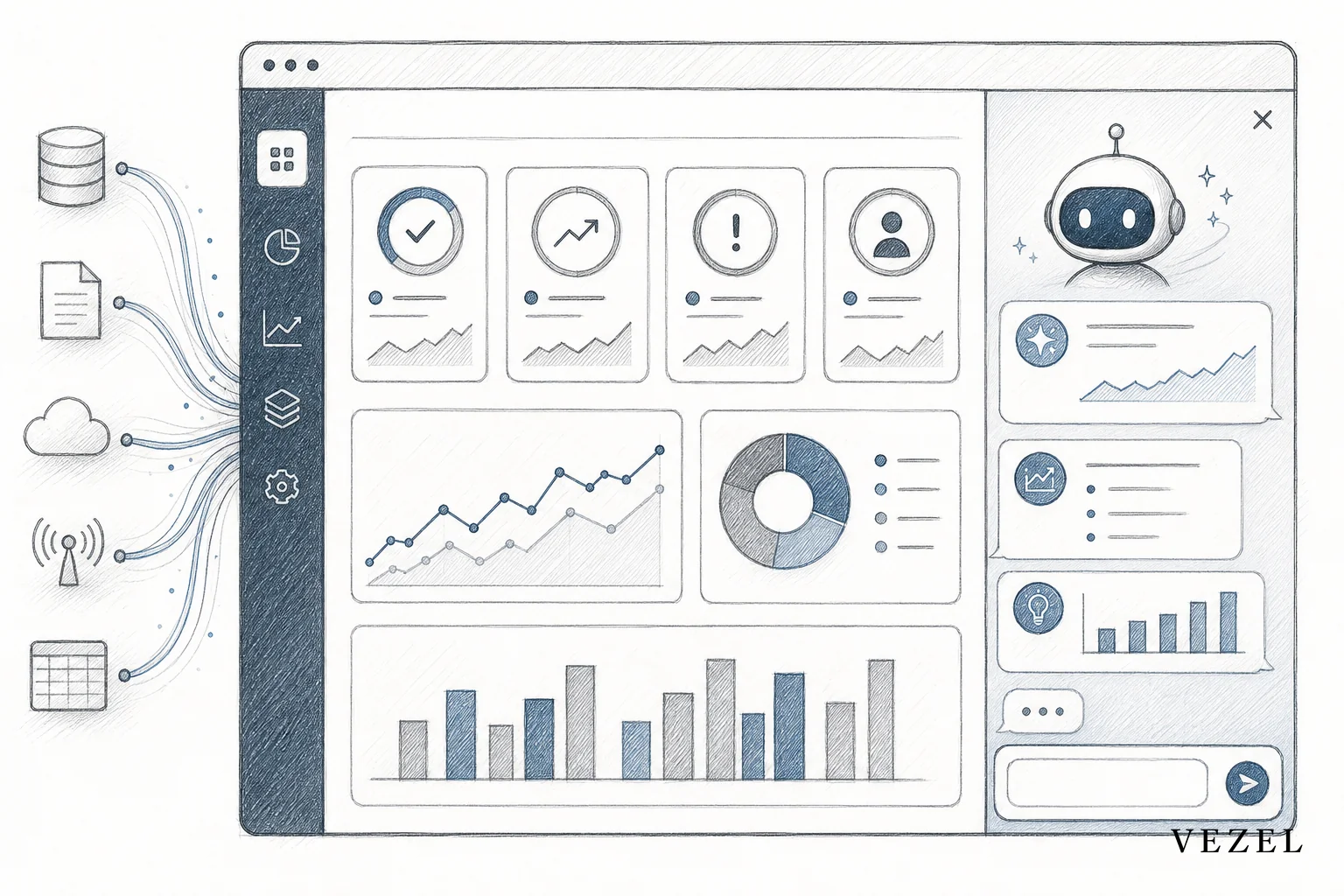
An operations copilot for SaaS platform teams automates the recurring internal work that never shows up on a product roadmap. Think of a metrics pull for a Monday review, a status update for a stakeholder, or an escalation routed to the right owner. Or a report that gets rebuilt from scratch every week. It runs inside the product and reads live, permissioned data through existing APIs. Instead of just answering a question about a task, it does the task. This shift mirrors what's happening industry-wide with agentic approaches to cloud operations, where agents take direct action instead of just surfacing information. Named examples of this category already exist: OpsPilot's Coworker handles internal task automation, OpsPilot's AI SRE handles production-facing operations work, and the open-source kube-ops-copilot project shows the same pattern applied to Kubernetes operations.
Key Takeaways
- Not a support bot: An operations copilot works on internal, recurring tasks like data pulls and status reports. It does not handle customer-facing Q&A.
- Plugs into existing APIs: It uses API auto-discovery to map to the product's own data model. There's no separate integration project.
- Inherits permissions: Every action runs through the requesting user's existing role and row-level access. It never uses a shared service account.
- Reduces backlog: Requests that used to become one-off engineering tickets get handled as a self-serve capability instead.
- Governed, not just open: Publishing, versioning, and access controls set a real operations copilot apart from a shadow-IT script.
At a Glance: Operations Copilot Automation
| Task Type | Manual Version Today | What the Copilot Automates | Data Source |
|---|---|---|---|
| Daily metrics pull | Someone exports a report and pastes it into Slack | Copilot posts the same metrics automatically on a schedule | Live product API |
| Status update | PM writes a summary email each week | Copilot drafts the update from real pipeline or ticket data | CRM or ticketing API |
| Escalation routing | Support lead manually reassigns tickets | Copilot triages and routes based on rules and history | Support/ops API |
| Recurring report | Analyst rebuilds a spreadsheet monthly | Copilot regenerates it from live, permissioned data | Internal data model |
| Approval nudges | Manager sends reminder emails | Copilot flags stale approvals automatically | Workflow engine |
| Access control | Custom scripts run on a shared login | Copilot inherits the requesting user's own RBAC | Host platform auth |
What Is an Operations Copilot for SaaS Platform Teams?
An operations copilot for SaaS platform teams is an AI agent built into a product. It does the internal, repeatable work a team currently does by hand. It doesn't wait for a customer to ask a question. Instead, it watches a workflow, a metric, or a queue, and acts.
A copilot built for operations isn't sitting on a support page waiting for a prompt. It's wired into the same data the team already checks every day through the product's own APIs. It runs quietly in the background.
Think of the sales ops lead who spends thirty minutes every morning pulling pipeline numbers into a spreadsheet before the stand-up. Or the customer success manager who writes the same renewal-risk summary every Friday. Neither of those is a question. Both are jobs. And jobs are exactly what an operations copilot is built to take over.
The Repetitive Work an Operations Copilot Actually Handles
Most internal SaaS operations work falls into five buckets. A well-built copilot covers all five without needing a new integration for each one.
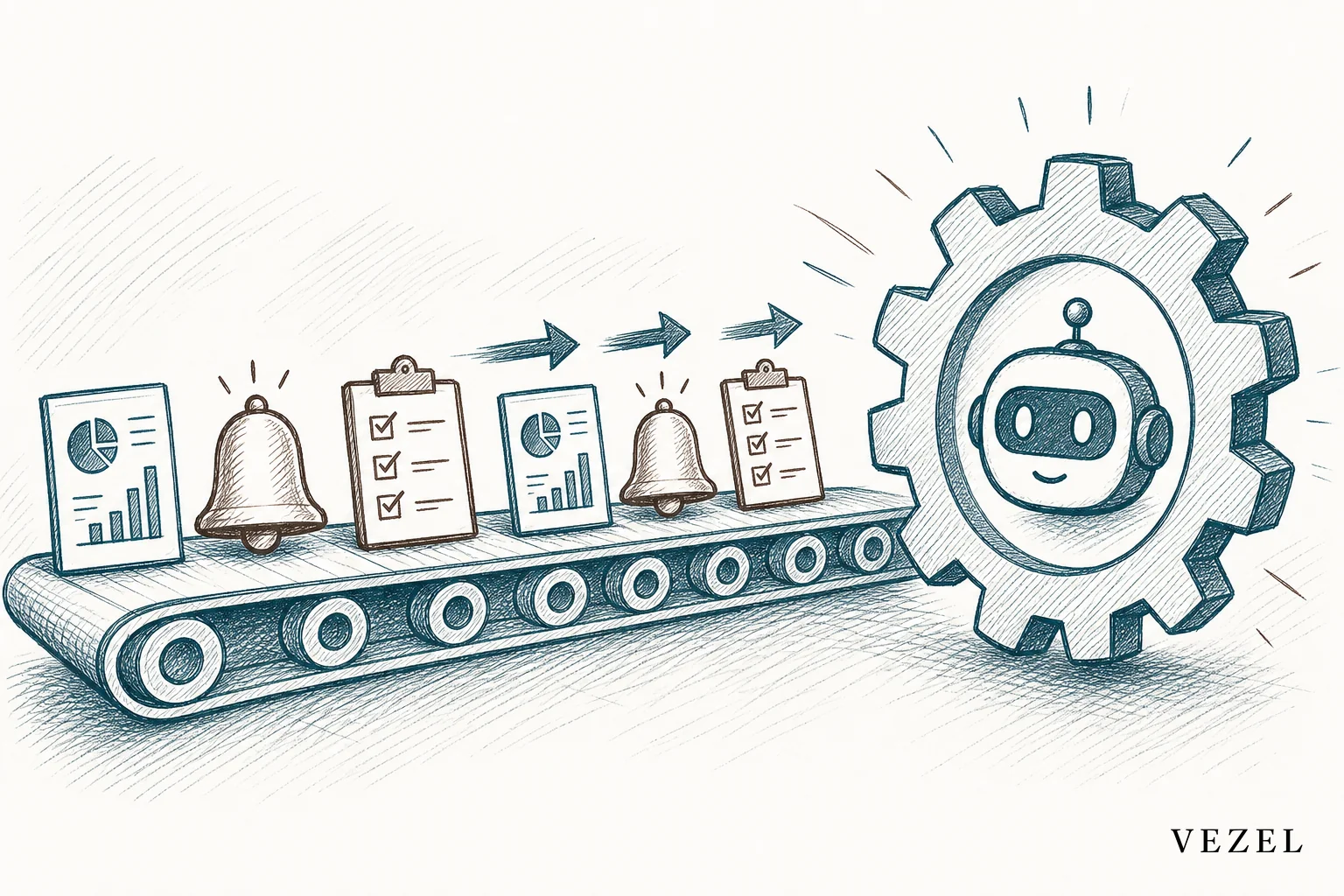
- Data pulls: The copilot queries live product data. It delivers it in the format the team already expects, whether that's a Slack message, a dashboard, or an email digest.
- Status updates: It drafts recurring summaries for stakeholders. It pulls from actual ticket volume, deal stage, or usage data, not someone's memory of the week.
- Escalation triage: It reads incoming signals, like an SLA breach or a churn-risk spike, and routes them to the right owner automatically, a pattern similar to what AI SRE agents do for production incidents.
- Recurring reports: Monthly board decks, weekly QBR prep, and audit trails get rebuilt from live data instead of a stale spreadsheet template.
- Approval nudges: It flags stuck approvals and sends reminders based on how long something has sat in a queue.
None of this replaces the product's core features. It replaces the manual glue work that sits between them. That work is usually where teams lose the most hours without noticing.
How an Operations Copilot Differs from a Support Bot
A support bot answers a customer's question. It uses existing knowledge and, at best, live account data. An operations copilot works differently. It performs an internal, recurring task for the team that runs the product, not for the customer asking about it.
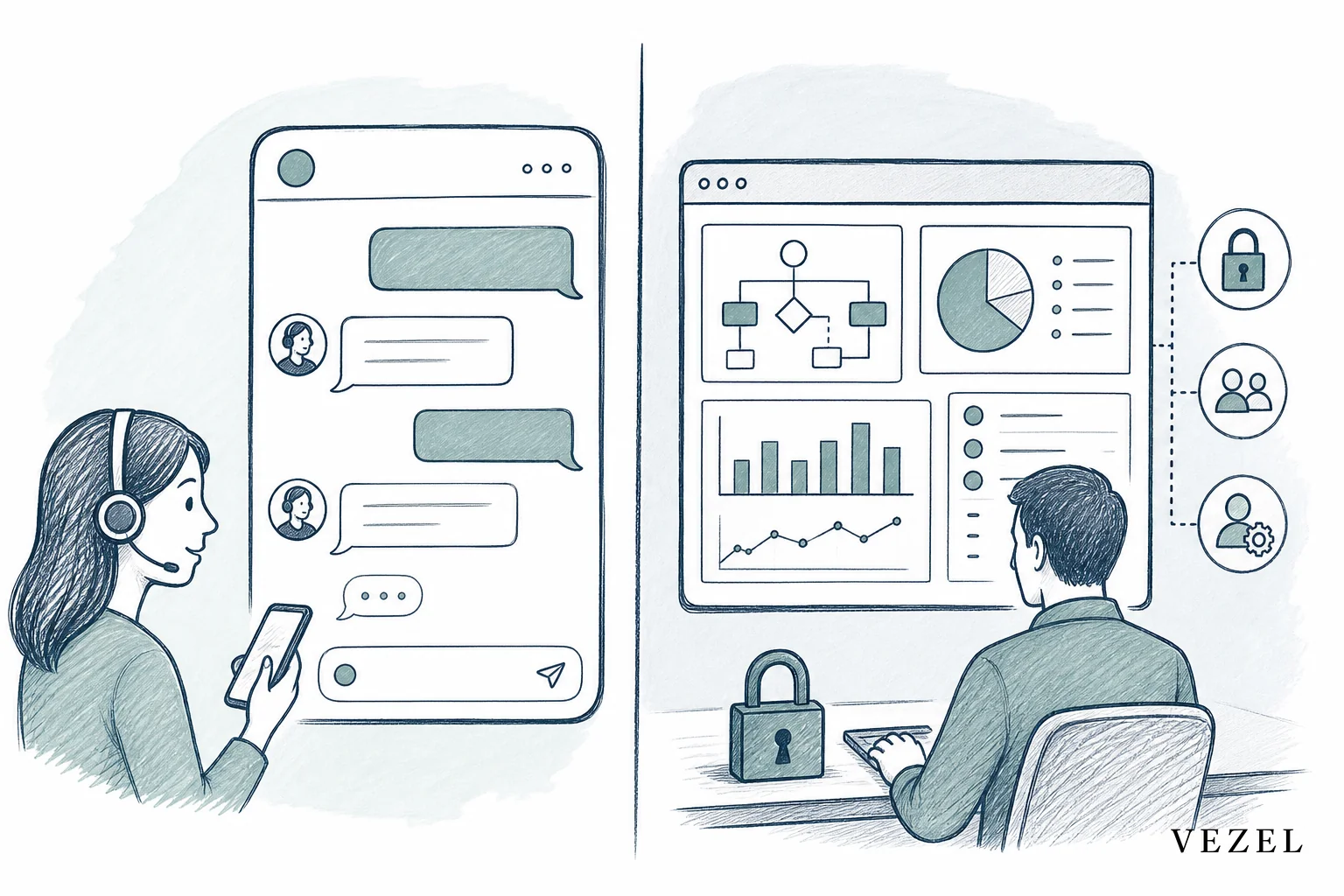
The distinction matters because the two solve different problems. A support assistant reduces ticket volume by giving customers faster answers. An operations copilot reduces internal busywork by taking recurring tasks off a human's plate entirely. Our own breakdown of how an AI support assistant differs from a generic chatbot covers the customer-facing side of this in more depth.
There's also a persistence difference. A chatbot's value ends when the conversation ends. An operations copilot keeps running the same task every day, every week, or every time a trigger fires. No one has to re-ask it.
Where an Operations Copilot Plugs Into Existing APIs
An operations copilot connects through the SaaS product's existing APIs using auto-discovery. This works over whatever API standard the product already exposes, typically REST or GraphQL. It maps to data models and endpoints that already exist, rather than needing a new integration built from scratch. That's what makes it deployable in weeks, not a multi-quarter integration project.
In practice, this means the copilot reads the same objects your engineers already exposed. That could be a ticket record, a deal object, or a usage event. It writes back through the same endpoints too. So a status update it drafts, or an approval it nudges, is a real action inside the product, not a separate side channel. Teams evaluating this path often start from our guide on how to deploy AI agents inside your SaaS platform, which walks through the discovery and mapping step in more detail.
Troubleshooting: When Permission Inheritance or API Mapping Fails
Two failure points show up more than any other during rollout. Here's how to recognize each one and what to check first.
- The copilot can't see data the user can see. This usually means the role or row-level rule wasn't fully mapped when the copilot was scoped. Check the requesting user's actual permission set in the host platform first, then confirm the copilot was generated under that same login, not a shared service account.
- The copilot sees data it shouldn't. Treat this as a stop-and-fix event, not a minor bug. Disable the capability, re-check which role generated it, and re-publish only after row-level access is confirmed to match the requesting user exactly.
- Auto-discovery can't find the object it needs. This typically means the endpoint isn't exposed on the API standard the product uses (REST or GraphQL). Confirm the endpoint exists and is reachable before assuming the copilot itself is broken.
- The task works but stops updating. Check the version/audit record first. A capability that silently changed or was superseded by a newer version will show up there before it shows up anywhere else.
- Nobody can tell who built or changed a capability. That's a governance gap, not a technical one. If publishing didn't create an audit entry, the capability shouldn't be treated as production-ready yet.
How Does a Copilot Stay Governed Instead of Just Technically Open?
A copilot stays governed, rather than just technically open, when two things are true. First, every action it takes inherits the requesting user's actual permissions. Second, every capability it creates goes through a publishing and versioning process. Technical access to an API isn't the same as governed access to it.
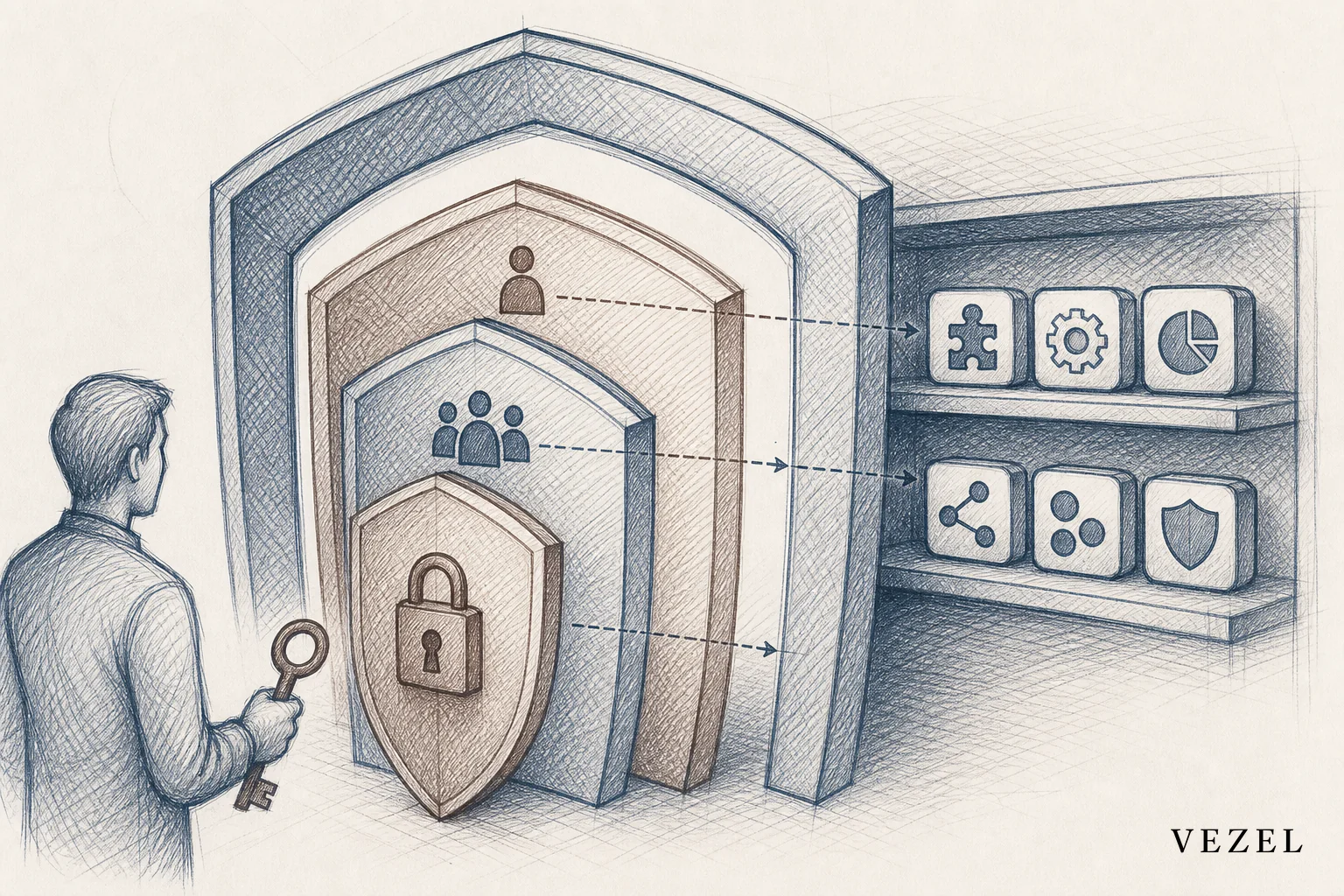
The difference shows up in three places. First, row-level and role-based permissions (rules that control who can see which records) have to carry through automatically. That way, a copilot never sees data the requesting user couldn't see themselves. Second, there needs to be a record of what got built, by whom, and when it changed. Third, someone needs the ability to retire or version an extension without breaking everything downstream of it.
Here's what that second point looks like as an actual entry, using the fields the governance model requires: capability name ("Daily Pipeline Digest"), created by (the requesting user's account, inheriting their existing role), version (v1, then v2 once the schedule or data source changes), action logged (published, edited, or retired), and timestamp of the change. A team auditing this record can trace exactly who generated the capability, what role it was scoped to, and whether it's the current version or a superseded one. Without that entry existing at all, there's no way to answer "who built this and does it still match the permissions it started with," which is the actual test of governance.
Without those three, what you have is a script with API access, not a governed capability. That's exactly how shadow IT starts, and we cover the pattern in more detail in how to prevent shadow IT in your SaaS platform. For a deeper look at how permission inheritance actually works underneath, see how to inherit row-level permissions in SaaS tools.
How This Reduces Engineering Backlog from Enterprise Requests
Every enterprise customer eventually asks for something the product doesn't do. Maybe it's a custom status report, a specific escalation path, or a dashboard built around their own KPIs (key performance indicators, or core success metrics). Historically, that request became a ticket. The ticket became a backlog item. It either shipped six months late or never shipped at all.
An operations copilot changes where that request lands. Instead of going into engineering's queue, it becomes a capability the customer or the internal team configures directly, in plain English, without a sprint attached to it. That's the core argument behind Adaptive SaaS as an architecture, not just a feature: software that keeps adapting to how a business actually operates, instead of asking the business to adapt to the software.
The gap between the software every customer receives and the software each customer actually needs doesn't close by adding more features. It closes by giving customers the ability to build the specific capability they need, governed and inherited from the platform's own permissions.
Rolling Out an Operations Copilot Without a Dev Sprint
Rolling one out doesn't require a new engineering project. The copilot gets generated through plain English inside the product itself, using the host platform's own design system and access controls. A team describes the recurring task, the copilot maps it to existing data, and it goes live behind the same login the team already uses.
Here's what that sequence looks like broken into stages:
- Describe the task in plain English. A team writes down the recurring job it wants automated: "post daily pipeline numbers to Slack every morning" or "flag any approval that's been sitting for more than three days."
- Auto-discovery maps it to existing APIs. The copilot scans the product's own REST or GraphQL endpoints to find the objects it needs (tickets, deals, usage events) rather than waiting on a custom integration.
- Permissions inherit automatically. The copilot is scoped to the requesting user's existing role and row-level access before it touches any data, so there's no separate service account to provision.
- The capability publishes and versions. It goes live behind the same login the team already uses, with a record of who built it and when it changed, so it can be retired or updated later without breaking anything downstream.
- The team uses it immediately. No sprint, no roadmap slot, no consultant engagement, because the whole sequence runs inside the product itself.
That's a very different rollout path than hiring a consultant or opening a Retool workspace that needs its own permission model rebuilt from zero. It's also faster than waiting for a quarterly roadmap slot. For a full walkthrough of the build process, see our guide on how to build an AI operations copilot in your SaaS.
Deployment Timeframes and How Named Tools Compare
The specific approach varies by vendor, and pricing isn't published consistently across all of them, so check each vendor's own site for current figures before budgeting. What can be compared directly is architecture and scope, which is what actually determines deployment time:
- OpsPilot's Coworker is scoped to internal task automation: status updates, data pulls, and the kind of recurring glue work this article covers. Because it maps to existing APIs rather than requiring new integration work, it's the closest architectural match to the "weeks, not quarters" deployment path described above.
- OpsPilot's AI SRE covers a different scope: production-facing operations, not internal team workflow automation. It's worth evaluating separately if the goal is incident response rather than internal reporting.
- kube-ops-copilot is open source and scoped specifically to Kubernetes operations, so its deployment model is closer to a self-hosted engineering project than a plain-English, no-sprint rollout. Check the repository directly for current setup requirements.
- Middleware's OpsAI is an SRE agent focused on production issue response, useful as a comparison point for the escalation-triage pattern described above, but not built for internal status reporting or recurring data pulls.
- Azure's agentic cloud operations model describes the same shift at cloud-infrastructure scale rather than inside a single SaaS product, which is a useful reference for how the underlying "agent takes direct action" pattern generalizes beyond one product.
The practical takeaway: match the tool's scope (internal task automation, production SRE, or infrastructure-level agents) to the actual problem before comparing anything else, including price.
First Steps Checklist
Before generating a copilot, a team can work through this order:
- Pick one recurring task first, not five. Start with whichever manual job from the table above (a daily metrics pull or a weekly status update) eats the most hours right now.
- Expose the read endpoints the task needs. If the task is a metrics pull, that's the reporting/analytics API; if it's escalation routing, that's the support or ticketing API.
- Confirm permission inheritance before anything else. Check that the copilot will run under the requesting user's existing role and row-level access, not a shared service account, before it touches live data.
- Write the task in plain English the way you'd explain it to a new hire: what triggers it, what data it pulls, and where the output goes.
- Publish it behind the existing login and confirm it shows up in a version/audit record, with a name, creator, version number, and timestamp, before treating it as done.
FAQ: Operations Copilots for SaaS Teams
Is an operations copilot the same thing as Adaptive SaaS?
An operations copilot is one capability inside the broader Adaptive SaaS approach, alongside dashboards, workflows, and reports. Adaptive SaaS is the architecture. The copilot is one type of capability it generates.
Does an operations copilot replace product managers?
No. It removes one-off, customer-specific requests from the roadmap. That way, product managers can focus on capabilities that genuinely belong in the shared product for everyone.
Who actually builds the copilot inside a SaaS product?
Non-technical team members or customers can generate one using plain English prompts. The underlying platform handles API mapping, permission inheritance, and white-label styling automatically.
If your team is fielding the same status report requests every week, or engineering keeps absorbing tickets for internal reporting that should never have needed a sprint, an operations copilot embedded inside your own product is worth a serious look. Book a demo to see how one maps to your existing APIs and permission model, or see how it works before you talk to anyone.



