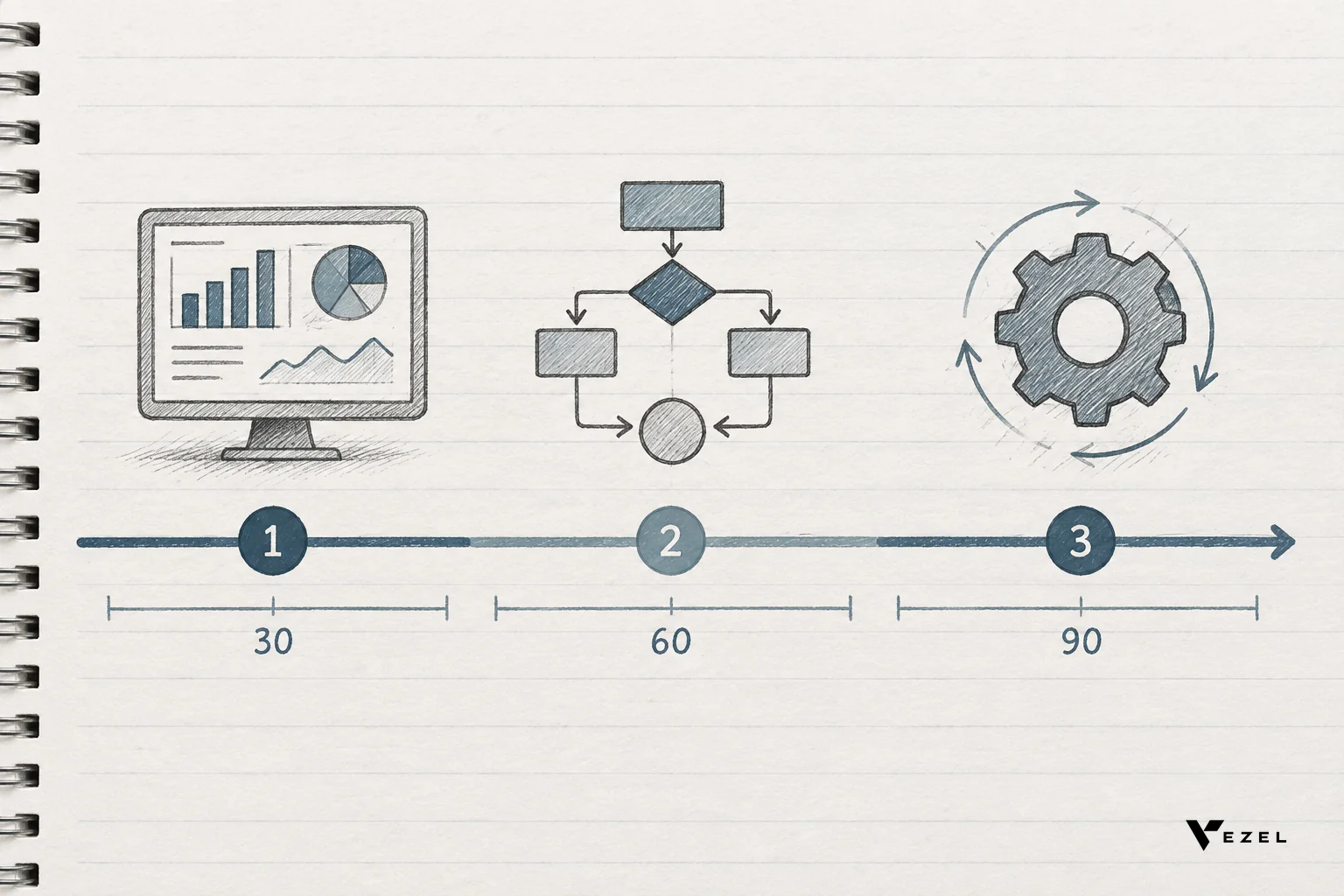



The vezel.ai adaptive saas platform is an embedded AI layer that lets a B2B SaaS company's own customers build dashboards, workflows, reports, forms, and AI agents in plain English, directly inside the product they already use. It connects to existing APIs, inherits existing permissions, and looks native, not bolted on.
Key Takeaways
- What it is: An embeddable, white-labeled extension layer, not a standalone app builder like Retool or Glide.
- How it connects: API auto-discovery maps generated extensions to a host product's existing data model with zero-footprint setup.
- Security model: Extensions inherit the host platform's authentication, RBAC, and row-level permissions instead of creating a parallel access system.
- Who uses it: Product, engineering, and CS leaders at B2B SaaS companies buried in one-off customization requests from enterprise accounts.
- Governance: A control plane and in-product marketplace manage publishing, versioning, and lifecycle so self-serve building doesn't turn into shadow IT.
At a Glance: Vezel.ai Snapshot
| Attribute | Detail |
|---|---|
| Category | Embedded AI extensibility software for B2B SaaS platforms |
| Core building method | Plain English prompting, no code required |
| What gets built | Dashboards, workflows, reports, forms, AI agents |
| Integration model | API auto-discovery, OpenAPI-based, zero-footprint setup |
| Security | Inherits host authentication, RBAC, and row-level permissions |
| Branding | White-labeled to match the host product's design system |
| Governance | In-product marketplace with publishing, versioning, lifecycle control |
| Best fit | Vertical SaaS platforms (CRM, HR tech, healthcare, supply chain, field ops) with enterprise customization pressure |
What Is the Vezel.ai Adaptive SaaS Platform?
Vezel.ai is built around a simple idea: instead of your engineering team building every custom dashboard or approval flow an enterprise customer asks for, your customer builds it themselves, inside your product, in plain English. Vezel calls this transformation turning a standard SaaS product into an Adaptive SaaS product, one that keeps extending itself around each customer's specific way of working.
This is not a separate app or a new login. It's a layer that lives inside your existing product. A customer types a request, something like "build a scorecard comparing our top 20 suppliers by on-time delivery," and Vezel generates a working, connected dashboard using that customer's actual data. No developer ticket. No sprint. No professional services invoice.
Vezel doesn't replace your roadmap or your engineering team. It gives them a release valve for the flood of customer-specific requests that were never going to become features everyone needs anyway.
How Does Vezel.ai Actually Work Inside a Host Product?
Vezel works by connecting to your existing APIs, generating extensions in plain English, and applying your platform's own security rules to whatever gets built, all before the extension ever reaches a customer's screen.

Three mechanisms make this work in practice:
- API auto-discovery: Vezel scans your existing OpenAPI-based endpoints and data model, so it already knows what objects, fields, and relationships exist before a customer types a single prompt.
- Natural language generation: Customers describe what they want, a dashboard, an approval workflow, a compliance report, and Vezel builds the interface and logic against live data, not a static export.
- White-label theming: Whatever gets generated matches your product's existing design system, so it feels like a feature you shipped, not a third-party plugin.
Security travels with the extension. Row-level access, roles, and authentication come from your existing system, so a generated dashboard for one customer's finance team can't leak data across accounts. That's a fundamentally different model from asking customers to build their own tools in a separate app and hoping the permissions line up. For a deeper walkthrough of embedding a builder specifically for structured data collection, see how to build custom forms inside your SaaS product — actually, that page isn't linked here, so refer to the dashboard guide below instead.
What Can Customers Build With It?
Vezel supports five categories of extension, all generated the same way: describe it, connect it, ship it.
- Dashboards: KPI views, scorecards, and operational reports pulled from live platform data.
- Workflows: Approval chains, onboarding sequences, and compliance processes specific to one customer's internal policy.
- Reports: Recurring, scheduled, or on-demand reports built around a customer's own reporting hierarchy.
- Forms: Custom intake and data-capture forms that write directly back into the host product's data model.
- AI agents: Support assistants, operations copilots, and research agents that act inside the product using the requesting user's own permissions.
Product leaders trying to reduce backlog pressure from these requests specifically can look at how to reduce SaaS engineering backlog from enterprise requests for a more tactical breakdown of prioritization.
How Do You Tell Whether an Extensibility Model Is Actually Governed Versus Just Technically Open?
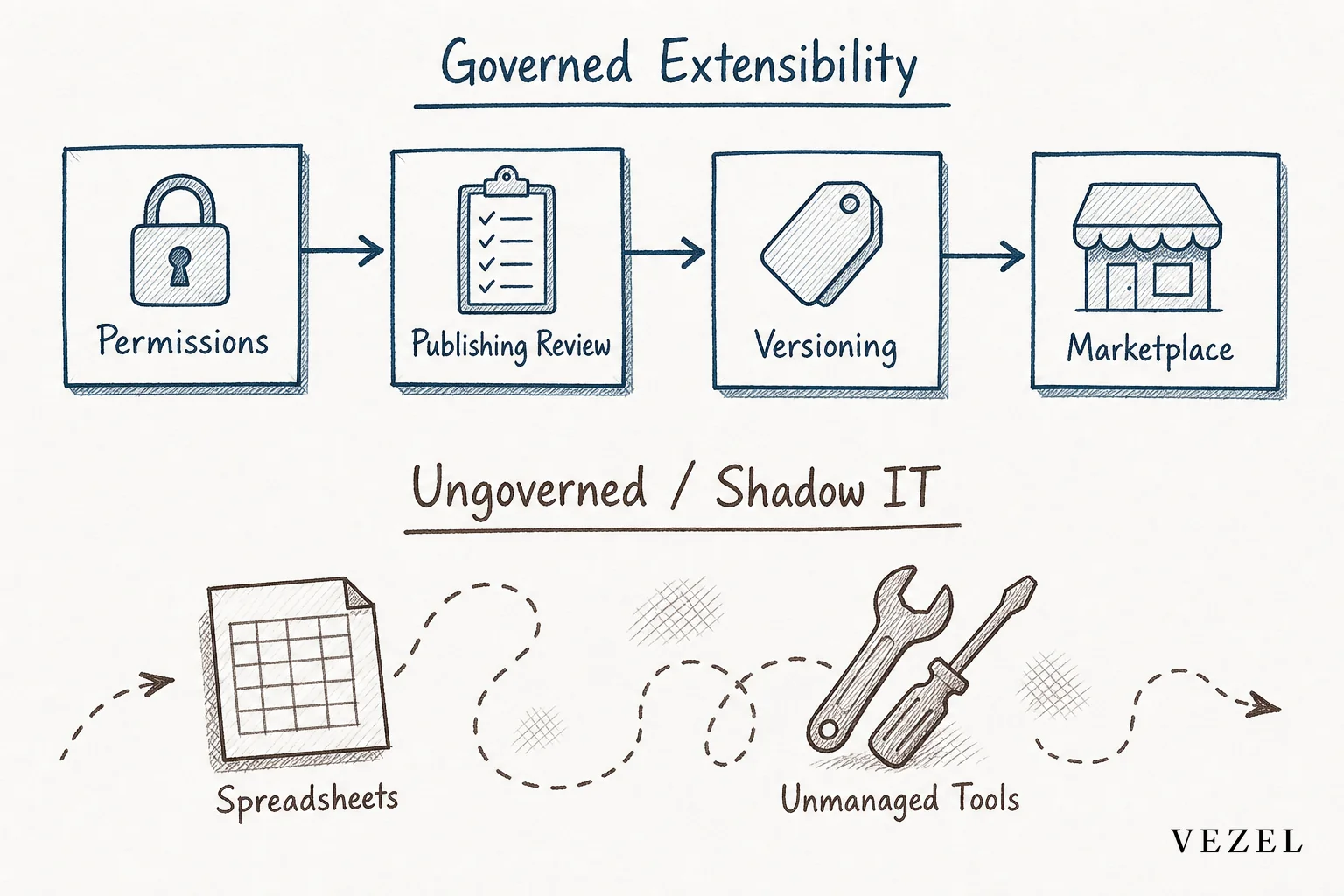
A governed extensibility model tracks who built what, enforces permissions before publishing, and versions every change; an open-but-ungoverned model just exposes an API and hopes customers behave. Look for a control plane, not just a builder.
Ask three concrete questions before trusting any vendor's claim of "extensibility":
- Can an admin see every extension built by every customer, who built it, and when?
- Does publishing require a review step, or does anything a customer builds go live instantly with no checkpoint?
- Is there version history, so a broken change can be rolled back without support tickets escalating?
Vezel's answer to this is a governed, in-product marketplace: extensions get published, versioned, and managed through a control plane rather than floating around as unmanaged scripts. That distinction matters because "technically open" platforms tend to produce exactly the shadow IT problem extensibility was supposed to solve. If shadow IT is already showing up in your customer base, how to prevent shadow IT in your SaaS platform covers the warning signs in more depth.
How Do You Embed a Form Builder Into an Existing SaaS Product?
You embed a form builder by connecting it to your existing API through auto-discovery, letting it generate the form fields from your live data model, and routing every submission through your existing authentication and permissions, not a separate database.
In practice this looks like three steps. First, the platform maps your data objects automatically, so a form for "new vendor onboarding" already knows what a vendor record looks like. Second, a customer or admin describes the form in plain English and reviews the generated fields. Third, it publishes through a governance gate so it's versioned and can be rolled back if something needs fixing.
This is meaningfully different from bolting on a generic form tool. A generic tool creates a new destination for data; an embedded one writes straight back into records your product already understands.
Who Is Vezel.ai Built For?
Vezel is built for people running or selling B2B SaaS products, not for internal IT departments looking for a general app builder.
- Product and engineering leaders tired of watching 30-40% of engineering capacity get absorbed by one-off customer requests.
- Founders and CEOs trying to shorten enterprise sales cycles that stall on "can you build this custom workflow before we sign?"
- Sales and CS teams who need to demo or deliver a customer-specific workflow fast, without an engineering favor.
- Vertical SaaS platform owners in healthcare, HR tech, supply chain, and field ops, where every customer's compliance and reporting needs differ.
If shortening the sales cycle is the immediate pain, how to shorten your enterprise SaaS sales cycle walks through where custom-workflow demands typically stall a deal.
Vezel.ai vs Generic No-Code and Internal Tool Builders
Vezel sits in a different category from tools like Retool, Glide, Mendix, and Salesforce AppExchange. Each of those solves a related but distinct problem.

| Platform | Primary Audience | Setup | Security Model |
|---|---|---|---|
| Vezel.ai | End customers of a SaaS product | Embedded, zero-footprint, white-labeled | Inherits host RBAC and row-level permissions |
| Retool | Internal engineering/ops teams | Standalone tool, separate login | Separate permission system to maintain |
| Glide | General no-code app builders | Standalone app, not embedded | Independent of host product's security |
| Mendix | Developers building full applications | Full low-code dev platform, higher lift | Requires custom security configuration |
| Salesforce AppExchange | Developers extending Salesforce specifically | Requires developer expertise | Salesforce-native permissions only |
The practical difference: Retool and Superblocks were built so your own engineers move faster on internal tools. Vezel was built so your customers get self-serve customization without ever leaving your product or touching a login screen that isn't yours. For a head-to-head on the internal-tool comparison specifically, see Retool vs embedded extensibility for SaaS products.
Getting Started With Vezel.ai
If enterprise customization requests are already eating into your roadmap, or your sales team keeps losing deals to "can you build this workflow first," the fastest way to see whether an embedded model fits is to watch it work against your own product's data and permissions.
Book a demo to see how Vezel connects to your existing APIs, or see how it works before bringing it to your team. If you're still weighing whether this fits your platform's architecture, you can also talk to an expert about your specific extensibility gaps before committing to anything.