



The Vezel AI embedded extension platform is software that lives inside your existing SaaS product, not beside it. Customers describe a dashboard, workflow, report, or agent in plain English, and Vezel generates it using your product's own data, permissions, and design system. No separate login, no separate tool to maintain.
Key Takeaways
- Embedded, not standalone: Vezel runs inside your host product as a white-labeled layer, unlike internal tool builders that live outside it.
- Plain English generation: Customers type what they want and Vezel maps it to your existing APIs through auto-discovery, no separate data modeling required.
- Security is inherited, not rebuilt: extensions run under the host product's authentication, RBAC, and row-level permissions from the first click.
- Governance matters more than access: a real embedded extensibility platform ships versioning, publishing, and a marketplace, not just an open API.
- It targets end customers, not your dev team: that's the core difference from tools like Retool, which was built for internal engineering use.
At a Glance: Vezel Snapshot
| Question | Answer |
|---|---|
| Where does it run? | Embedded inside your host SaaS product, white-labeled to match your design |
| Who uses it? | Your end customers, not just your internal engineering team |
| How is content created? | Plain English prompts generate dashboards, workflows, reports, and agents |
| How does it connect to data? | API auto-discovery maps to your existing endpoints and data models |
| How is security handled? | Inherits existing authentication, RBAC, and row-level permissions |
| How are extensions managed? | Governed in-product marketplace for publishing, versioning, and lifecycle |
| Closest alternative category | Standalone internal tool builders like Retool, Superblocks, or low-code platforms like Mendix |
What Is the Vezel AI Embedded Extension Platform?
Vezel is an embedded AI extension platform: a layer that plugs directly into a B2B SaaS product so end customers can build their own dashboards, workflows, reports, and AI agents. They type what they need in plain English. Nobody files a ticket, and nobody waits on a product roadmap.
Every business runs differently. One customer wants pipeline health measured by conversion rate, another by deal velocity. A shared product can't reasonably build a custom view for each of them. That's the gap Vezel is built to close, and it's the same gap covered in more depth in Vezel's Adaptive SaaS practical guide.
The extensions Vezel generates are white-labeled. They pick up your product's fonts, colors, and layout conventions automatically, so a customer building their own approval workflow never sees a jarring, third-party-looking interface stitched into your app.
How Does Vezel Actually Embed Inside a Host Product?
Setup starts with API auto-discovery, which reads your existing OpenAPI specs and data models rather than asking your team to build a new integration layer from scratch. That's the mechanical difference between "embedded" and "connected."
Once Vezel understands your data structures, it can translate a plain English request, say, "show me overdue invoices by region", into a live dashboard pulling from your real database. There's no export, no CSV, no stale snapshot. The dashboard queries production data the same way your own product's UI does.
Because the integration is API-first, the footprint on your engineering team is small. You're not maintaining a parallel codebase for every customer request that comes in. Your platform stays as it is; Vezel sits on top of it.
What Can Customers Build With It?
Four categories cover most of what teams ask for: dashboards connected to live data, workflow apps for approvals and onboarding, recurring reports built around a customer's own reporting structure, and AI agents for support or operations tasks.

A dashboard request might be a KPI view built around a specific customer's metrics, not your product's default reporting screen. A workflow request is usually an approval chain or a compliance process unique to how that customer's org chart works. Reports follow the same logic, structured around whatever hierarchy the customer's finance or operations team already uses.
AI agents are the newest category, and they cover support assistants that read live account data, operations copilots that summarize a Monday review, and research agents that pull from a customer's own knowledge base. For teams weighing where to start, deploying AI agents inside a SaaS platform is usually the highest-leverage first extension to ship.
How Is Security and Permission Handled?
Extensions inherit the host product's existing authentication, role-based access, and row-level permissions instead of running under a separate login system. A sales rep who can only see their own accounts in your CRM sees the same restriction inside any extension they build.
This inheritance model is what separates an embedded extension from a bolted-on integration. Governance details, including publishing and versioning through Vezel's marketplace, are covered in the RBAC inheritance walkthrough and the lifecycle management guide.
Vezel vs Retool: What's the Practical Difference?
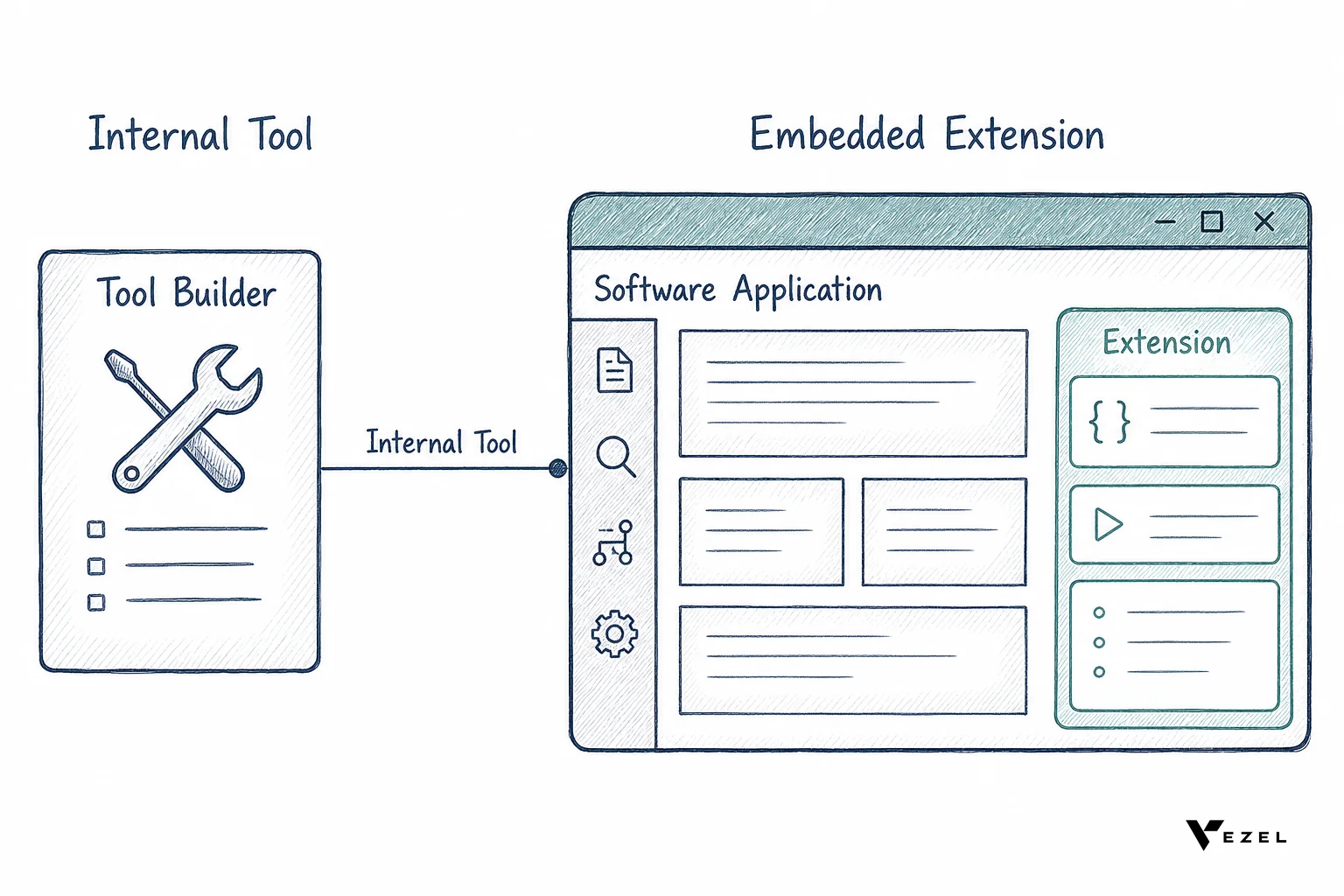
Retool is built for internal teams building internal tools, connecting to internal databases with a separate authentication layer. Vezel is built for your end customers, running inside your product with the security model already in place. That's the whole distinction, and it decides which one actually fits a customer-facing use case.
| Attribute | Vezel | Retool (and similar internal tool builders) |
|---|---|---|
| Primary user | Your end customers | Your internal engineering team |
| Where it runs | Embedded inside your host product | Standalone app, separate from your product |
| Authentication | Inherits host product's login and RBAC | Separate login and permission model |
| Build method | Plain English prompts | Drag-and-drop UI builder, developer-oriented |
| Design system | White-labeled to match host product | Retool's own interface conventions |
| Best fit | Customer-facing dashboards, workflows, agents | Internal admin panels, ops dashboards |
For a deeper side-by-side, see Retool vs embedded extensibility for SaaS products. The comparison holds for other internal tool builders too, including Superblocks and Mendix, which share the same "built for your team, not your customer" orientation.
How Do You Tell If an Extensibility Platform Is Actually Governed?
A governed platform ships versioning, publishing controls, and a lifecycle for every extension a customer builds. Technical openness alone, an API a customer can call, isn't the same thing. Without governance, extensions multiply unchecked and nobody can safely deprecate one when the underlying product changes.
Ask three questions before trusting a vendor's governance claims. Can an admin see every extension a customer has built and published? Can old versions be deprecated without breaking live workflows? Is there an approval step before a customer-built extension goes live for their whole team? If the answer to any of these is no, the platform is technically open, not actually governed.
Who Should Use Vezel?
Vezel fits B2B SaaS companies in the United States and other English-speaking SaaS markets where enterprise customers routinely ask for custom dashboards, approval workflows, or reporting before they'll sign. Vertical SaaS platforms in healthcare tech, field ops, and supply chain tend to see the request volume first, since their customers already run highly specific operational processes.
Product and engineering leaders who are watching their roadmap fill up with one-off customer requests are the clearest fit. So are sales and customer success teams who need to demo a working workflow mid-cycle instead of promising a future release date.
How to Evaluate an Embedded Extension Platform: A Checklist
- Does it embed or does it redirect? A true embedded platform never sends the customer to a separate app or login screen.
- Does it inherit your permission model? If extensions need a separate access setup, you've recreated the RBAC problem you started with.
- Does it connect to live data? Scheduled exports and stale snapshots defeat the purpose of a real-time dashboard.
- Is there a governed marketplace? Versioning and publishing controls should exist before your first customer builds anything.
- Is the white-labeling actually convincing? Ask to see a generated dashboard next to your product's native screens.
A related resource worth reading before you shortlist vendors is how to choose an embedded extensibility platform, which walks through the evaluation in more depth.
Getting Started with Vezel
Vezel exists so your engineering team stops absorbing every enterprise customization request as a one-off build. If your roadmap is already crowded with customer-specific dashboard and workflow tickets, that's the exact problem this platform is built to solve.
The fastest way to see whether it fits your product is to book a demo and watch a real extension get built against your own data model. If you want the mechanics first, see how it works before you talk to anyone.



