



The procurement document lands on a Thursday, four days before an enterprise deal is supposed to close. Most of it is boilerplate: security questionnaires, SLA terms, data residency clauses. Then, on page six, a line item that makes the account executive's stomach drop: "Native integration with our existing ticketing, billing, and compliance systems required prior to contract execution." Not a Zapier workaround. Not a CSV export. A real, live, permission-aware connection that behaves like it was built for them specifically.
This is the moment more B2B SaaS teams are running into every quarter. Enterprise buyers no longer treat integrations as a bonus feature buried in a pricing tier. They treat them as a condition of the sale. And the honest, uncomfortable truth is that most SaaS platforms still handle this the same way they did in 2019: a handful of pre-built connectors, an API doc nobody outside engineering reads, and a promise to "look into it" that quietly becomes a three-month custom build.
This guide is about a different path. It walks through how to embed third-party integrations in your SaaS product without code, using an API-first extension layer that lets end users, implementation teams, and customer success reps wire up real connections in plain English, without opening a single pull request.
Why Bolt-On Integrations Break Down at Scale
Most SaaS products handle integrations the same way: a marketplace page listing 20 to 50 pre-built connectors, built by the vendor's engineering team, maintained forever once shipped. This works fine for the handful of tools that most customers share, payment processors, common CRMs, maybe Slack. It falls apart the moment an enterprise customer's actual stack diverges from that list, which is almost always.
A hospital system running a legacy lab information system. A manufacturing distributor with a homegrown ERP built in 2011. A regional insurance company whose compliance data lives in a system nobody outside their IT department has ever heard of. None of these show up on a standard connector list, and building a bespoke integration for each one is exactly the kind of one-off engineering work that quietly drains a product roadmap.
The scale of the problem shows up clearly in industry data. Feature adoption across B2B SaaS commonly sits in the 22-35% range, meaning most of what a vendor builds goes untouched by any given account, not because it's poorly built, but because it wasn't built for that account's specific stack or workflow. Founder communities consistently report that 70-80% of enterprise feature requests never ship at all. And at many mid-market SaaS companies, one-off customer-specific engineering work, integrations very much included, consumes an estimated 30-40% of total engineering capacity. That's nearly half a team dedicated to work that rarely gets reused by anyone else.
Here's the part that makes it worse: every bolt-on integration you do build becomes permanent maintenance debt. It has to keep working through every API version change, every UI redesign, every security review, for the rest of the product's life, even if only one customer ever uses it. Multiply that across a growing enterprise book of business and you get a codebase quietly buckling under the weight of connections nobody remembers building. Reducing engineering backlog from enterprise requests starts with recognizing that the connector-list model was never built to scale past a handful of common tools.
1. Map the Real Problem Before You Map an API
Before touching any technical foundation, pull the last two quarters of integration requests from sales, support, and customer success. Sort them into two buckets. Data-sync requests move information from one system to another, a support ticket that needs to appear in a CRM, a compliance record that needs to land in an audit tool. Workflow requests are different: they need something to happen across systems, a new customer signing up in your platform that should trigger an onboarding task in a project tool, or a flagged inspection that should open a case in a quality system.
Most teams assume they have an "integrations problem." What they actually have is a pattern-recognition problem. A field service company's requests cluster around dispatch and parts data. A healthcare platform's cluster around lab and compliance systems. A supply chain SaaS company's cluster around ERP and freight data. Once you see the clusters, you stop treating every request as a bespoke project and start treating it as a variation on a theme your extension layer can handle generically.
2. Choose an API-First Foundation, Not a Connector List
The technical foundation matters more than almost any other decision in this process. A connector-list approach requires your engineering team to pre-build and maintain a discrete integration for every third-party system customers might want. An API-first extension layer flips this: it ingests your product's own API surface, typically via an OpenAPI specification, infers the data model, and lets a natural-language request map directly to the correct calls without a human writing integration code for each one.
This is a meaningfully different architecture from tools like Retool or Superblocks, which are excellent at what they do, building internal tools for developers, but live outside your product entirely. They require a separate login, a separate URL, and someone who thinks like an engineer to wire up the connections. That works for internal ops dashboards. It doesn't work when the person who needs the integration is your customer's operations lead, not your own developer. Retool vs embedded extensibility for SaaS products covers this distinction in more depth, but the short version is: internal tool builders solve a different problem than customer-facing integration requests.
The difference in practice is who can actually use it. A connector list is built by your engineers, for your customers, on your timeline. An API-first extension layer is built by your engineers once, then used directly by customers, on their timeline, whenever a new integration need surfaces.
3. Let End Users Describe Integrations in Plain English
Once the API foundation exists, the interface for building an integration should look nothing like code. It should look like a sentence. "When a new work order closes in our system, send the summary and photos to our compliance folder in SharePoint." "Pull overdue invoices from our billing system into a dashboard our finance team already checks every morning." "Route new leads from our website form into the CRM pipeline, tagged by region."

This is where the maturity of the underlying AI matters. A basic chatbot, what the industry sometimes calls Level 1 or Level 2 AI, can extract data or hold a conversation about it, but the output disappears the moment the chat window closes. What's needed here is Level 3: application generation, where the plain-English description produces a durable, installable connection that keeps running every day without anyone re-typing the request. Vezel's approach to this, letting end users connect SaaS to customer workflows without code, is built specifically around this durability requirement. The integration isn't a one-time answer. It's a working piece of the product from that point forward.
The practical effect for a customer success or solutions engineering team is significant. Instead of writing a ticket that goes into an engineering queue for a quarter, they can sit on a call with the customer and build the connection live, watching it pull real data from the customer's actual account in real time.
4. Inherit Security and Permissions, Don't Rebuild Them
This is the step where most standalone AI app builders quietly fail, and it's the single most important differentiator between a toy and a production-grade embedded integration layer. Every request a generated integration makes has to pass through the exact same authentication, role-based permissions, and row-level access rules the rest of your platform already enforces. If a user can't see a particular customer's billing data in the core product, an integration they build shouldn't be able to see it either.
- Row-level access control that scopes every generated connection to the tenant and user role that created it
- Full audit logging of every generation and deployment event, which matters enormously during compliance reviews
- No separate authentication layer, meaning no new attack surface for security teams to evaluate and approve
- Automated validation before deployment, catching common vulnerability classes before an integration ever touches live data
For regulated industries this isn't a nice-to-have, it's the deciding factor in whether procurement signs off at all. Healthcare SaaS platforms offering extensibility need this kind of security inheritance to pass HIPAA-adjacent reviews, and supply chain platforms handling regulated freight or lot-tracking data face similar scrutiny before any customer-built connection goes live. According to the U.S. Cybersecurity and Infrastructure Security Agency, unmanaged third-party connections are among the most common sources of enterprise data exposure, which is exactly why "who built this and what can it see" needs a clear, auditable answer (CISA supply chain security guidance).
5. Publish, Govern, and Reuse Through a Marketplace
An integration built once and used by one team is useful. An integration built once and discoverable by every relevant team across the account, or across your entire customer base, is where the real leverage shows up. This requires treating generated integrations less like disposable scripts and more like small, versioned products living inside an in-app marketplace.
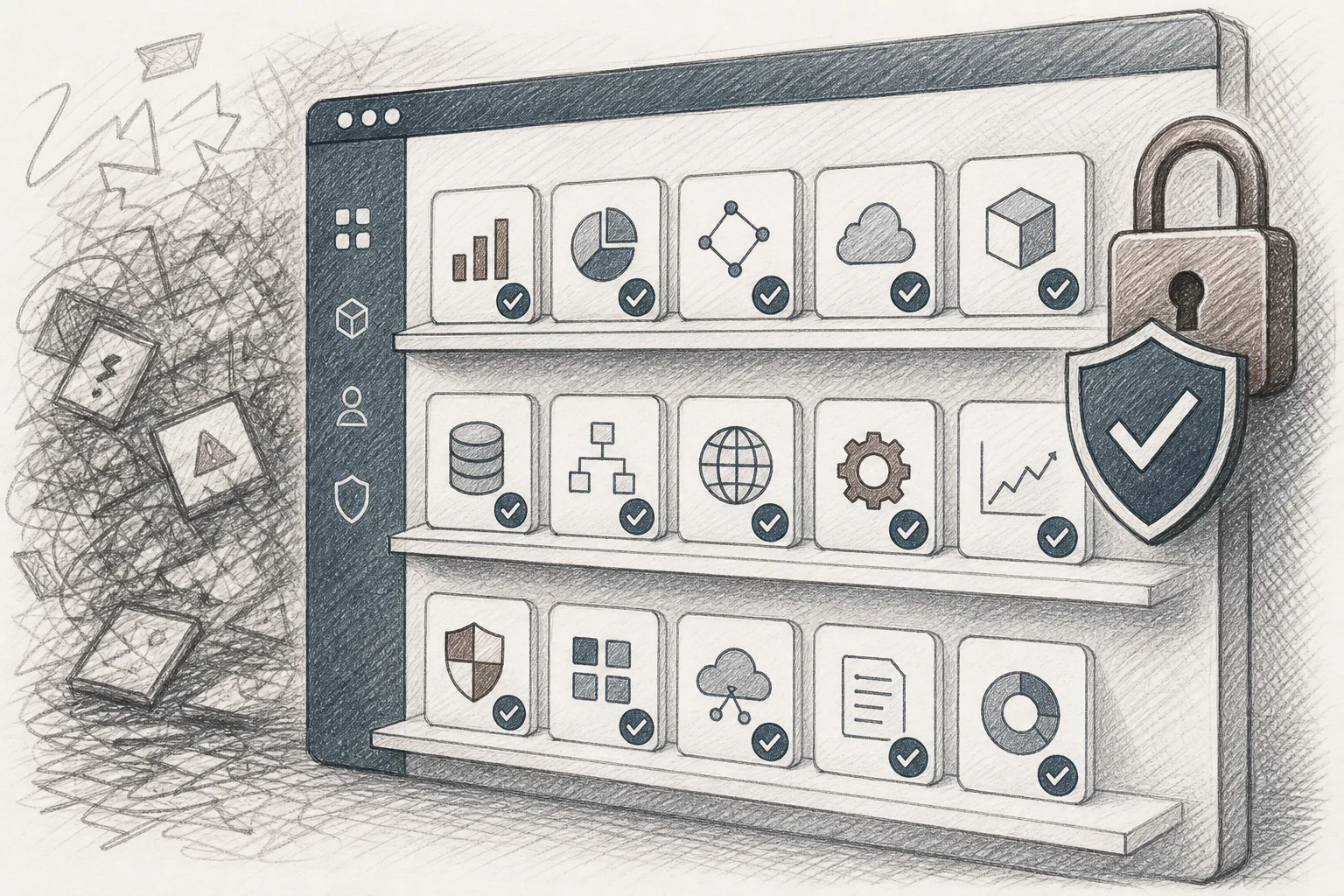
Every published integration should carry version history, so a change can be rolled back if something breaks. It should carry usage analytics, so both your team and the customer's admins can see what's actually being used and by whom. And it should be governed, meaning publishing requires the right permissions, and visibility can be scoped to a single account or shared more broadly when it makes sense. Embedding a workflow builder in your SaaS follows the same governance logic: durable, reusable, and never a shadow system living outside the platform's visibility.
This governance layer is also what keeps the whole approach from becoming exactly the problem it's meant to solve. Without it, self-serve integration building risks turning into a new flavor of shadow IT, ungoverned, unaudited, invisible to the people responsible for security. With it, every integration a customer builds stays inside the platform's line of sight, permanently.
What This Means for Engineering Velocity and Enterprise Deal Cycles
The metrics from production deployments of this model are worth sitting with. Adoption of self-built integrations and apps commonly lands in the 85-95% range, compared with a typical 20-40% adoption rate for a standard feature release. Thirty-day retention among users who build or use a custom integration often sits in the high 80s, well above industry-average one-month retention figures frequently cited around 35-40%. Support tickets related to "how do I connect X to Y" commonly drop by 30-35%, because customers solve the problem themselves instead of filing a request and waiting.
The sales impact is just as concrete. Solutions engineers who can build the requested integration live, during the call, rather than promising it "on the roadmap," report meaningfully higher win rates. That procurement line item on page six stops being a blocker and becomes a five-minute demo. Stopping enterprise deals from bloating your roadmap is, in large part, a story about moving integration requests out of the engineering queue and into a conversation your GTM team can close in real time.
Frequently Asked Questions
Is this the same as Zapier or Workato?
No. Zapier and Workato connect separate, standalone apps to each other through triggers and actions, and the automation lives outside any single product. An embedded extension layer is built into your SaaS product itself, so the integration inherits your platform's authentication, permissions, and design system rather than living as an external automation between two unrelated tools.
Does this replace our existing pre-built integrations marketplace?
Not necessarily. Keep pre-built connectors for the handful of tools nearly every customer shares, common CRMs, payment processors, and similar. An embedded extension layer handles the long tail: the specific, less common, or entirely custom systems that a connector list will never cover economically.
How long does it take to embed this into our product?
Integration timelines commonly run around two weeks for the core technical work: connecting the extension layer to your API surface, mapping security and role permissions, and applying your design system so generated integrations look native rather than bolted on.
Is it secure enough for healthcare or financial services customers?
Security inheritance is the architectural point of this approach. Every generated integration passes through your platform's existing authentication and row-level access rules, and every generation event is logged for audit purposes, which is exactly the kind of control regulated buyers expect to see documented during procurement review.
The platforms winning enterprise deals in 2026 aren't the ones with the longest connector list. They're the ones where a customer can describe the exact connection they need and watch it go live before the call ends.
Enterprise buyers stopped accepting "that's on our roadmap" as an answer to integration requests a long time ago. If your product still routes every non-standard connection through an engineering queue, you're not just slowing deals down, you're quietly training your best customers to build workarounds outside your platform entirely. Vertical SaaS extensibility for enterprise retention and embedded integrations are two sides of the same shift: from a fixed product to a platform your customers can extend themselves, safely, inside the walls you already built.
If you're ready to see what an API-first, plain-English integration layer looks like inside your own product, book a demo and we'll walk through your actual API surface. Want the mechanics first? see how it works, or start your free trial to try it against your own data. If you'd rather talk through your specific enterprise pipeline and where integration requests are stalling deals, talk to an expert and bring the procurement doc.



